



1 安装Management Console (MC)
Vertica的管理控制台是独立于数据库软件的一个产品,可以通过web界面对数据库进行监控、管理以及一些优化操作。
1.1 上传MC软件包到服务器
根据不同的操作系统,下载对应的MC软件包,支持在主流的红帽、centos、suse等等Linux系统上运行,不能部署在Windows上。
vertica-console-23.3.0-6.x86_64.RHEL6.rpm
1.2 安装RPM包
使用root用户安装RPM包:
[root@szxtsp104 ~]# rpm -ivh vertica-console-23.3.0-6.x86_64.RHEL6.rpm
warning: vertica-console-23.3.0-6.x86_64.RHEL6.rpm: Header V3 RSA/SHA256 Signature, key ID f54b82a0: NOKEY
Preparing...                          ################################# [100%]
[preinstall] Starting installation....
[preinstall] Backing up config directory
‘/opt/vconsole/config’ -> ‘/opt/vconsole/config.bak’
Updating / installing...
   1:vertica-console-23.3.0-6         ################################# [100%]
[postinstall] copy vertica-consoled
[postinstall] configure the daemon service
mkdir: cannot create directory ‘tools’: File exists
Cleaning up temp folder...
Starting the Vertica Management Console....
Vertica Console: 2024-05-07 10:04:55.552:INFO::main: Logging initialized @120ms to org.eclipse.jetty.util.log.StdErrLog
2024-05-07 10:04:55.560:INFO:cv.Startup:main: Attempting to load properties from /opt/vconsole/config/console.properties
2024-05-07 10:04:55.560:INFO:cv.Startup:main: Starting Server...
2024-05-07 10:04:55.635:INFO:cv.Startup:main: starting monitor thread
2024-05-07 10:04:55.639:INFO:cv.Startup:StopMonitor: socket to block and wait for incoming connections
2024-05-07 10:04:55.639:INFO:oejs.Server:main: jetty-9.4.48.v20220622; built: 2022-06-21T20:42:25.880Z; git: 6b67c5719d1f4371b33655ff2d047d24e171e49a; jvm 11.0.19+7
2024-05-07 10:05:00.047:INFO:oejshC.webui:main: No Spring WebApplicationInitializer types detected on classpath
2024-05-07 10:05:00.081:INFO:oejs.session:main: DefaultSessionIdManager workerName=node0
2024-05-07 10:05:00.081:INFO:oejs.session:main: No SessionScavenger set, using defaults
2024-05-07 10:05:00.081:INFO:oejs.session:main: node0 Scavenging every 600000ms
2024-05-07 10:05:00.085:INFO:oejshC.webui:main: Initializing Spring root WebApplicationContext
---- Upgrading /opt/vconsole/config/console.properties ----


************************************************************************************************************

Please open the Vertica Management Console at https://szxtsp104:5450/webui

************************************************************************************************************


2024-05-07 10:05:11.543:WARN:oeju.DeprecationWarning:main: Using @Deprecated Class org.eclipse.jetty.servlets.GzipFilter
2024-05-07 10:05:11.559:WARN:oejs.GzipFilter:main: GzipFilter is deprecated. Use GzipHandler
2024-05-07 10:05:11.582:INFO:oejshC.webui:main: Initializing Spring DispatcherServlet 'appServlet'
2024-05-07 10:05:12.262:INFO:oejsh.ContextHandler:main: Started o.e.j.w.WebAppContext@268215b3{/webui,[file:///opt/vconsole/temp/webapp/, jar:file:///opt/vconsole/temp/webapp/WEB-INF/lib/jquery-3.6.0.jar!/META-INF/resources],AVAILABLE}{file:/opt/vconsole/lib/webui.war}

2024-05-07 10:07:34.126:INFO:oejsh.ContextHandler:main: Started o.e.j.w.WebAppContext@487c19e4{/auth,[file:///opt/vconsole/tempkc/webapp/, jar:file:///opt/vconsole/tempkc/webapp/WEB-INF/lib/jquery-3.6.0.jar!/META-INF/resources],AVAILABLE}{file:/opt/vconsole/lib/keycloak-embed.war}
2024-05-07 10:07:34.133:INFO:oejus.SslContextFactory:main: x509=X509@ac733da(selfsigned,h=[vertica],a=[],w=[]) for Server@15f760e4[provider=null,keyStore=file:///opt/vconsole/config/keystore.jks,trustStore=null]
2024-05-07 10:07:34.148:INFO:oejs.AbstractConnector:main: Started ServerConnector@12c8a2c0{SSL, (ssl, http/1.1)}{0.0.0.0:5450}
2024-05-07 10:07:34.148:INFO:oejs.Server:main: Started @158719ms
2024-05-07 10:07:34.148:INFO:cv.Startup:main: STARTING jetty server
start OK
[postinstall] Changing permissions of /opt/vconsole
[root@szxtsp104 ~]#
2 配置MC
安装完成后即可通过https://YourIP:5450/webui登陆管理控制台的web界面:
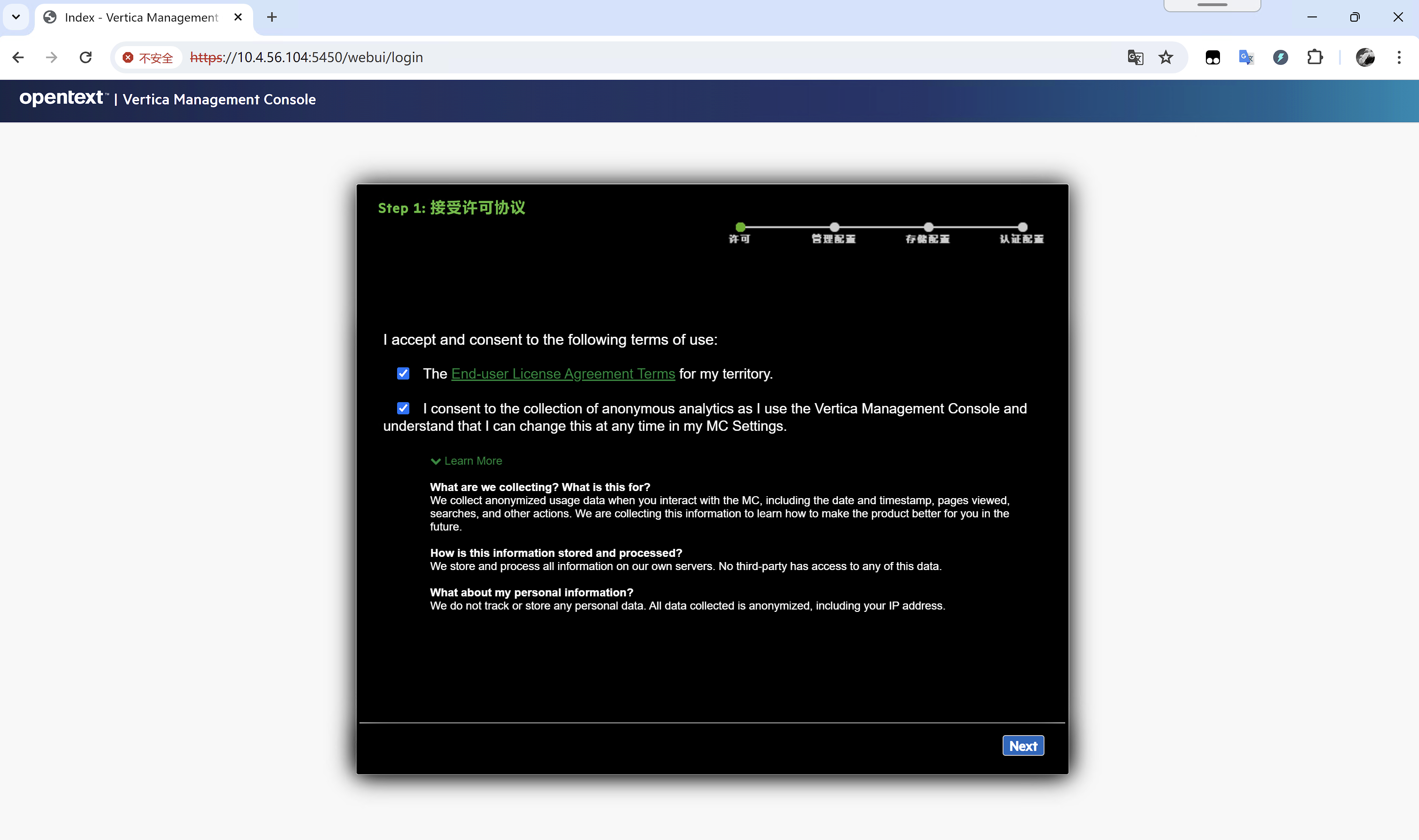
2.1 接受许可协议
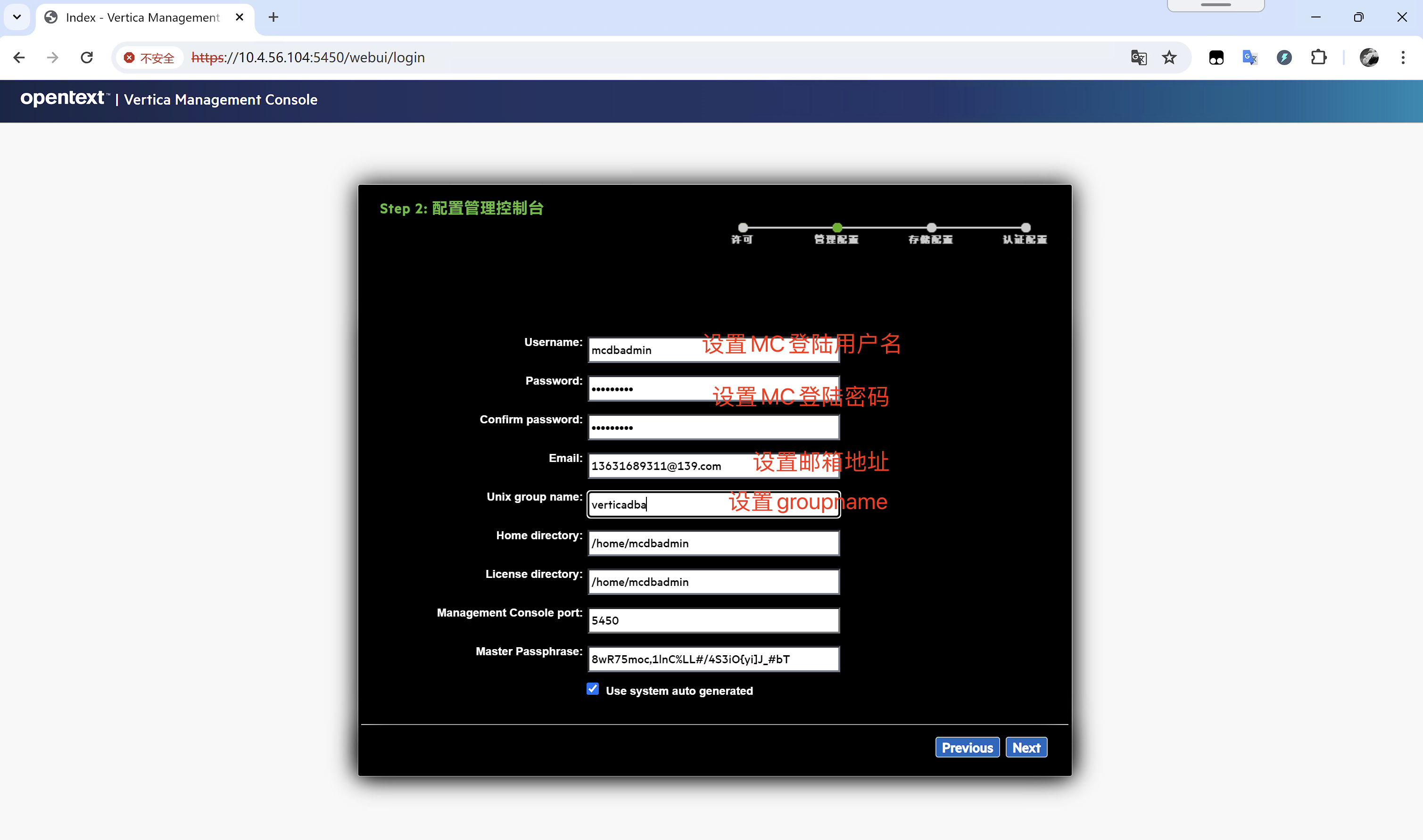
2.2 配置用户名密码
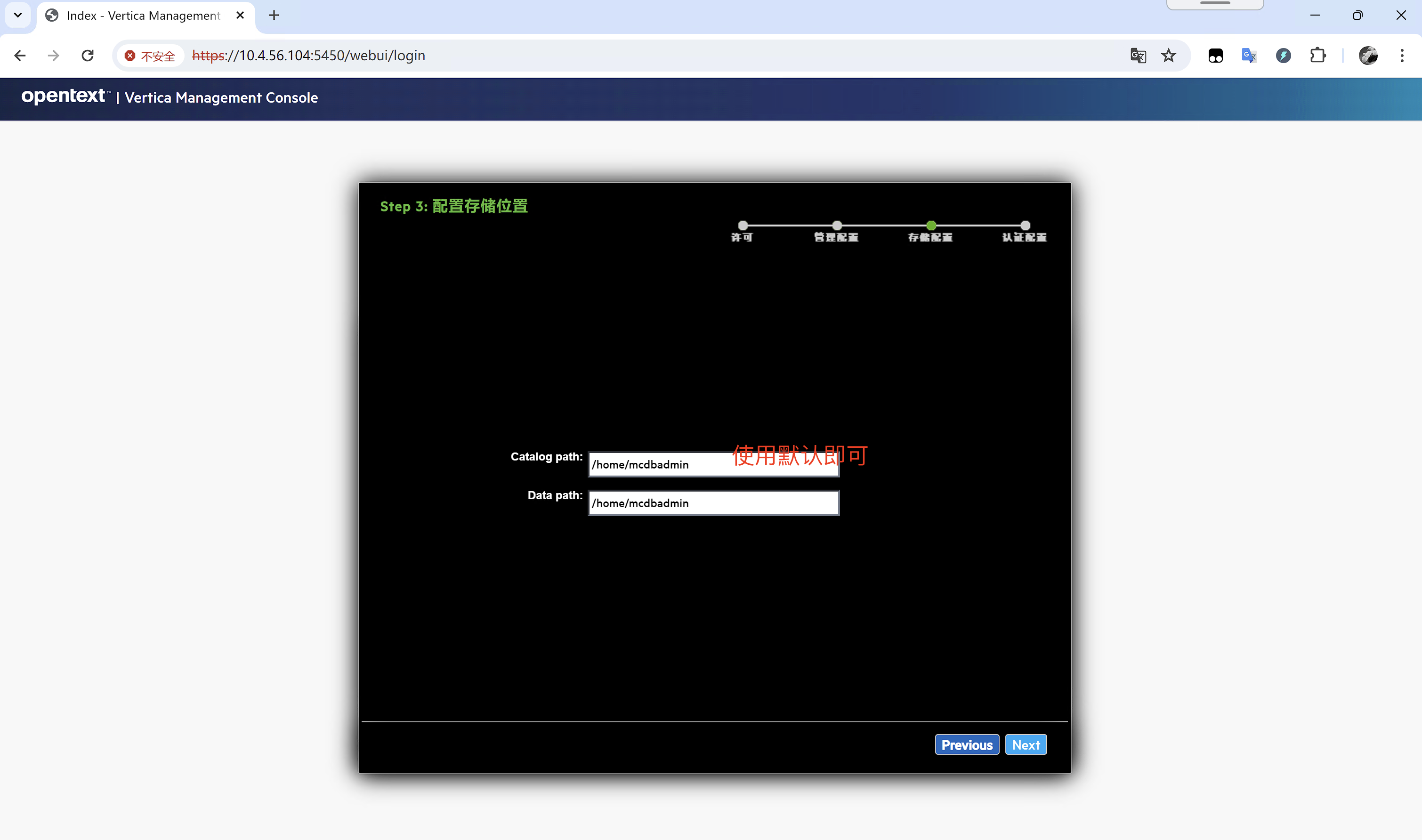
2.3 配置存储位置
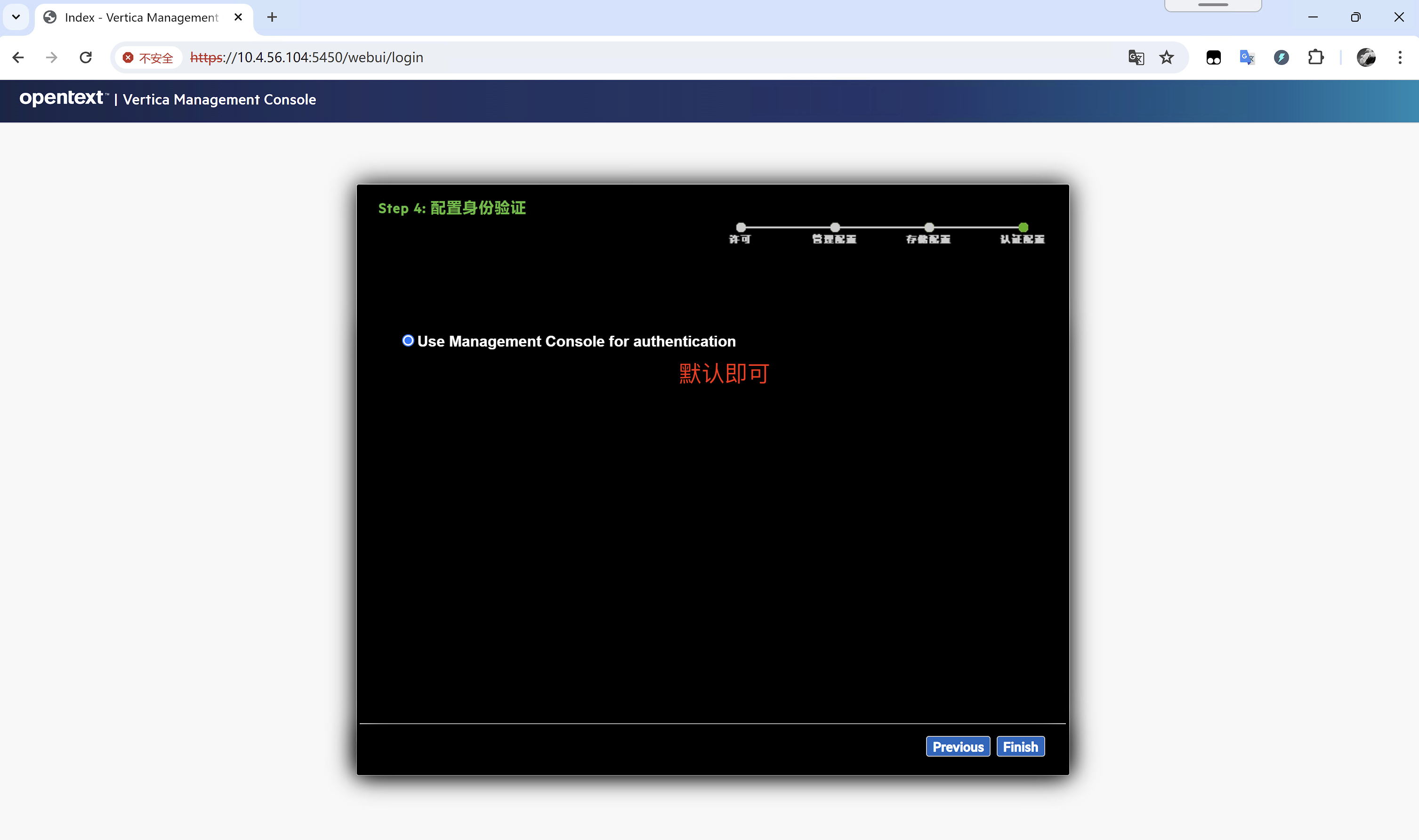
2.4 配置身份验证
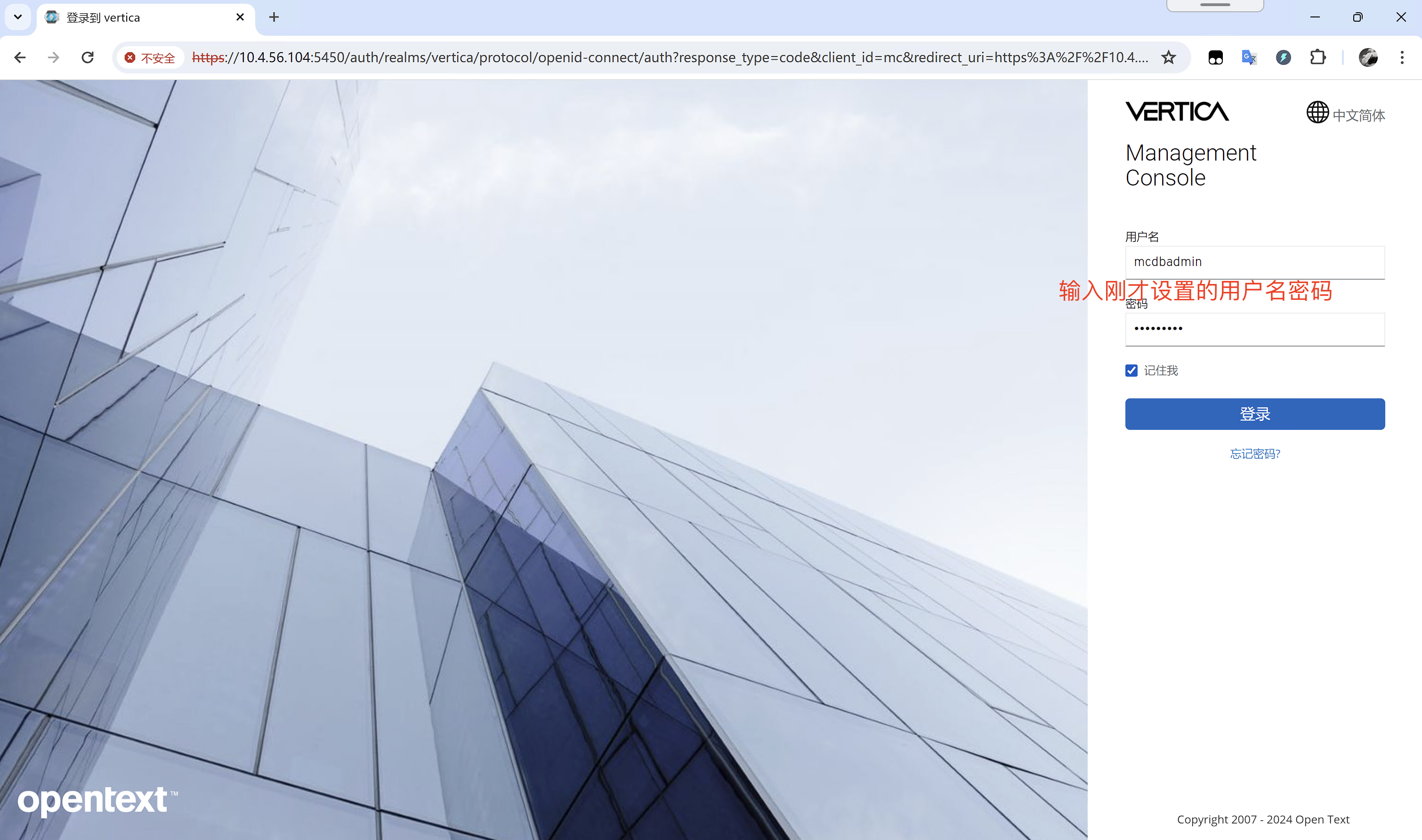
3 登陆MC
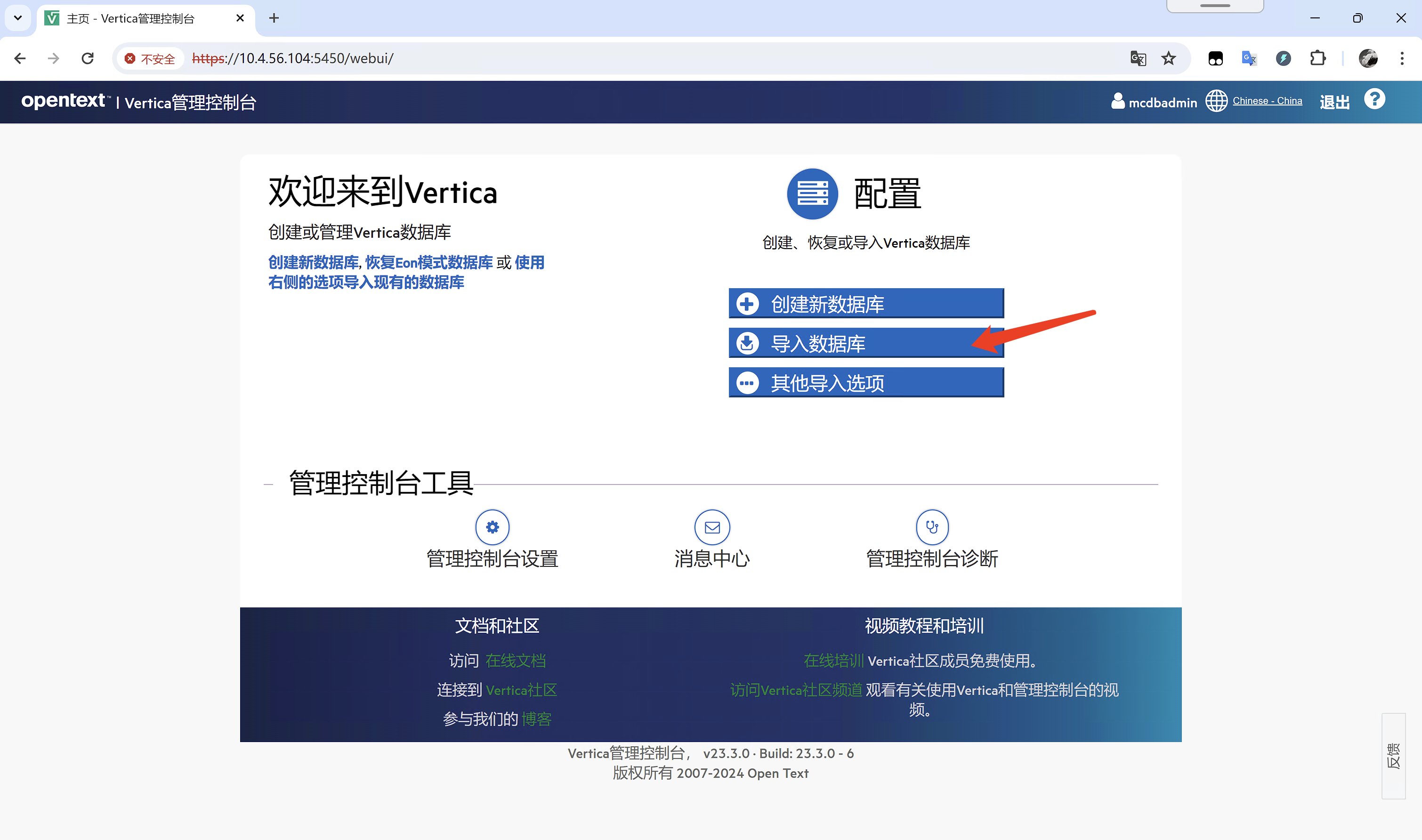
3.1 第一次登陆后没有导入数据库,需要点击导入数据库导入
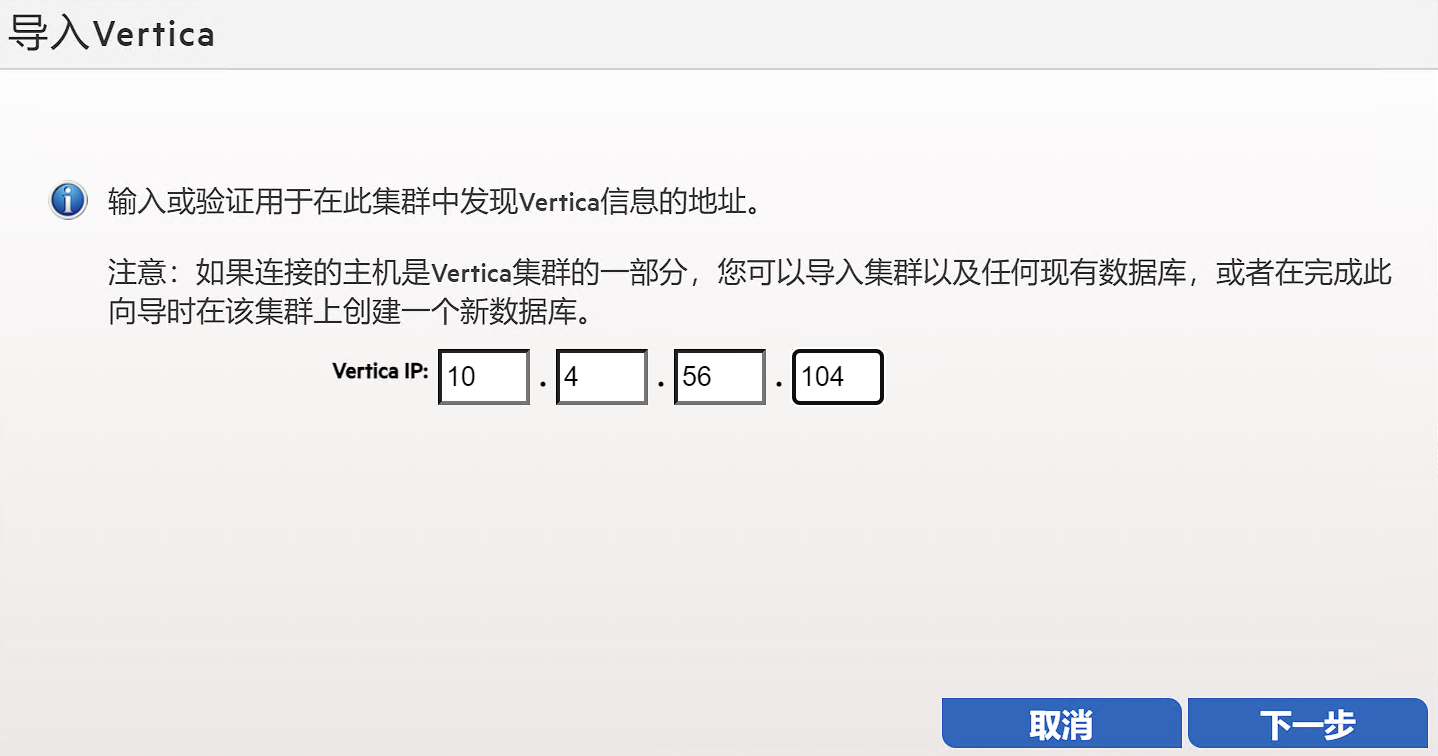
3.2 输入需要导入的集群IP(集群任意一个IP即可)
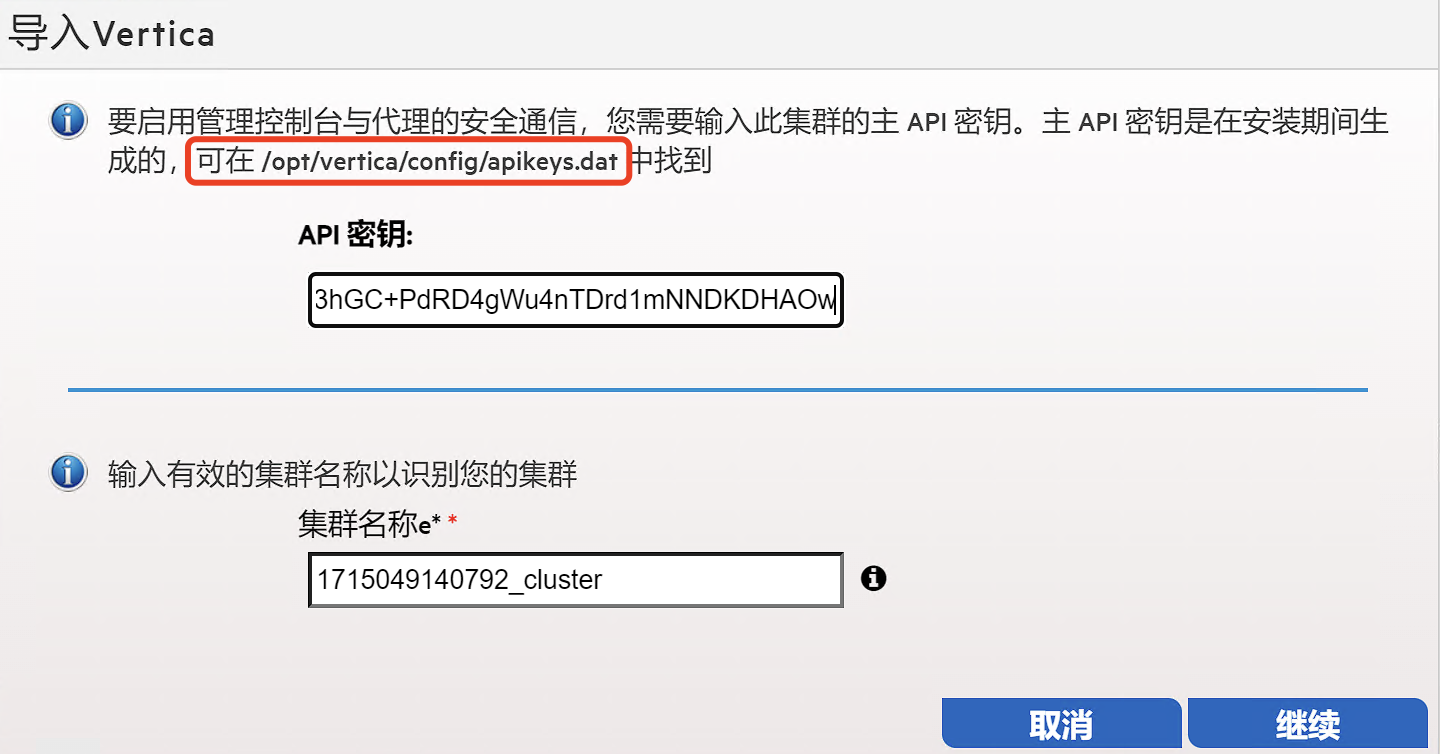
3.3 输入后API密钥(可从集群服务器/opt/vertica/config/apikeys.dat文件中获取)
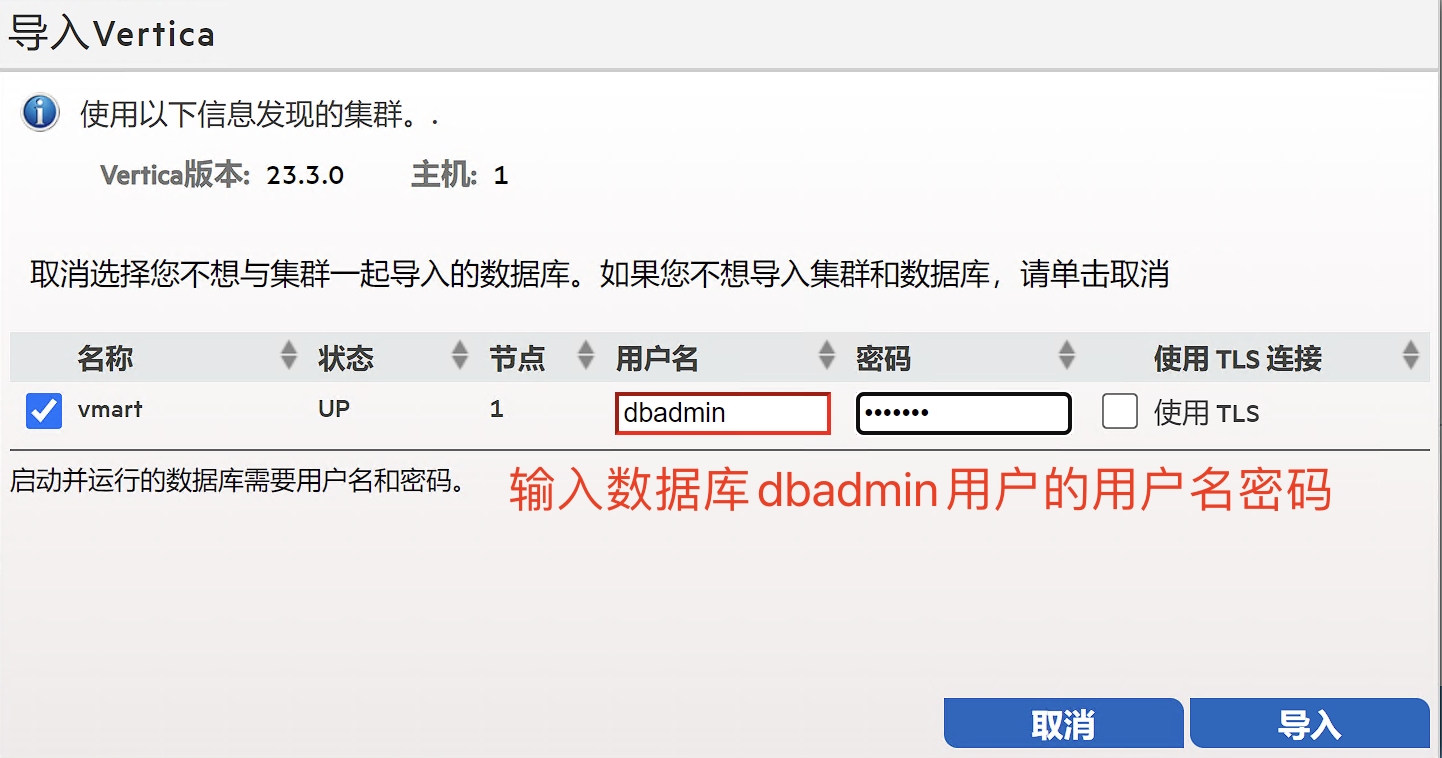
3.4 配置数据库用户
这里可以使用数据库的dbadmin用户,也可以使用数据库另外的用户,但需要注意用户的权限,权限不足可能会导致在MC上某些项目数据无法查看。
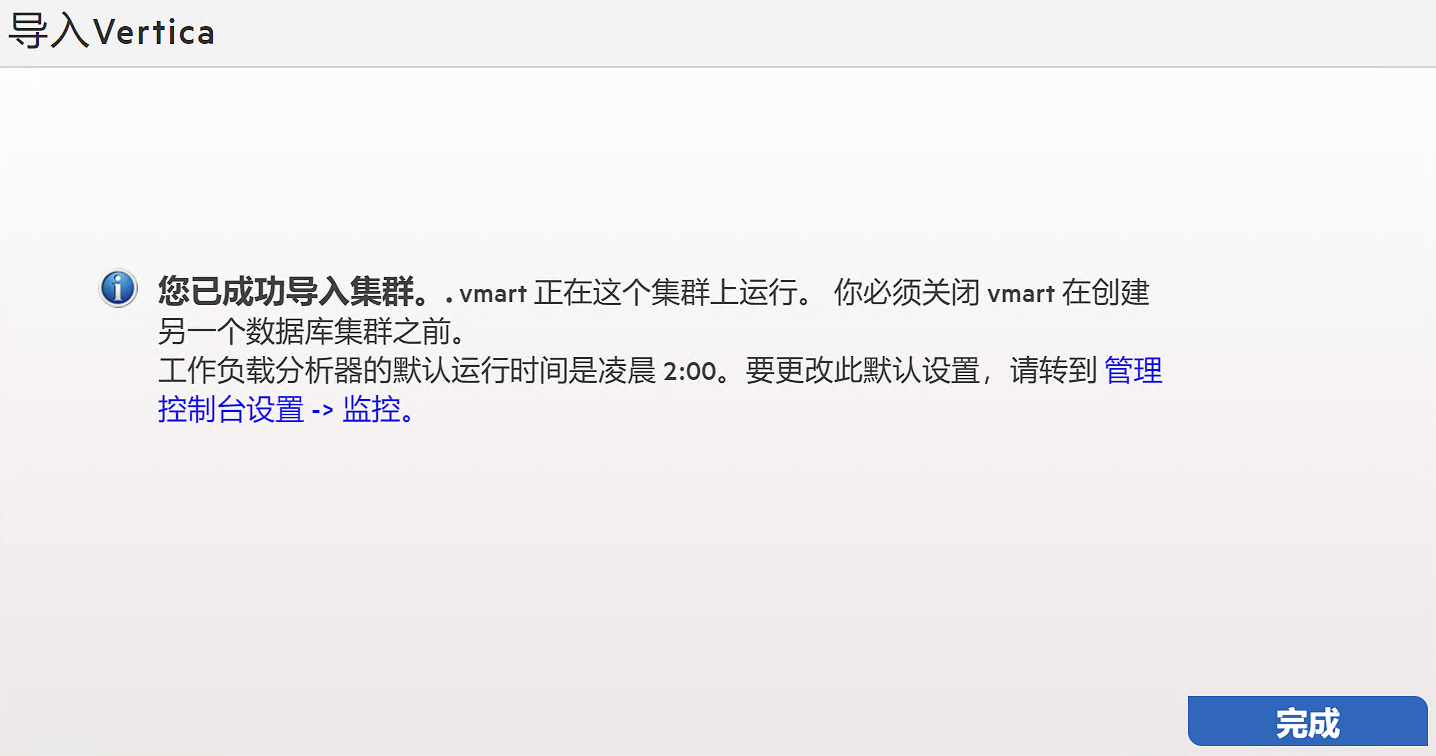
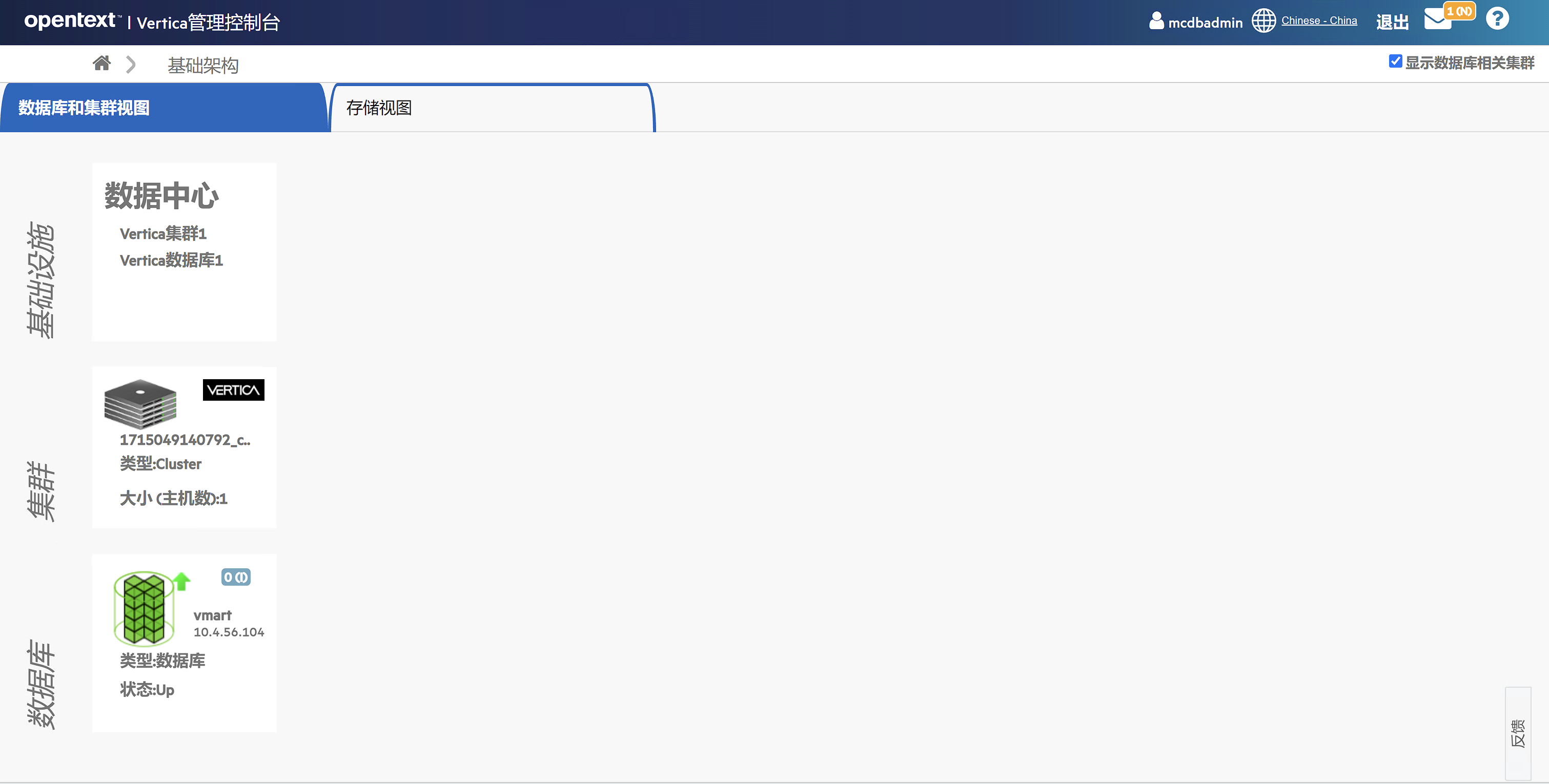
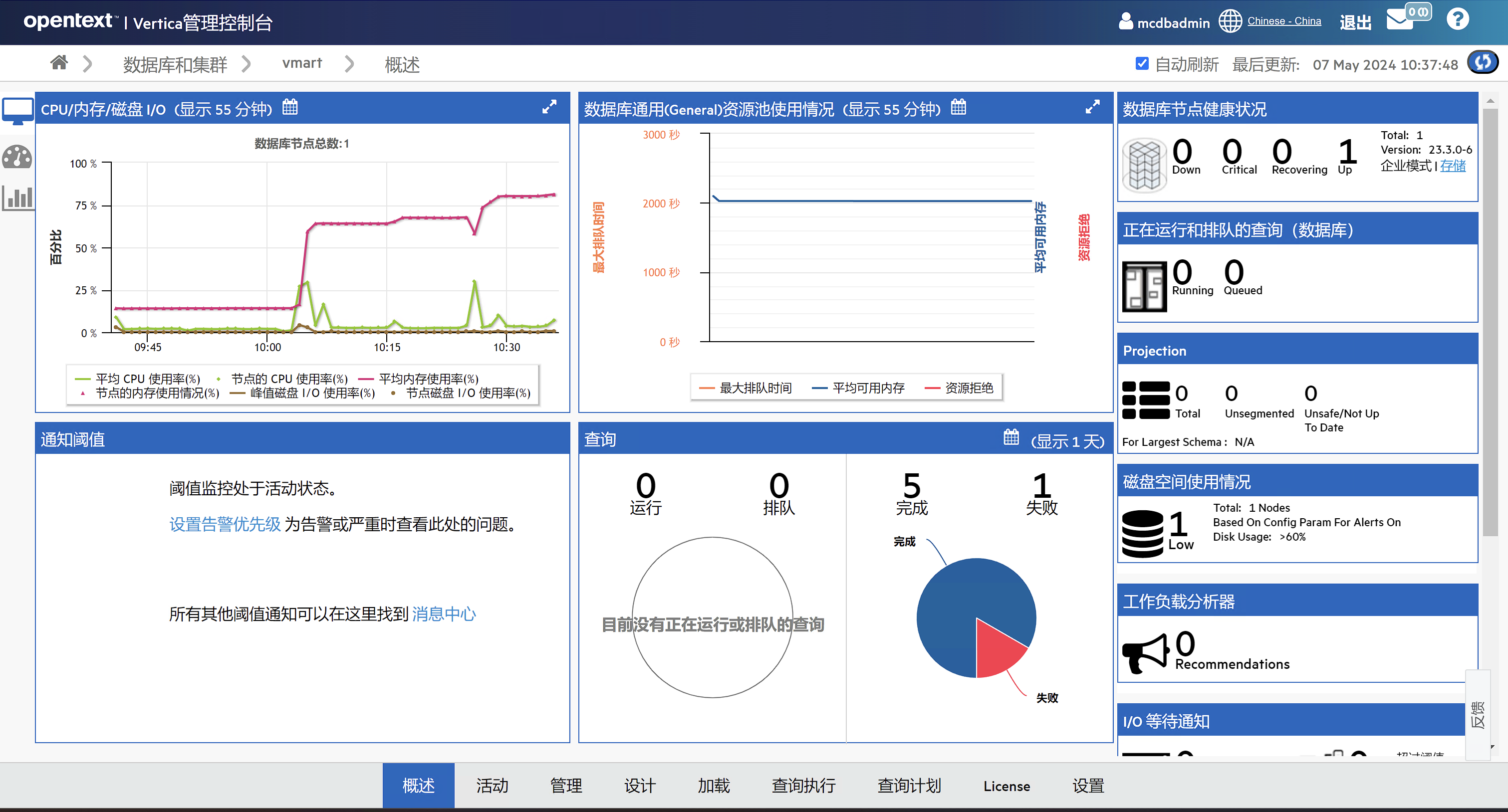
3.5 导入数据库成功
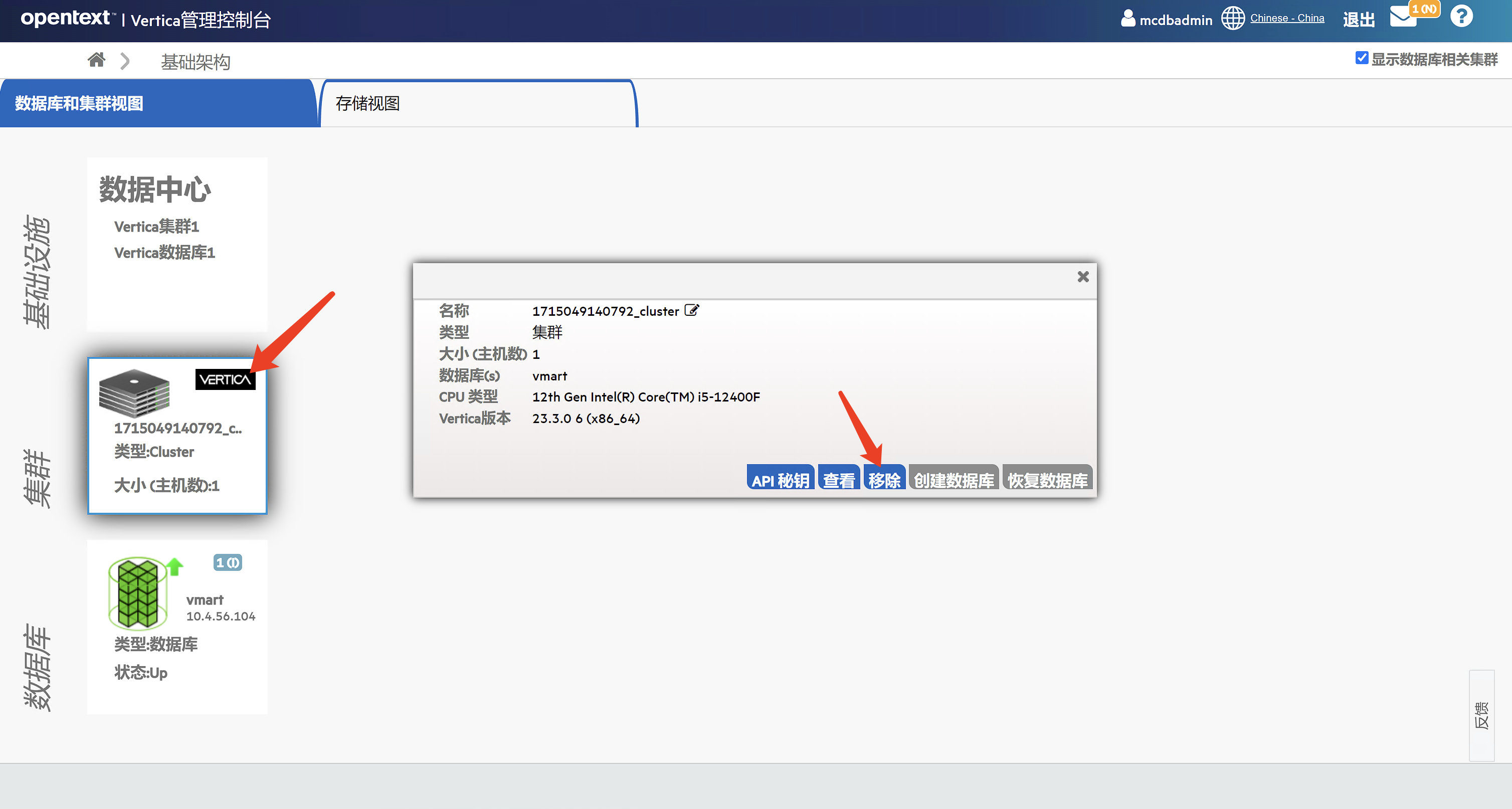
4 从MC上移除数据库
从如下界面点击移除集群。
5 重启MC
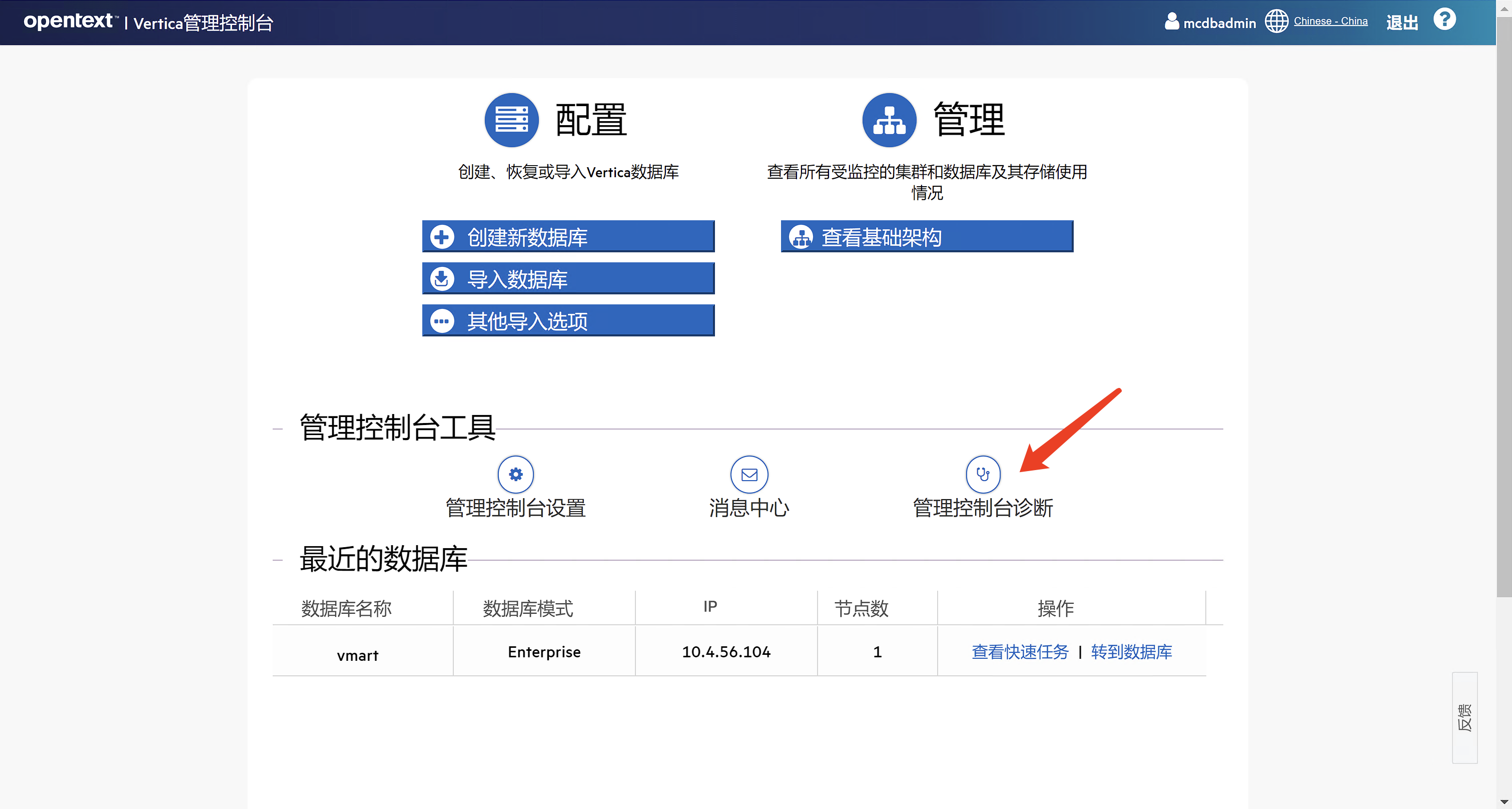
5.1 从MC界面重启
1、点击管理控制台诊断
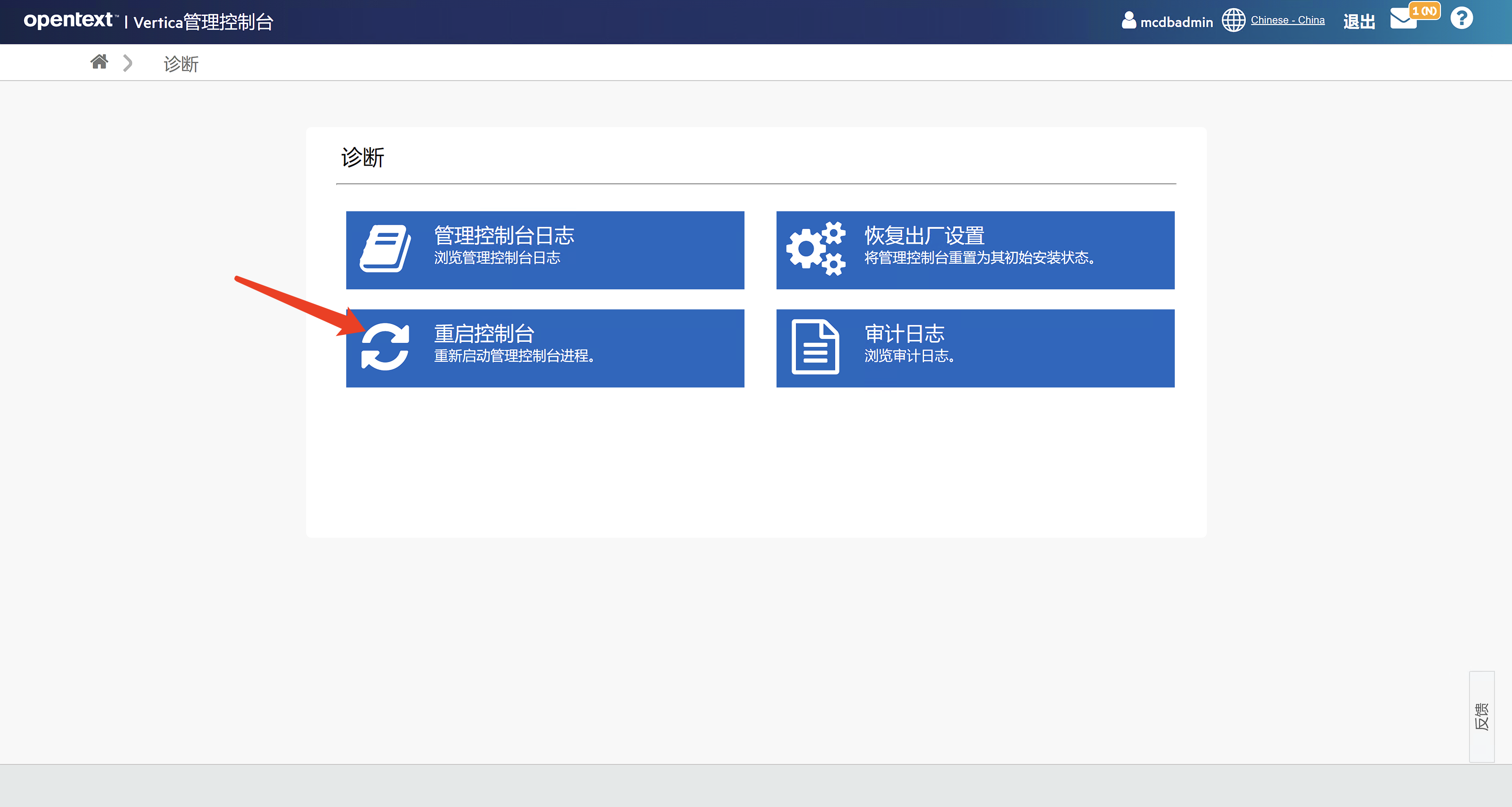
2、点击重启管理控制台,然后确认
5.2 从服务器使用命令行重启MC
登陆MC软件安装所在的服务器,并使用root用户执行如下命令:
[root@szxtsp104 ~]# /etc/init.d/vertica-consoled
Usage: /etc/init.d/vertica-consoled {start|stop|status|restart|condrestart}
[root@szxtsp104 ~]#
[root@szxtsp104 ~]#
[root@szxtsp104 ~]#
[root@szxtsp104 ~]# /etc/init.d/vertica-consoled restart
Vertica Console: Management Console stopped
2024-05-07 10:48:24.779:INFO::main: Logging initialized @94ms to org.eclipse.jetty.util.log.StdErrLog
2024-05-07 10:48:24.787:INFO:cv.Startup:main: Attempting to load properties from /opt/vconsole/config/console.properties
2024-05-07 10:48:24.787:INFO:cv.Startup:main: Starting setuidserver
2024-05-07 10:48:29.921:INFO:cv.Startup:main: starting monitor thread
2024-05-07 10:48:29.926:INFO:oejs.SetUIDListener:main: Setting umask=00
2024-05-07 10:48:29.926:INFO:cv.Startup:StopMonitor: socket to block and wait for incoming connections
2024-05-07 10:48:29.935:INFO:oejs.SetUIDListener:main: Opened ServerConnector@80169cf{SSL, (ssl, http/1.1)}{0.0.0.0:5450}
2024-05-07 10:48:29.935:INFO:oejs.SetUIDListener:main: Setting GID=1000
2024-05-07 10:48:29.936:INFO:oejs.SetUIDListener:main: Setting UID=1003
2024-05-07 10:48:29.937:INFO:oejs.Server:main: jetty-9.4.48.v20220622; built: 2022-06-21T20:42:25.880Z; git: 6b67c5719d1f4371b33655ff2d047d24e171e49a; jvm 11.0.19+7
2024-05-07 10:48:32.704:INFO:oejshC.webui:main: No Spring WebApplicationInitializer types detected on classpath
2024-05-07 10:48:32.740:INFO:oejs.session:main: DefaultSessionIdManager workerName=node0
2024-05-07 10:48:32.740:INFO:oejs.session:main: No SessionScavenger set, using defaults
2024-05-07 10:48:32.741:INFO:oejs.session:main: node0 Scavenging every 600000ms
2024-05-07 10:48:32.746:INFO:oejshC.webui:main: Initializing Spring root WebApplicationContext


************************************************************************************************************

Please open the Vertica Management Console at https://szxtsp104:5450/webui

************************************************************************************************************


2024-05-07 10:48:36.309:WARN:oeju.DeprecationWarning:main: Using @Deprecated Class org.eclipse.jetty.servlets.GzipFilter
2024-05-07 10:48:36.309:WARN:oejs.GzipFilter:main: GzipFilter is deprecated. Use GzipHandler
2024-05-07 10:48:36.343:INFO:oejshC.webui:main: Initializing Spring DispatcherServlet 'appServlet'
2024-05-07 10:48:36.980:INFO:oejsh.ContextHandler:main: Started o.e.j.w.WebAppContext@237b54bc{/webui,[file:///opt/vconsole/temp/webapp/, jar:file:///opt/vconsole/temp/webapp/WEB-INF/lib/jquery-3.6.0.jar!/META-INF/resources],AVAILABLE}{file:/opt/vconsole/lib/webui.war}
2024-05-07 10:48:42.644:INFO:oejsh.ContextHandler:main: Started o.e.j.w.WebAppContext@7a3c903f{/auth,[file:///opt/vconsole/tempkc/webapp/, jar:file:///opt/vconsole/tempkc/webapp/WEB-INF/lib/jquery-3.6.0.jar!/META-INF/resources],AVAILABLE}{file:/opt/vconsole/lib/keycloak-embed.war}
2024-05-07 10:48:42.647:INFO:oejus.SslContextFactory:main: x509=X509@73ac8829(selfsigned,h=[vertica],a=[],w=[]) for Server@19e6fa30[provider=null,keyStore=file:///opt/vconsole/config/keystore.jks,trustStore=null]
2024-05-07 10:48:42.659:INFO:oejs.AbstractConnector:main: Started ServerConnector@80169cf{SSL, (ssl, http/1.1)}{0.0.0.0:5450}
2024-05-07 10:48:42.659:INFO:oejs.Server:main: Started @17977ms
2024-05-07 10:48:42.659:INFO:cv.Startup:main: STARTING jetty server
restart OK
[root@szxtsp104 ~]#

最后修改时间:2024-08-29 10:38:53
「喜欢这篇文章,您的关注和赞赏是给作者最好的鼓励」
关注作者
【版权声明】本文为墨天轮用户原创内容,转载时必须标注文章的来源(墨天轮),文章链接,文章作者等基本信息,否则作者和墨天轮有权追究责任。如果您发现墨天轮中有涉嫌抄袭或者侵权的内容,欢迎发送邮件至:contact@modb.pro进行举报,并提供相关证据,一经查实,墨天轮将立刻删除相关内容。
