



故障现象
生产环境磐维2.0打完patch后,在使用与yum命令安装gdb和perf包时,报了如下错:
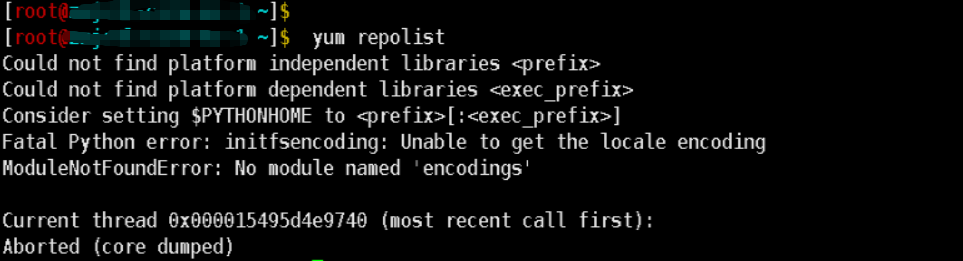
从报错上可以看出是没有python模块encodings。
故障分析
由于patch是需要python3里面的包来进行patch的操作,在这一步可以清晰的看出:
[root@xxx script]# ./pwpatch  -P
Before upgrading, please back up the original product and user data package, stop the database service, and maually detach the node from the cluster. The upgrade process may involve modifying the metadata and switching the upgrade mode. The service will be started during the upgrade process. Please specify a dedicated port number for the upgrade to avoid the upgrade process being affected by external commands. And do not put any backup files in the patch directory. Do not delete any files and directories generated by unzipping the patch tar package, and do not destroy the directory structure, including the outermost directory with the same name as the tar package, Do you want to continue the upgrade (please input yes or no):
yes
Begin preparing patch.
Successfully prepared patch.
Begin completing the link of the software.
Successfully completed the link of the software.
Begin preparing patches and environment variables.
Performing cmd: python3 '/home/omm/patch/PanWeiDB_V2.0-S2.0.2_B01-patch-bclinux_euler21.10-x86_64/PWPatch/script/gs_preinstall' -U 'omm' -G 'dbgrp' -X '/software/pwpatchtmp/pw_cluster_omm_dbgrp_17700.xml' --non-interactive.
    A1. [ OS version status ]                                   : Warning
    A2. [ Kernel version status ]                               : Normal
    A3. [ Unicode status ]                                      : Normal
    A4. [ Time zone status ]                                    : Normal
    A5. [ Swap memory status ]                                  : Warning
    A6. [ System control parameters status ]                    : Normal
    A7. [ File system configuration status ]                    : Warning
    A8. [ Disk configuration status ]                           : Normal
    A9. [ Pre-read block size status ]                          : Normal
    A10.[ IO scheduler status ]                                 : Normal
    A12.[ Time consistency status ]                             : Warning
    A13.[ Firewall service status ]                             : Normal
    A14.[ THP service status ]                                  : Normal
Successfully prepared patches and environment variables.
Generate flag file preparation_succeeded.json ( /software/pwpatchtmp/preparation_succeeded.json ).
Successful prepare ok!
从上面日志输出,需要去配置python3的环境变量,再使用python3去调用gs_preinstall命令进行升级前的预安装。
故障处理
(1)磐维升级完成后,在/root/.bashrc文件下将PATH和LD_LIBRARY_PATH对应的补丁信息删除掉
 (2)将/home/omm文件夹下的patch改名或者删除掉
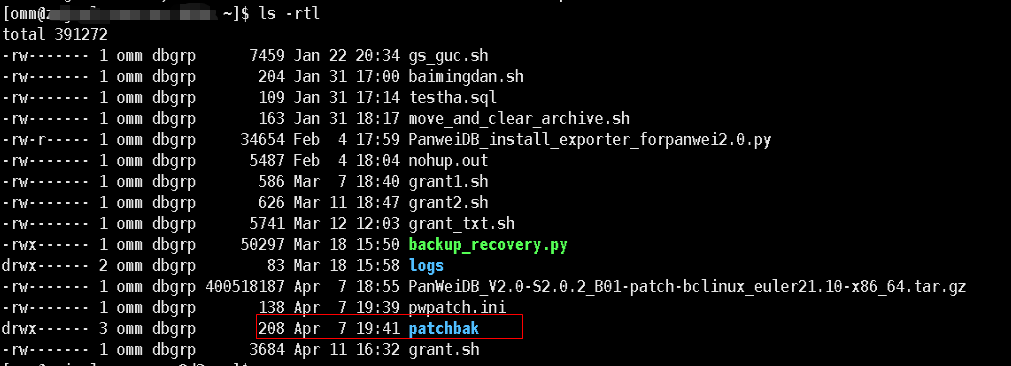
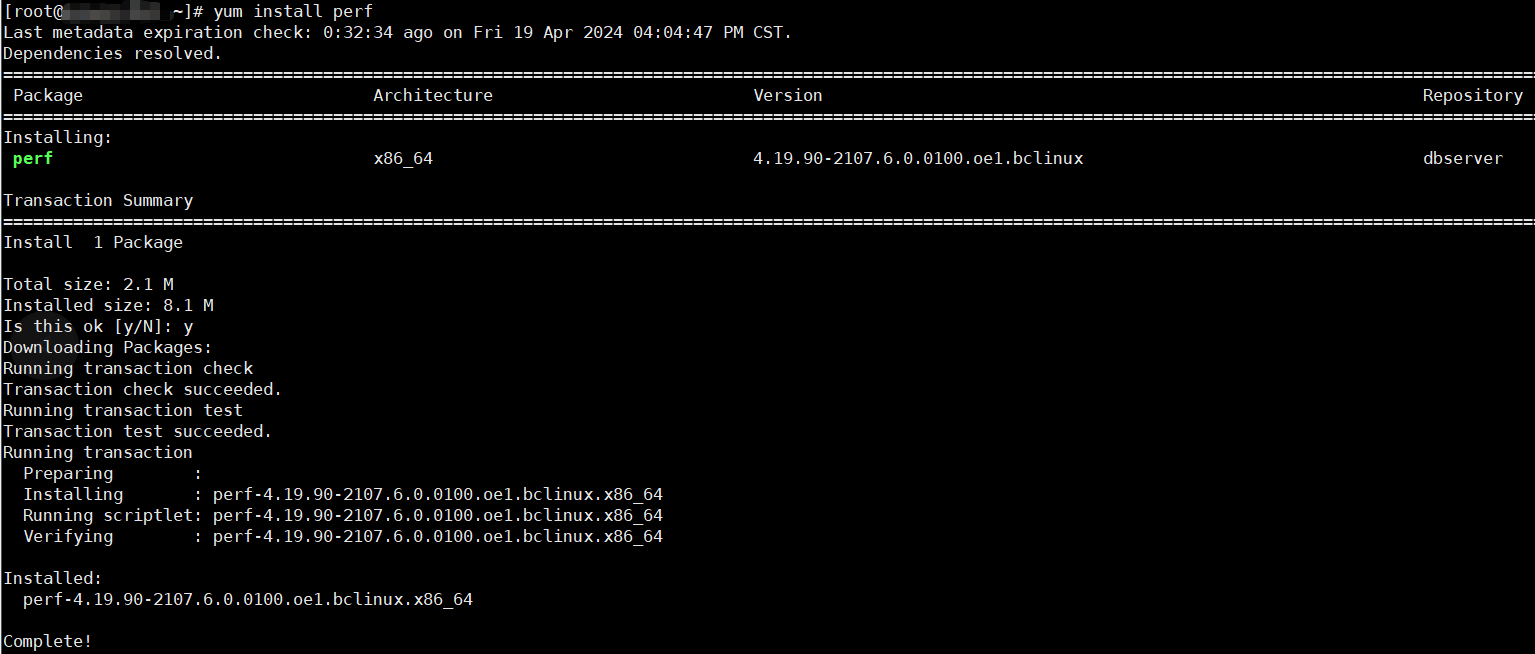
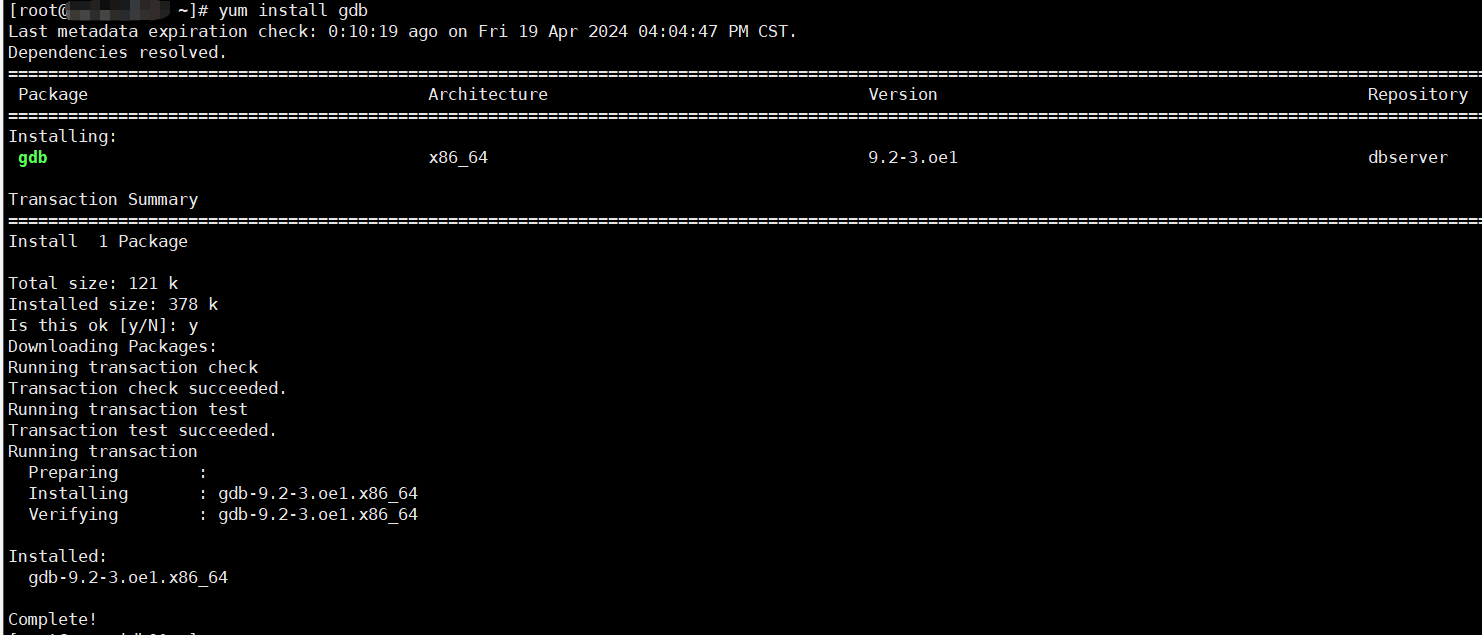
(3)进行yum的清除重配置后,再进行gdb和perf包的安装即可
「喜欢这篇文章,您的关注和赞赏是给作者最好的鼓励」
关注作者
【版权声明】本文为墨天轮用户原创内容,转载时必须标注文章的来源(墨天轮),文章链接,文章作者等基本信息,否则作者和墨天轮有权追究责任。如果您发现墨天轮中有涉嫌抄袭或者侵权的内容,欢迎发送邮件至:contact@modb.pro进行举报,并提供相关证据,一经查实,墨天轮将立刻删除相关内容。
