



前言
本文主要记录电力行业客户的数据湖技术方案实践案例,方案概括为基于FlinkSQL+Hudi流式入湖、同步表元数据到Hive,基于Hive catalog统一元数据管理,然后基于Hive on Spark离线分析计算。该方案主要考虑与已有Hive数据仓库、数据解析、报表应用等结合。欢迎关注微信:大数据从业者
组件版本信息
Hadoop | 3.1.1 |
Hive | 3.1.3 |
Spark | 3.3.2 |
Flink | 1.17.2 |
Hudi | 0.14.1 |
Spark编译部署
wget https://github.com/apache/spark/archive/refs/tags/v3.3.2.tar.gztar -xvf v3.3.2.tar.gzcd spark-3.3.2/
修改pom.xml中maven.version为自己环境已部署的版本
./dev/make-distribution.sh -tgz -Phive -Phive-thriftserver -Pyarn
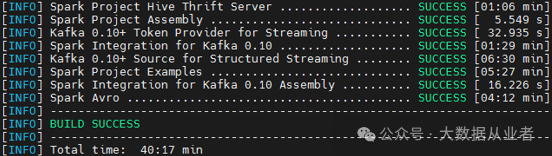
涉及修改源码,可以只编译指定模块,如下:
./build/mvn -pl :spark-streaming_2.12 clean package./build/mvn -Phive-thriftserver -DskipTests clean package
之前文章已经记录Spark整合Hadoop3与Hive3,本文不再重复赘述!
Hive编译部署
wget https://github.com/apache/hive/archive/refs/tags/rel/release-3.1.3.tar.gztar -xvf release-3.1.3.tar.gzcd hive-rel-release-3.1.3/mvn clean package -DskipTests -Pdist -Dmaven.test.skip=true -T 1C
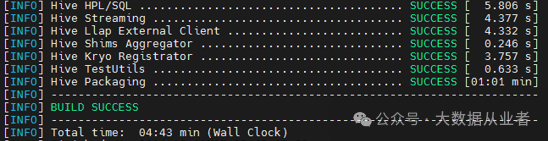
cp packaging/target/apache-hive-3.1.3-bin.tar.gz home/myHadoopCluster/cd /home/myHadoopCluster/tar -xvf apache-hive-3.1.3-bin.tar.gzcd apache-hive-3.1.3-bin/conf
hive-env.sh内容
vim hive-env.shif [ "$SERVICE" = "metastore" ]; thenexport HADOOP_HEAPSIZE=8096 # Setting for HiveMetastoreexport HADOOP_OPTS="$HADOOP_OPTS -Xloggc:/var/log/hive313/hivemetastore-gc-%t.log -XX:+UseG1GC -XX:+PrintGCDetails -XX:+PrintGCTimeStamps -XX:+PrintGCCause -XX:+UseGCLogFileRotation -XX:NumberOfGCLogFiles=10 -XX:GCLogFileSize=10M -XX:+HeapDumpOnOutOfMemoryError -XX:HeapDumpPath=/var/log/hive313/hms_heapdump.hprof -Dhive.log.dir=/var/log/hive313 -Dhive.log.file=hivemetastore.log"fiif [ "$SERVICE" = "hiveserver2" ]; thenexport HADOOP_HEAPSIZE=8096 # Setting for HiveServer2 and Clientexport HADOOP_OPTS="$HADOOP_OPTS -Xloggc:/var/log/hive313/hiveserver2-gc-%t.log -XX:+UseG1GC -XX:+PrintGCDetails -XX:+PrintGCTimeStamps -XX:+PrintGCCause -XX:+UseGCLogFileRotation -XX:NumberOfGCLogFiles=10 -XX:GCLogFileSize=10M -XX:+HeapDumpOnOutOfMemoryError -XX:HeapDumpPath=/var/log/hive313/hs2_heapdump.hprof -Dhive.log.dir=/var/log/hive313 -Dhive.log.file=hiveserver2.log"fiHADOOP_HOME=/usr/hdp/3.1.5.0-152/hadoopexport HIVE_HOME=/home/myHadoopCluster/apache-hive-3.1.3-binexport HIVE_CONF_DIR=/home/myHadoopCluster/apache-hive-3.1.3-bin/confexport METASTORE_PORT=19083
hive-site.xml内容
vim hive-site.xml<?xml version="1.0" encoding="UTF-8" standalone="no"?><?xml-stylesheet type="text/xsl" href="configuration.xsl"?><configuration><!--zookeeper start--><property><name>hive.server2.support.dynamic.service.discovery</name><value>true</value></property><property><name>hive.zookeeper.quorum</name><value>felixzh:2181</value></property><property><name>hive.server2.zookeeper.namespace</name><value>hiveserver313</value></property><!--zookeeper end--><!--metastore start--><property><name>hive.metastore.uris</name><value>thrift://felixzh:19083</value></property><property><name>hive.metastore.warehouse.dir</name><value>/user/hive313/warehouse</value></property><property><name>hive.metastore.failure.retries</name><value>10</value></property><property><name>hive.metastore.connect.retries</name><value>10</value></property><!--metastore end--><!--hiveserver start--><property><name>hive.server2.thrift.bind.host</name><value>felixzh</value></property><property><name>hive.server2.thrift.port</name><value>10010</value></property><property><name>hive.server2.webui.port</name><value>10012</value></property><!--hiveserver end--><!--postgresql start--><property><name>javax.jdo.option.ConnectionDriverName</name><value>org.postgresql.Driver</value></property><property><name>javax.jdo.option.ConnectionURL</name><value>jdbc:postgresql://felixzh:5432/hive313?createDatabaseIfNotExist=true</value></property><property><name>javax.jdo.option.ConnectionUserName</name><value>postgres</value></property><property><name>javax.jdo.option.ConnectionPassword</name><value>123456</value></property><!--postgresql end--><!--spark start--><property><name>spark.home</name><value>/home/myHadoopCluster/spark-3.3.2-bin-3.3.2</value></property><!--spark end--></configuration>
hive-log4内容
cp hive-log4j2.properties.template hive-log4j2.properties
创建Hive元数据库
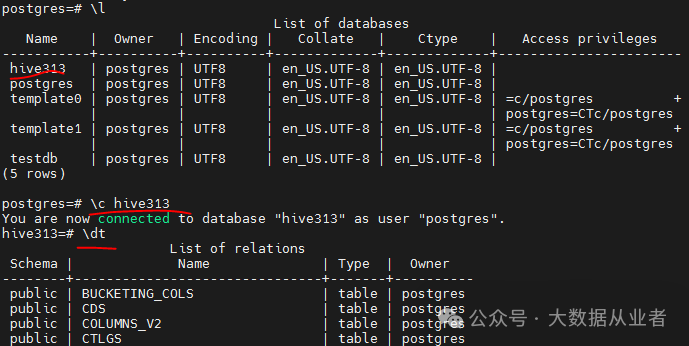
psql -h felixzh -d postgres -U postgres -p 5432postgres=# create database hive313;CREATE DATABASE
初始化Hive元数据库
./schematool -dbType postgres –initSchema
确保Hive与Hadoop使用相同版本guava
rm –rf home/myHadoopCluster/apache-hive-3.1.3-bin/lib/guava*jarcp guava-28.0-jre.jar home/myHadoopCluster/apache-hive-3.1.3-bin/lib/
否则异常如下:
java.lang.NoSuchMethodError: com.google.common.base.Preconditions.checkArgument(ZLjava/lang/String;Ljava/lang/Object;)V
确保Hive与Spark使用相同版本libthrift
rm –rf home/myHadoopCluster/apache-hive-3.1.3-bin/lib/libthrift*jarcp libthrift-0.12.0.jar home/myHadoopCluster/apache-hive-3.1.3-bin/lib/
否则异常如下:
org.apache.thrift.transport.TTransportException: nullat org.apache.thrift.transport.TIOStreamTransport.read(TIOStreamTransport.java:132) ~[hive-exec-3.1.3.jar:3.1.3]
启动服务
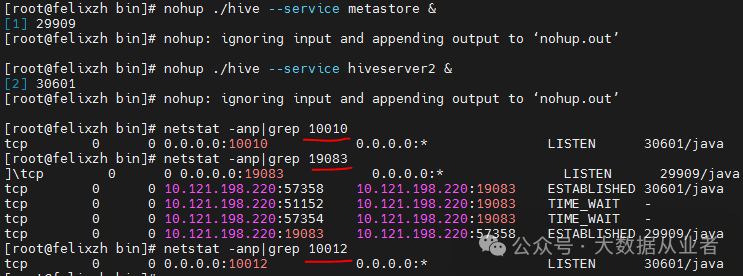
nohup ./hive --service metastore &nohup ./hive --service hiveserver2 &
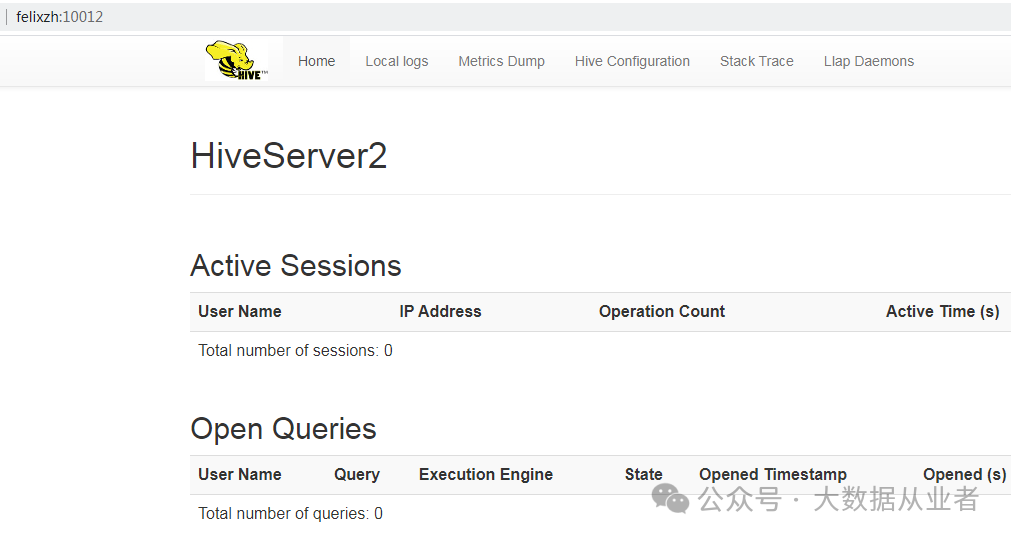
Beeline登录验证
方法1:HA
./beeline -u 'jdbc:hive2://felixzh:2181/;serviceDiscoveryMode=zooKeeper;zooKeeperNamespace=hiveserver313' -n hive
方法2:非HA
./beeline -u 'jdbc:hive2://felixzh:10010' -n hive
Hive on Spark功能验证
set hive.execution.engine=spark;create table test(name string);insert into test values('felixzh');select * from test;
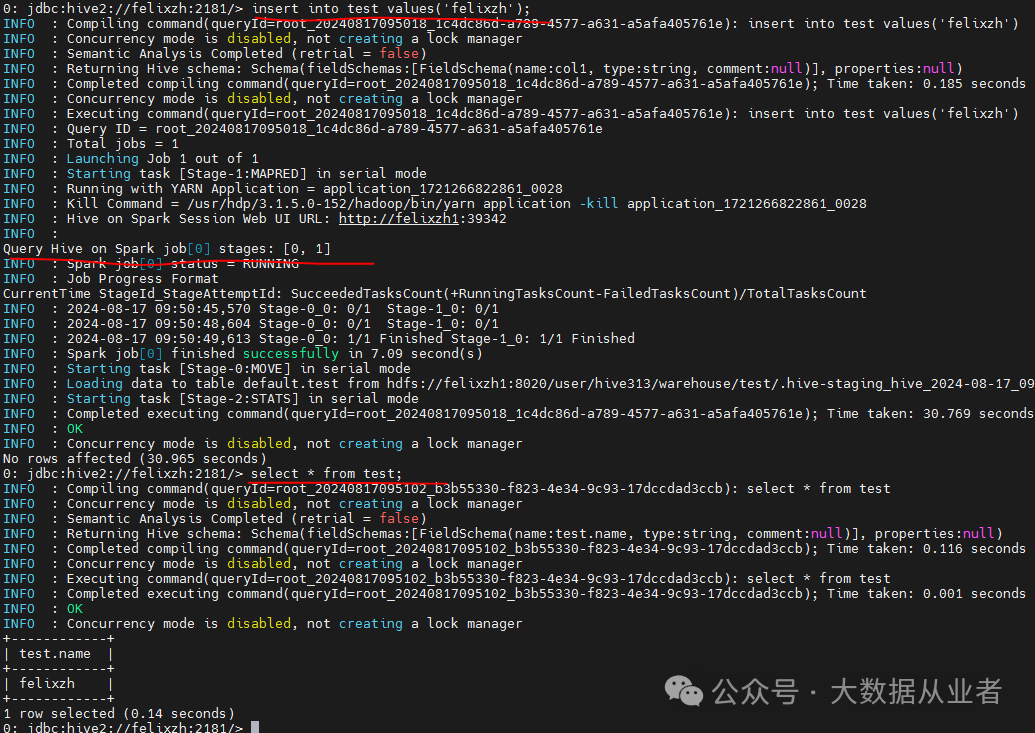
Flink编译部署
wget https://github.com/apache/flink/archive/refs/tags/release-1.17.2.tar.gztar -xvf release-1.17.2.tar.gzcd flink-release-1.17.2/mvn clean package -DskipTests -Dfast -Dhadoop.version=3.1.1 -Dhive.version=3.1.3 -Pscala-2.12 -T 1C
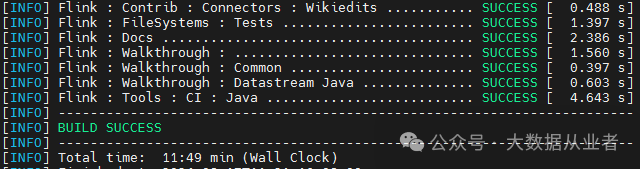
cp -r flink-dist/target/flink-1.17.2-bin/flink-1.17.2/ home/myHadoopCluster/cp flink-connectors/flink-sql-connector-hive-3.1.3/target/flink-sql-connector-hive-3.1.3_2.12-1.17.2.jar home/myHadoopCluster/flink-1.17.2/lib/ln -s usr/hdp/3.1.5.0-152/hadoop-mapreduce/hadoop-mapreduce-client-core-3.1.1.3.1.5.0-152.jar home/myHadoopCluster/flink-1.17.2/lib/hadoop-mapreduce-client-core.jar
声明环境变量
vi bin/config.shexport HADOOP_CLASSPATH=/usr/hdp/3.1.5.0-152/hadoop-hdfs/*:/usr/hdp/3.1.5.0-152/hadoop-hdfs/lib/*:/usr/hdp/3.1.5.0-152/hadoop-yarn/*:/usr/hdp/3.1.5.0-152/hadoop-yarn/lib/*:/usr/hdp/3.1.5.0-152/hadoop/*:/usr/hdp/3.1.5.0-152/hadoop-mapreduce/*export HADOOP_CONF_DIR=/etc/hadoop/conf/
vi conf/flink-conf.yamlstate.backend.type: rocksdbstate.checkpoints.dir: hdfs:///flink/flink-ckstate.backend.incremental: true
整合Hive Catalog
vi InitHiveCatalogCREATE CATALOG HiveCatalogWITH ('type' = 'hive','hive-conf-dir' = '/home/myHadoopCluster/apache-hive-3.1.3-bin/conf/');use catalog HiveCatalog
启动FlinkSQL Client
./bin/sql-client.sh -i InitHiveCatalogshow tables
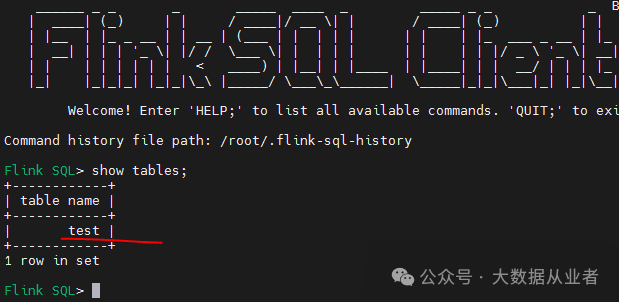
可以看到上文通过Hive beeline创建的测试表。
Hudi编译部署
wget https://github.com/apache/hudi/archive/refs/tags/release-0.14.1.tar.gztar -xvf release-0.14.1.tar.gzcd hudi-release-0.14.1mvn clean package -DskipTests -Dfast -Dspark3.3 -Dscaka-2.12 -Dflink1.17 -Pflink-bundle-shade-hive3 -Drat.skip=true -Dcheckstyle.skip
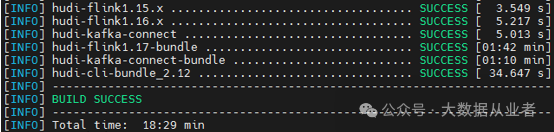
cp packaging/hudi-flink-bundle/target/hudi-flink1.17-bundle-0.14.1.jar /home/myHadoopCluster/flink-1.17.2/lib/cp packaging/hudi-hadoop-mr-bundle/target/hudi-hadoop-mr-bundle-0.14.1.jar home/myHadoopCluster/apache-hive-3.1.3-bin/lib/cp packaging/hudi-hive-sync-bundle/target/hudi-hive-sync-bundle-0.14.1.jar home/myHadoopCluster/apache-hive-3.1.3-bin/lib/
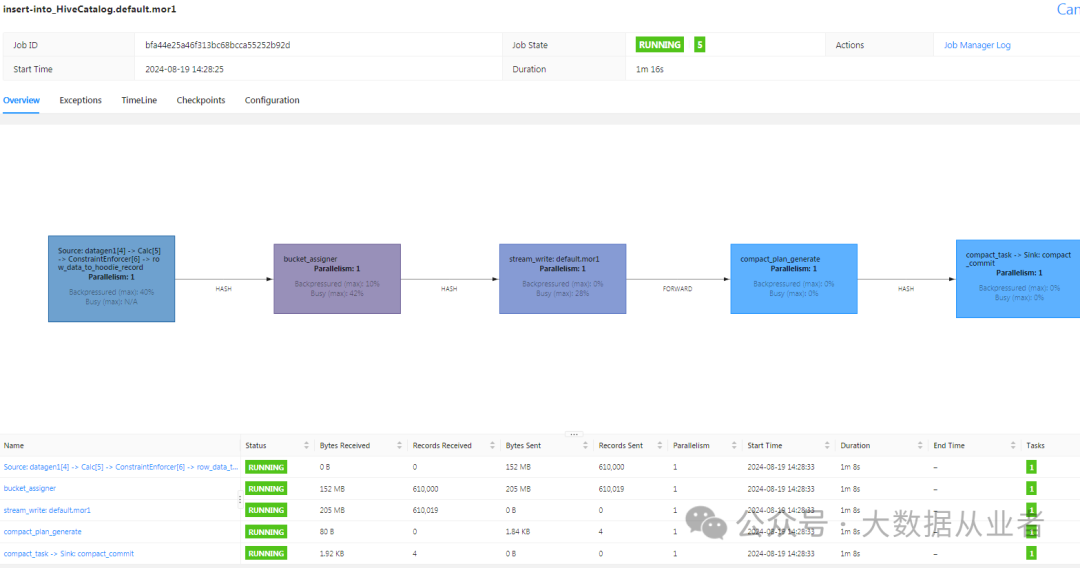
Flink流写Hudi
启动Flink yarn-session集群
./bin/yarn-session.sh -jm 8G -tm 16G –d./bin/sql-client.sh -i InitHiveCatalogset execution.target=yarn-session;set yarn.application.id=<上述yarn-session applicationId>;set execution.checkpointing.inerval=30000;
数据源表
create table if not exists datagen1(id int, data string, ts timestamp(3), partitionId int)with('connector' = 'datagen','number-of-rows' = '5000000','rows-per-second' = '10000','fields.partitionId.min' = '1','fields.partitionId.max' = '2');
数据目的表
create table if not exists mor1(id int primary key not enforced, data varchar(20), ts timestamp(3), `partition` int) partitioned by(`partition`)with('connector' = 'hudi','path' = 'hdfs:///flink/mor1','table.type' = 'MERGE_ON_READ','write.operation' = 'upsert','hive_sync.enable' = 'true','hive_sync.metastore.uris' = 'thrift://felixzh:19083','hive_sync.table' = 'mor1_hive','compaction.schedule.enabled' = 'true','compaction.async.enabled' = 'true');
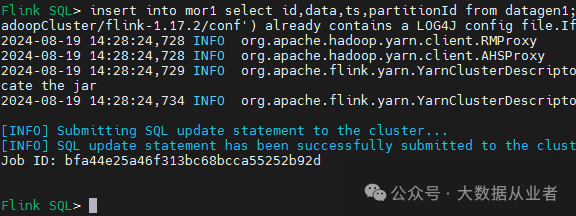
提交作业
insert into mor1 select id,data,ts,partitionId from datagen1;
Hive查询Hudi
1.更新hudi jar到Hive/lib,需要重启Hive服务。2.如果使用Hive on mr请自行将hudi相关jar(hudi-hadoop-mr-bundle-0.14.1.jar、hudi-hive-sync-bundle-0.14.1.jar)更新到mapred-site.xml配置参数mapreduce.application.framework.path所指定的hdfs目录,比如/hdp/apps/3.1.5.0-152/mapreduce/mapreduce.tar.gz3.如果使用Hive n spark自行将hudi相关jar(hudi-spark3.3-bundle_2.12-0.14.1.jar)更新到spark/jars;如果指定了spark.yarn.archive或者spark.yarn.jars,需要同步更新。另外,需要将hive-cli-3.1.3.jar、hive-exec-3.1.3.jar需要放入spark/jars,删除原本的hive*jar
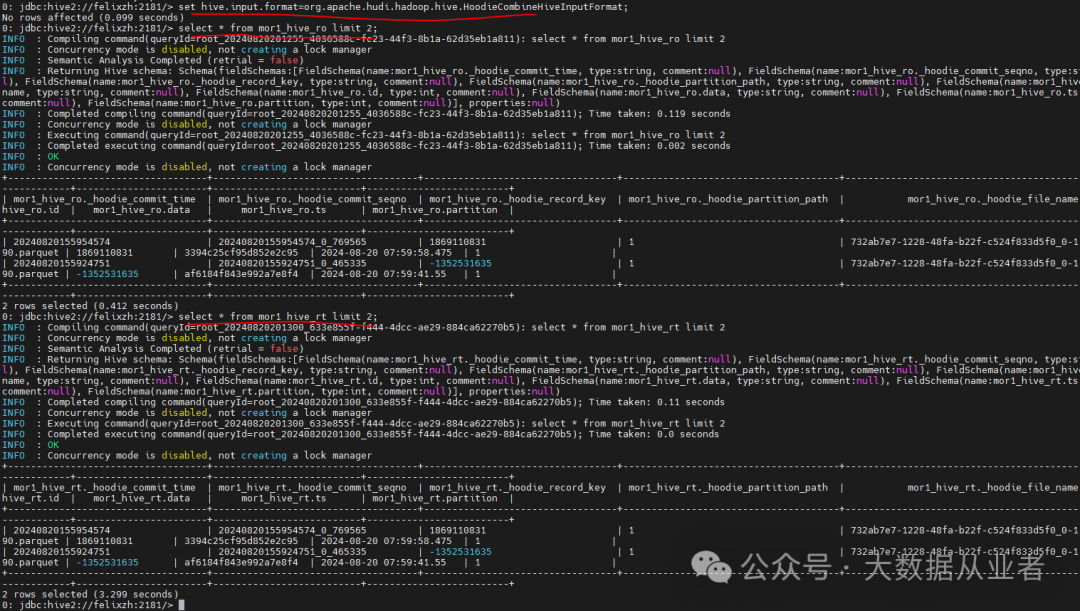
Hive on MR相关参数如下:
set hive.execution.engine=mr;set hive.input.format=org.apache.hudi.hadoop.hive.HoodieCombineHiveInputFormat;set hive.vectorized.execution.enabled=false;set mapreduce.map.memory.mb=8096;set mapreduce.map.java.opts=-Xmx8096m;set mapreduce.reduce.memory.mb=8096;set maprdeuce.reduce.java.opts=-Xmx8096m;
Hive on MR效果验证
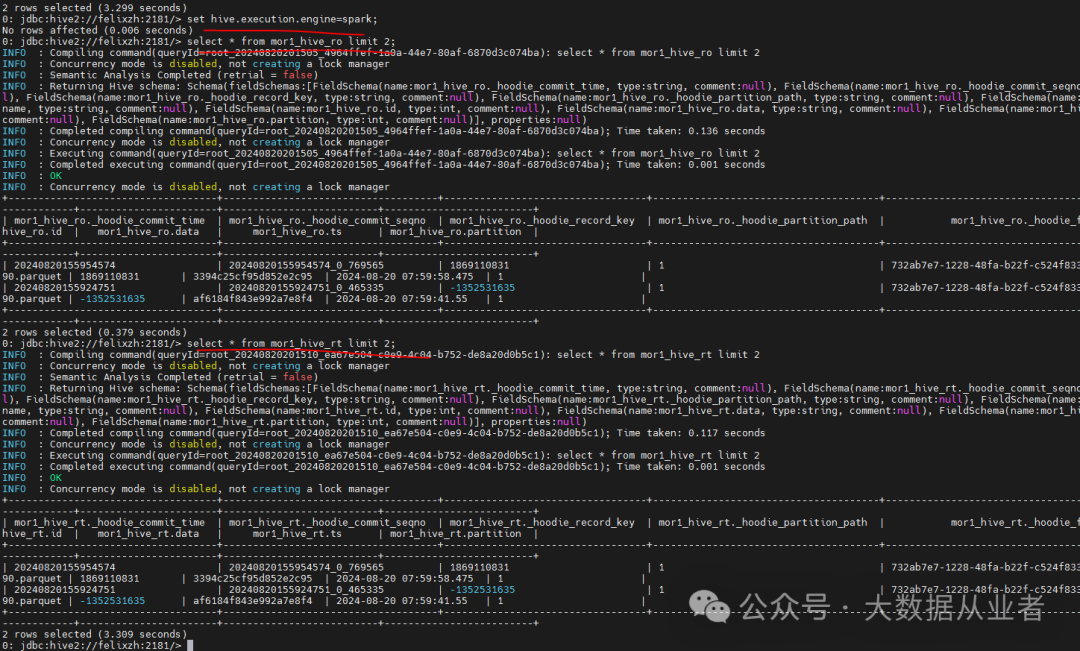
Hive on Spark相关参数如下:
set hive.execution.engine=spark;set hive.input.format=org.apache.hudi.hadoop.hive.HoodieCombineHiveInputFormat;set hive.vectorized.execution.enabled=false;set spark.task.maxFailures=1;set spark.executor.instances=10;set spark.executor.memory=2G;set spark.executor.cores=1;set spark.default.parallelism=3;
Hive on Spark效果验证
遇到的问题
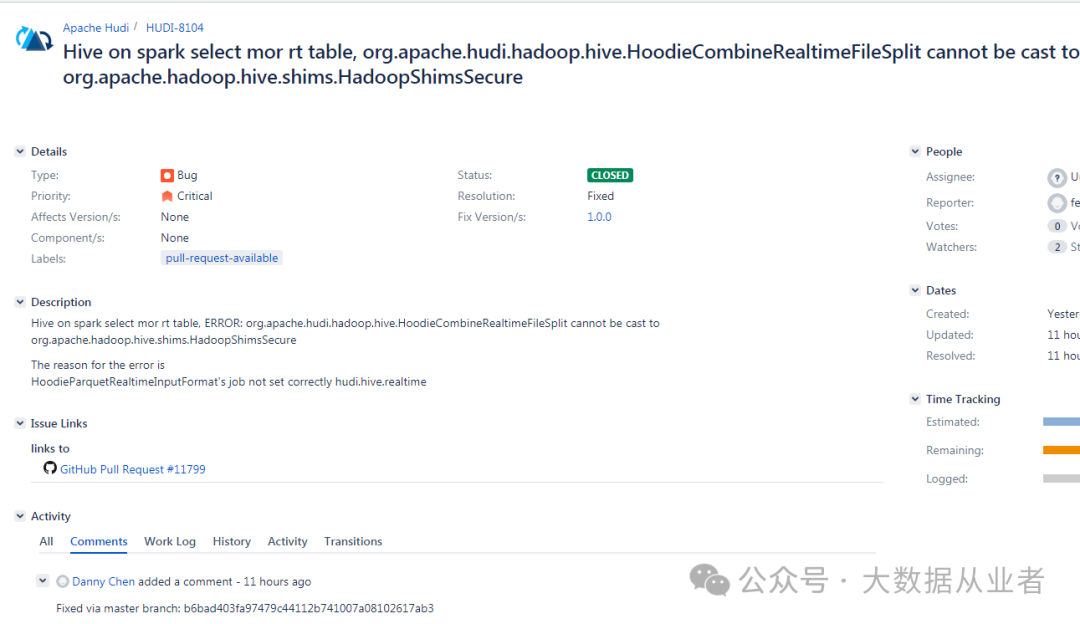
java.lang.ClassCastException: org.apache.hudi.hadoop.hive.HoodieCombineRealtimeFileSplit cannot be cast to org.apache.hadoop.hive.shims.HadoopShimsSecure$InputSplitShim
这个属于原生Bug,我已经修复并提交到社区,目前已经合入主线。
https://issues.apache.org/jira/browse/HUDI-8104
IllegalArgumentException: HoodieRealtimeRecordReader can only work on RealtimeSplit and not with hdfs://felixzh1:8020/flink/mor1/
这个需要指定hive.input.format参数
set hive.input.format=org.apache.hudi.hadoop.hive.HoodieCombineHiveInputFormat;
ClassCastException: org.apache.hadoop.io.ArrayWritable cannot be cast to org.apache.hadoop.hive.ql.exec.vector.VectorizedRowBatch
这个需要关闭向量化
set hive.vectorized.execution.enabled=false;
