



背景
最近接到一个新需求在CentOS 7安装Oracle 11G,查看官方信息确认:11.2.0.3 oracle所支持的版本是redhat 6,在11.2.0.4所支持版本是redhat 7。
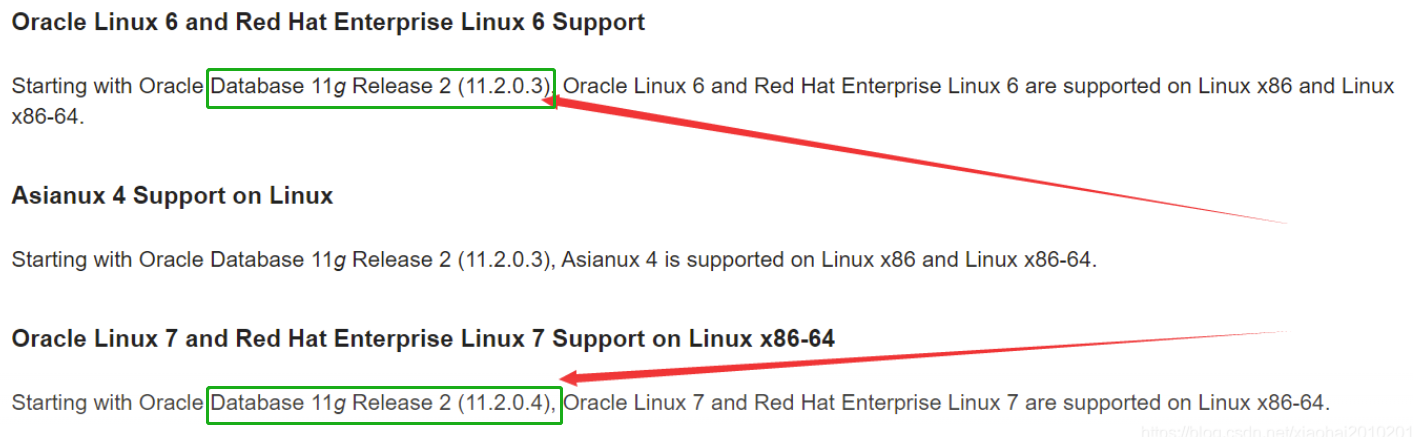
奈何原系统数据库就是Oracle 11.2.0.3,现在需要迁移到新环境的系统就最低支持CentOS 7。与甲方推荐安装Oracle 11.2.0.4版本的数据库,但甲方负责人表示咨询过其它DBA,6系统也能装Oracle 11.2.0.3,甲方负责人考虑到版本不同可能会对数据库迁移的时间延长,应用不涉及高并发仅是内部使用的OA系统。最终在开会沟通中确认继续维持老版本安装。
满足甲方的需求是乙方的责任:!后面调研也有Oracle 11.2.0.3安装7系统的案例。于是履行做为乙方的责任,但具体情况还是要和甲方进行说明:官方及本人不建议这种安装方式。
官方不推荐的安装方式必然会有问题,汇总一下我安装的问题及解决办法,供大家参考。
一、图形启不来:
远程客户的机器,无法启动图形。查资料与DISPLAY环境变量有关,如下:
DISPLAY not set. Please set the DISPLAY and try again.
Depending on the Unix Shell, you can use one of the following commands as examples to set the DISPLAY environment variable:
- For csh:                      % setenv DISPLAY 192.168.1.128:0.0
- For sh, ksh and bash:         $ DISPLAY=192.168.1.128:0.0; export DISPLAY
Use the following command to see what shell is being used:
        echo $SHELL
Use the following command to view the current DISPLAY environment variable setting:
        echo $DISPLAY
- Make sure that client users are authorized to connect to the X Server.
To enable client users to access the X Server, open an xterm, dtterm or xconsole as the user that started the session and type the following command:
% xhost +
To test that the DISPLAY environment variable is set correctly, run a X11 based program that comes with the native operating system such as 'xclock':
        % <full path to xclock.. see below>
If you are not able to run xclock successfully, please refer to your PC-X Server or OS vendor for further assistance.
Typical path for xclock: /usr/X11R6/bin/xclock
解决:
export DISPLAY=localhost:10.0
二、安装界面:
问题:Error in invoking target ‘agent nmhs’ of makefile
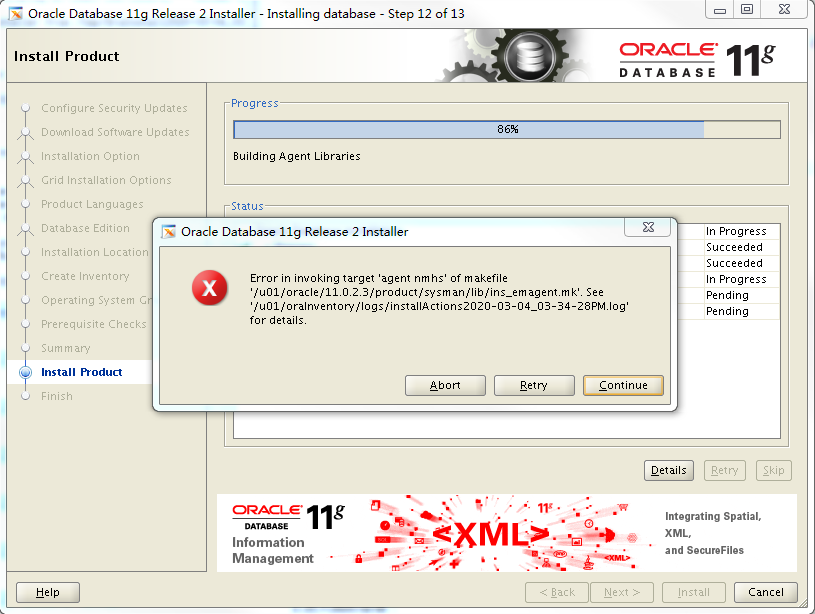
安装 software 到%86时出现报错,
解决:
- 在makefile中添加链接libnnz11库的参数
[oracle@ysserver ~]$ cd $ORACLE_HOME/sysman/lib
[oracle@ysserver lib]$ cp ins_emagent.mk ins_emagent.mk.bak
[oracle@ysserver lib]$ vi ins_emagent.mk
......略
$(SYSMANBIN)emdctl:
        $(MK_EMAGENT_NMECTL) -lnnz11 <===增加
三、HugePage 设置
问题:sh HugePage.sh 无输出值
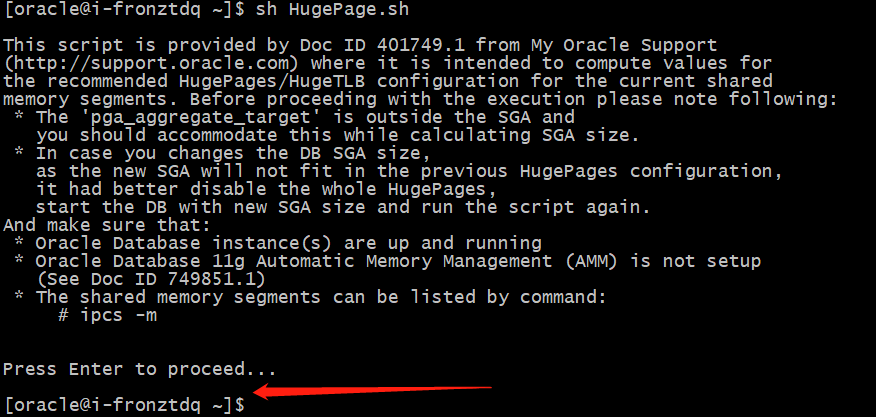
解决:
- 查看操作系统的发行版号
[oracle@i-fronztdq ~]$ uname -r | awk -F. '{ printf("%d.%d\n",$1,$2); }'
3.10
- 脚本增加:‘3.10’) echo “Recommended setting: vm.nr_hugepages = $NUM_PG” ;;

- 再次执行正常输出

总结
其它安装步骤均顺利通过,数据库从安装至文章发表已有3个月目前运行正常:确认运行正常后才发的文章:)。后续如果有问题,再做文章更新。
小小感悟:每一次尝试都是经验的积累,每一次报错处理都是能力的突破,记录每一次成就现在的自己。
欢迎赞赏支持或留言指正

「喜欢这篇文章,您的关注和赞赏是给作者最好的鼓励」
关注作者
【版权声明】本文为墨天轮用户原创内容,转载时必须标注文章的来源(墨天轮),文章链接,文章作者等基本信息,否则作者和墨天轮有权追究责任。如果您发现墨天轮中有涉嫌抄袭或者侵权的内容,欢迎发送邮件至:contact@modb.pro进行举报,并提供相关证据,一经查实,墨天轮将立刻删除相关内容。
