



Tips:一些记录,一些笔记

2024/07/07
SUNDAY
The world is a ladder for some to come up and others to go down.
世事如长梯,有人上来有人下。

01
Arco design「全局通知 Message」组件
官方组件的文档地址:
https://arco.design/vue/component/message
组件效果:

官方代码:
<template><a-button @click="handleClick">Info Message</a-button></template><script>export default {methods: {handleClick() {this.$message.info('This is an info message')}}};</script>
02
在我们的项目中试试(不正确的示例)
一、选项式 API
<template><div><a-space><a-button @click="handleClick()">Info Message</a-button><a-button @click="() => this.$message.success('This is a success message!')" status="success">Success Message</a-button><a-button @click="() => this.$message.warning('This is a warning message!')" status="warning">Warning Message</a-button><a-button @click="() => this.$message.error('This is an error message!')" status="danger">Error Message</a-button></a-space></div></template><script>export default {methods: {handleClick() {console.log('按钮被点击')this.$message.info('This is an info message!')}}}</script>
页面效果:
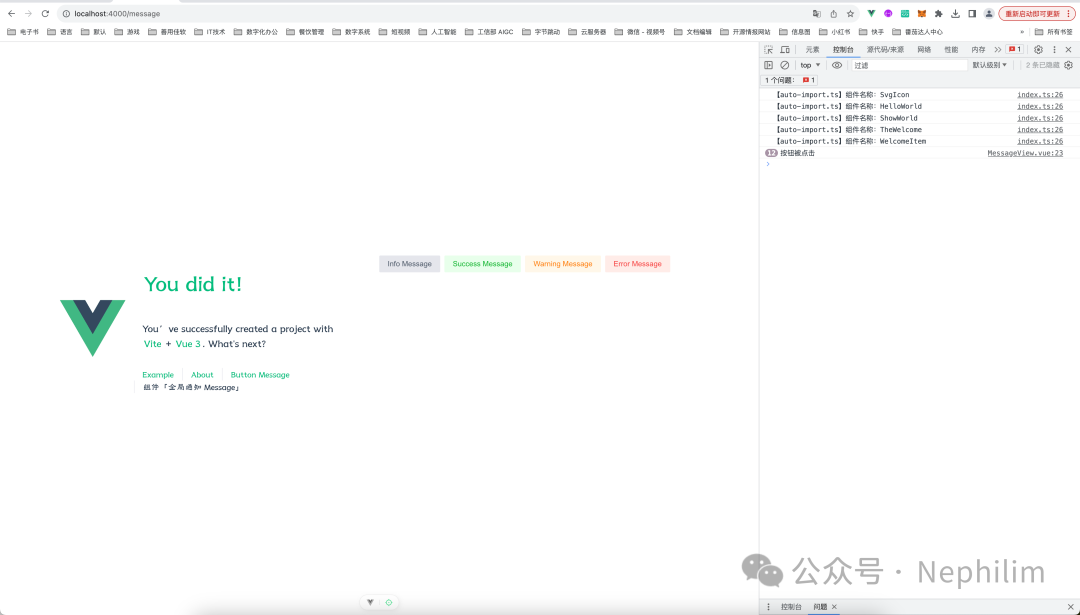
可以看到,按钮点击事件确实被触发了,但是我们期望的组件效果,并没有出现。
二、组合式 API
<template><div><a-space><a-button @click="handleClick">Info Message</a-button><a-button @click="() => this.$message.success('This is a success message!')" status="success">Success Message</a-button><a-button @click="() => this.$message.warning('This is a warning message!')" status="warning">Warning Message</a-button><a-button @click="() => this.$message.error('This is an error message!')" status="danger">Error Message</a-button></a-space></div></template><script>export default {setup() {const handleClick = () => {this.$message.info('This is an info message!')}return {handleClick}}}</script>
页面效果:

可以看到,通过「组合式API」报错了。
这是因为,在「Vue3」中,使用「setup setup语法糖」的时候,就不能在里面使用「this」。
因为「setup」执行时,组件对象还没有创建,所以,「this」还是「undefined」的状态。
因此,就自然不能用「Arco Design」官网的「this.$message」来调用。
03
官方给出的「Message」全局方法
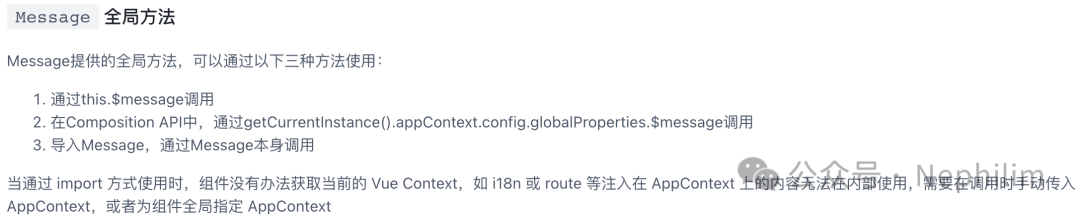
官方的样例代码:
import { createApp } from 'vue'import { Message } from '@arco-design/web-vue';const app = createApp(App);Message._context = app._context;
04
「组合式API」正确的引用代码
代码如下:
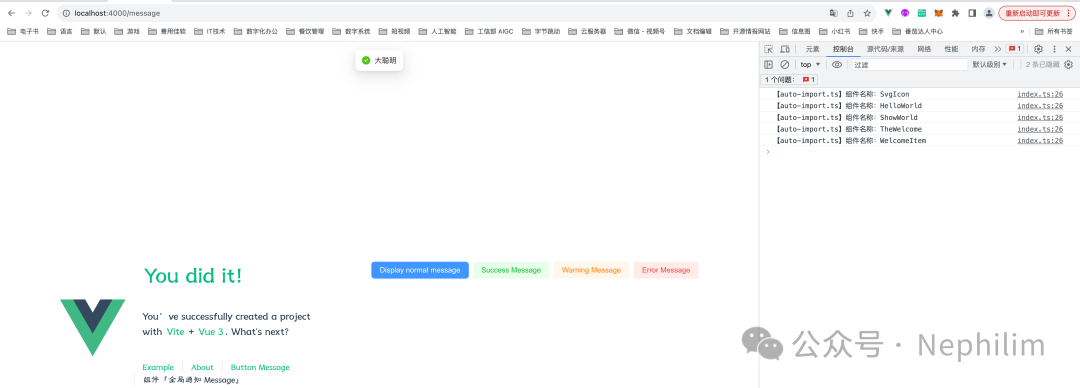
<template><div><a-space><a-button type="primary" @click="handleClick">Display normal message</a-button><arco-button@click="() => this.$message.success('This is a success message!')"status="success">Success Message</arco-button><arco-button@click="() => this.$message.warning('This is a warning message!')"status="warning">Warning Message</arco-button><arco-button @click="() => this.$message.error('This is an error message!')" status="danger">Error Message</arco-button></a-space></div></template><script setup lang="ts">import { ref, getCurrentInstance, onMounted } from 'vue'let proxy = ref(null)function handleClick() {proxy.value._.appContext.config.globalProperties.$message.success('大聪明')}onMounted(() => {proxy.value = getCurrentInstance().proxy})</script>
页面效果:
END
温馨提示
如果你喜欢本文,请分享到朋友圈,想要获得更多信息,请关注我。
文章转载自Nephilim,如果涉嫌侵权,请发送邮件至:contact@modb.pro进行举报,并提供相关证据,一经查实,墨天轮将立刻删除相关内容。
