1.
添加其他服务器的监控
1.1
服务器配置
关闭防火墙和selinux
systemctl stop
firewalld
systemctl disable
firewalld
setenforce 0 # 设置临时关闭selinux
sed -i
's/SELINUX=enforcing/SELINUX=disabled/' /etc/selinux/config #设置永久关闭selinux
reboot #重启
1.2
安装zabbix_agent
root用户下修改一下源地址:
cd
/etc/yum.repos.d/
sed -i
's#http://repo.zabbix.com#https://mirrors.aliyun.com/zabbix#'
/etc/yum.repos.d/zabbix.repo
yum clean all
&& yum repolist
yum install -y
zabbix-agent
1.3
配置zabbix_agentd.conf中的服务器地址
修改zabbix_agent配置文件(被监控机都需要安装zabbix_agent,且需要更改此配置指向zabbix_server):
vim
/etc/zabbix/zabbix_agentd.conf
被监控机只需要配置为zabbix服务器地址(如配置为127.0.0.1,192.168.245.101,权限zabbix_server本机):
Server=192.168.245.101
#zabbix服务器地址
ServerActive=192.168.245.101
#zabbix服务器地址
Hostname=pgtest2 #与服务器名一致
1.4
启动zabbix_agent并验证
systemctl start
zabbix-agent &
systemctl status
zabbix-agent
tail -f -n 200
/var/log/zabbix/zabbix_agentd.log
1.5
监控pg数据库
CREATE USER
zbx_monitor WITH PASSWORD 'zbx123456';
GRANT pg_monitor
TO zbx_monitor;
1.6
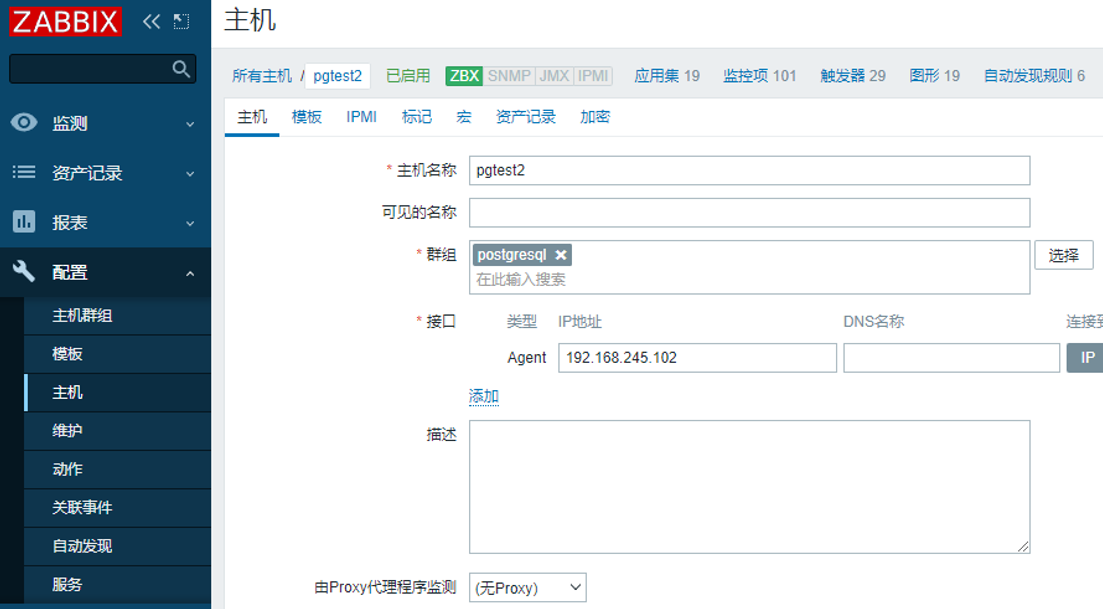
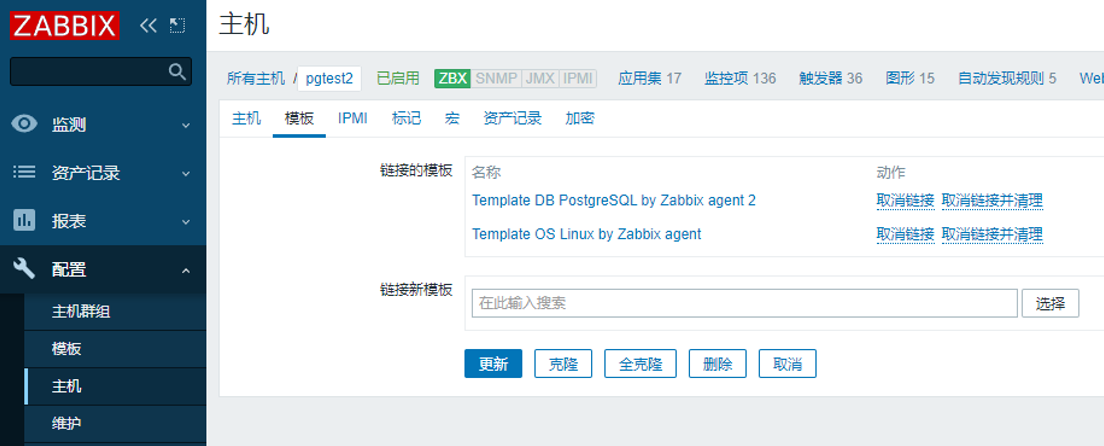
添加到监控
页面中增加主机,增加postgresql相关的监控模板,并修改相关宏参数即可