1 打开磐维数据库
[root@panweidbTest ~]# su - omm
[omm@panweidbTest ~]$ pw_ctl -D /database/panweidb/data/ start
2 telnet测试
2.1添加白名单
开通本机到服务器的白名单
[omm@panweidbTest ~]$ gs_guc reload -N all -I all -h 'host all all xx.xx.31.9/24 sha256'
The pw_guc run with the following arguments: [gs_guc -N all -I all -h host all all xx.xx.31.9/24 sha256 reload ].
Begin to perform the total nodes: 1.
Popen count is 1, Popen success count is 1, Popen failure count is 0.
Begin to perform gs_guc for datanodes.
Command count is 1, Command success count is 1, Command failure count is 0.
Total instances: 1. Failed instances: 0.
ALL: Success to perform gs_guc!
2.2 telnet测试
[root@localhost ~]# yum -y install telnet
[root@localhost ~]# telnet xx.xx.134.138 17700
Trying xx.xx.134.138...
Connected to xx.xx.134.138.
Escape character is '^]'.
^CConnection closed by foreign host.
3第三方工具测试
3.1 新建用户
postgres=# create user test1 PASSWORD "passwd";
CREATE ROLE
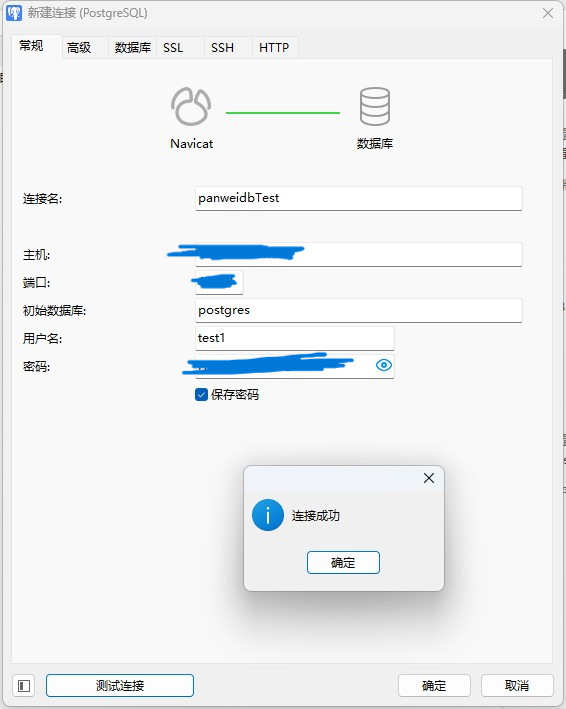
3.2 测试连接