



一、准备工作
1.软件版本
dolphinscheduler 版本: 3.1.3
mysql : 5.7
mysql jdbc Driver : 8.0.16
hadoop:2.8.2
dolphinscheduler官网:https://dolphinscheduler.apache.org/zh-cn/docs/3.1.3
二、编写脚本
1. 创建11_dolphinscheduler.sh脚本,用来在三台服务器上安装dolphinscheduler
#!/bin/bash# 解压安装包echo "解压安装包"tar -zxvf opt/download/apache-dolphinscheduler-3.1.3-bin.tar.gz -C opt/software# 复制mysql-jdbc-connector.jar到安装包中cp opt/download/mysql-connector-java-8.0.16.jar opt/software/apache-dolphinscheduler-3.1.3-bin/worker-server/libs/cp opt/download/mysql-connector-java-8.0.16.jar opt/software/apache-dolphinscheduler-3.1.3-bin/alert-server/libs/cp opt/download/mysql-connector-java-8.0.16.jar opt/software/apache-dolphinscheduler-3.1.3-bin/api-server/libs/cp opt/download/mysql-connector-java-8.0.16.jar opt/software/apache-dolphinscheduler-3.1.3-bin/master-server/libs/cp opt/download/mysql-connector-java-8.0.16.jar opt/software/apache-dolphinscheduler-3.1.3-bin/tools/libs/# 配置dolphinschedulerecho "配置dolphinscheduler"# 配置元数据库echo "配置元数据库"sed -i 's/${DATABASE:-postgresql}/${DATABASE:-mysql}/g' /opt/software/apache-dolphinscheduler-3.1.3-bin/bin/env/dolphinscheduler_env.shsed -i 's/SPRING_DATASOURCE_URL/"SPRING_DATASOURCE_URL=jdbc:mysql:\/\/hadoop002:3306\/dolphinscheduler?useUnicode=true&characterEncoding=UTF-8&useSSL=false"/g' /opt/software/apache-dolphinscheduler-3.1.3-bin/bin/env/dolphinscheduler_env.shsed -i 's/SPRING_DATASOURCE_USERNAME/SPRING_DATASOURCE_USERNAME=root/g' /opt/software/apache-dolphinscheduler-3.1.3-bin/bin/env/dolphinscheduler_env.shsed -i 's/SPRING_DATASOURCE_PASSWORD/SPRING_DATASOURCE_PASSWORD=root/g' /opt/software/apache-dolphinscheduler-3.1.3-bin/bin/env/dolphinscheduler_env.shecho "配置java"sed -i 's/${JAVA_HOME:-\/opt\/java\/openjdk}/\/opt\/software\/jdk1.8.0_144/g' /opt/software/apache-dolphinscheduler-3.1.3-bin/bin/env/dolphinscheduler_env.shecho "配置zookeeper相关"sed -i 's/${REGISTRY_ZOOKEEPER_CONNECT_STRING:-localhost:2181}/${REGISTRY_ZOOKEEPER_CONNECT_STRING:-hadoop001:2181}/g' /opt/software/apache-dolphinscheduler-3.1.3-bin/bin/env/dolphinscheduler_env.shecho "打开hdfs用来存储文件"sed -i 's/resource.storage.type=NONE/resource.storage.type=HDFS/g' /opt/software/apache-dolphinscheduler-3.1.3-bin/alert-server/conf/common.propertiessed -i 's/resource.hdfs.root.user=hdfs/resource.hdfs.root.user=root/g' /opt/software/apache-dolphinscheduler-3.1.3-bin/alert-server/conf/common.propertiessed -i 's/resource.hdfs.fs.defaultFS=hdfs:\/\/mycluster:8020/resource.hdfs.fs.defaultFS=hdfs:\/\/hadoop001:9000/g' /opt/software/apache-dolphinscheduler-3.1.3-bin/alert-server/conf/common.propertiessed -i 's/resource.storage.type=NONE/resource.storage.type=HDFS/g' /opt/software/apache-dolphinscheduler-3.1.3-bin/api-server/conf/common.propertiessed -i 's/resource.hdfs.root.user=hdfs/resource.hdfs.root.user=root/g' /opt/software/apache-dolphinscheduler-3.1.3-bin/api-server/conf/common.propertiessed -i 's/resource.hdfs.fs.defaultFS=hdfs:\/\/mycluster:8020/resource.hdfs.fs.defaultFS=hdfs:\/\/hadoop001:9000/g' /opt/software/apache-dolphinscheduler-3.1.3-bin/api-server/conf/common.propertiessed -i 's/resource.storage.type=NONE/resource.storage.type=HDFS/g' /opt/software/apache-dolphinscheduler-3.1.3-bin/master-server/conf/common.propertiessed -i 's/resource.hdfs.root.user=hdfs/resource.hdfs.root.user=root/g' /opt/software/apache-dolphinscheduler-3.1.3-bin/master-server/conf/common.propertiessed -i 's/resource.hdfs.fs.defaultFS=hdfs:\/\/mycluster:8020/resource.hdfs.fs.defaultFS=hdfs:\/\/hadoop001:9000/g' /opt/software/apache-dolphinscheduler-3.1.3-bin/master-server/conf/common.propertiessed -i 's/resource.storage.type=NONE/resource.storage.type=HDFS/g' /opt/software/apache-dolphinscheduler-3.1.3-bin/worker-server/conf/common.propertiessed -i 's/resource.hdfs.root.user=hdfs/resource.hdfs.root.user=root/g' /opt/software/apache-dolphinscheduler-3.1.3-bin/worker-server/conf/common.propertiessed -i 's/resource.hdfs.fs.defaultFS=hdfs:\/\/mycluster:8020/resource.hdfs.fs.defaultFS=hdfs:\/\/hadoop001:9000/g' /opt/software/apache-dolphinscheduler-3.1.3-bin/worker-server/conf/common.propertiesecho "配置master,worker"sed -i 's/ips=${ips:-"ds1,ds2,ds3,ds4,ds5"}/ips=${ips:-"hadoop001,hadoop002,hadoop003"}/g' /opt/software/apache-dolphinscheduler-3.1.3-bin/bin/env/install_env.shsed -i 's/masters=${masters:-"ds1,ds2"}/masters=${masters:-"hadoop001"}/g' /opt/software/apache-dolphinscheduler-3.1.3-bin/bin/env/install_env.shsed -i 's/workers=${workers:-"ds1:default,ds2:default,ds3:default,ds4:default,ds5:default"}/workers=${workers:-"hadoop001:default,hadoop002:default,hadoop003:default"}/g' /opt/software/apache-dolphinscheduler-3.1.3-bin/bin/env/install_env.shsed -i 's/alertServer=${alertServer:-"ds3"}/alertServer=${alertServer:-"hadoop001"}/g' /opt/software/apache-dolphinscheduler-3.1.3-bin/bin/env/install_env.shsed -i 's/apiServers=${apiServers:-"ds1"}/apiServers=${apiServers:-"hadoop001"}/g' /opt/software/apache-dolphinscheduler-3.1.3-bin/bin/env/install_env.shsed -i 's/installPath=${installPath:-"\/tmp\/dolphinscheduler"}/installPath=${installPath:-"\/opt\/software\/dolphinscheduler"}/g' /opt/software/apache-dolphinscheduler-3.1.3-bin/bin/env/install_env.shsed -i 's/deployUser=${deployUser:-"dolphinscheduler"}/deployUser=${deployUser:-"root"}/g' /opt/software/apache-dolphinscheduler-3.1.3-bin/bin/env/install_env.shecho "初始化数据源"chmod 777 /opt/software/apache-dolphinscheduler-3.1.3-bin/tools/bin/upgrade-schema.sh/opt/software/apache-dolphinscheduler-3.1.3-bin/tools/bin/upgrade-schema.shecho "启动dolphinscheduler"/opt/software/apache-dolphinscheduler-3.1.3-bin/bin/install.sh
三、运行脚本
#授权chmod 777 11_dolphinscheduler.sh#运行./11_dolphinscheduler.sh
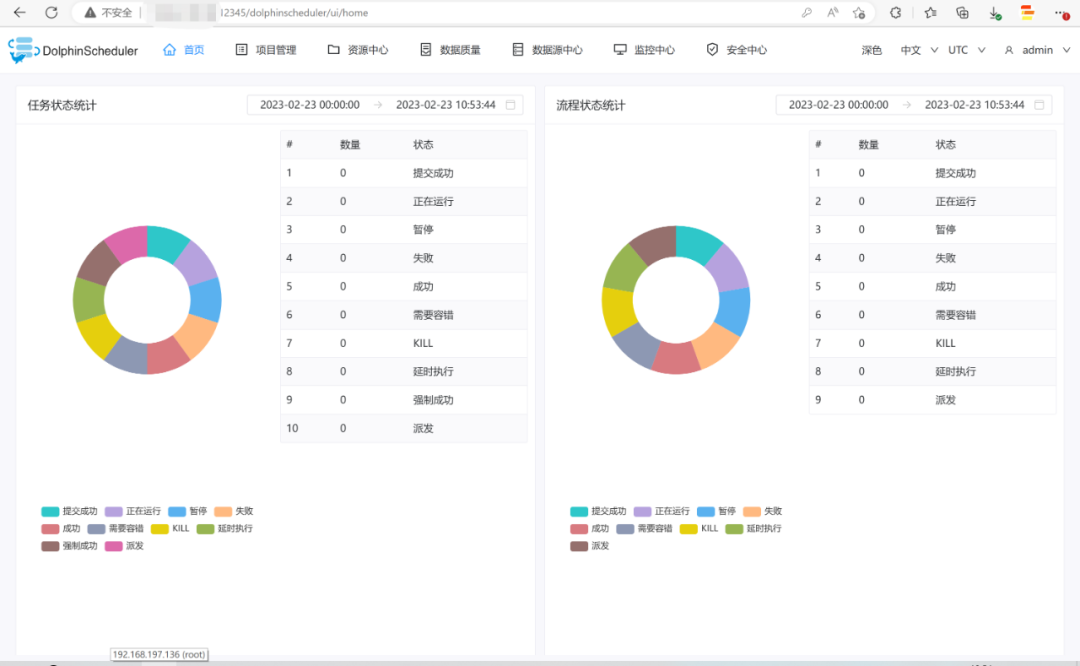
四、查看效果
浏览器访问地址 http://192.168.197.136:12345/dolphinscheduler/ui 即可登录系统UI。默认的用户名和密码是 admin/dolphinscheduler123
五、启停服务
# 一键停止集群所有服务bash ./bin/stop-all.sh# 一键开启集群所有服务bash ./bin/start-all.sh# 启停 Masterbash ./bin/dolphinscheduler-daemon.sh stop master-serverbash ./bin/dolphinscheduler-daemon.sh start master-server# 启停 Workerbash ./bin/dolphinscheduler-daemon.sh start worker-serverbash ./bin/dolphinscheduler-daemon.sh stop worker-server# 启停 Apibash ./bin/dolphinscheduler-daemon.sh start api-serverbash ./bin/dolphinscheduler-daemon.sh stop api-server# 启停 Alertbash ./bin/dolphinscheduler-daemon.sh start alert-serverbash ./bin/dolphinscheduler-daemon.sh stop alert-server
更多大数据实战内容,请关注字节智传大数据:
文章转载自大数据技能圈,如果涉嫌侵权,请发送邮件至:contact@modb.pro进行举报,并提供相关证据,一经查实,墨天轮将立刻删除相关内容。
