



《表和索引统计信息自动采集的问题》操作过程中用到个指令info,
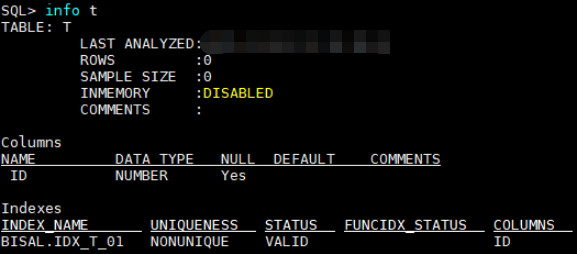
有朋友后台问,没找到这个指令,

其实这是文章中的一个彩蛋,info指令不是Oracle数据库的原生指令,他是来自于Oracle数据的一个命令行工具SQLcl(Oracle SQL Developer Command Line)。
SQLcl刚刚将其许可更改为了Oracle Free Use Terms and Conditions,这意味着该工具现在无需手动点击同意即可下载,这一变化还将使自动下载成为可能。SQLcl会和Oracle SQL Developer、Oracle Database、OCI Cloud Shell、OCI Linux Yum Repository,以及marketplace中的OCI Developer Image绑定发布,例如SQLcl会出现在SQL Deveoper根路径的\sqldeveloper\sqldeveloper\bin文件夹中,当然,支持单独下载SQLcl。
上周的Oracle Database World线上大会,Jeff Smith(Oracle团队的Master Product Manager)的演讲中就提到了这个小工具,介绍了很多使用上的技巧,例如之前sqlplus不支持的代码自动补全(sqlplus可以通过三方包,实现此功能),SQLcl就直接支持。
上周演讲中,他用的SQLcl是21.4,但实际上这是个内测版本,他会在圣诞节前发布出来,
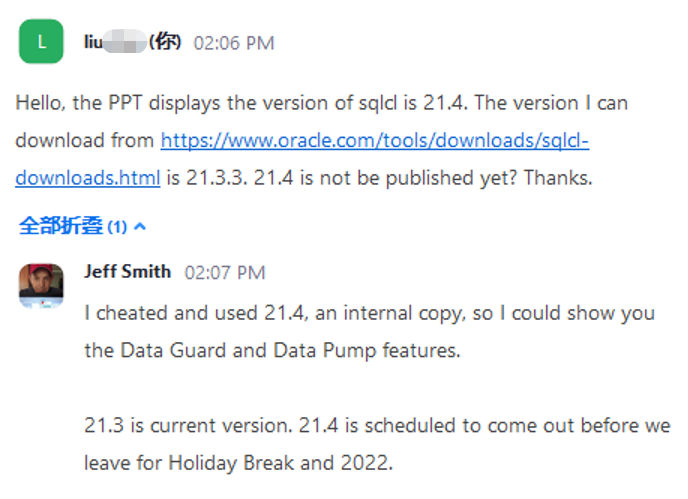
目前可提供的,是21.3.3,
https://www.oracle.com/tools/downloads/sqlcl-downloads.html
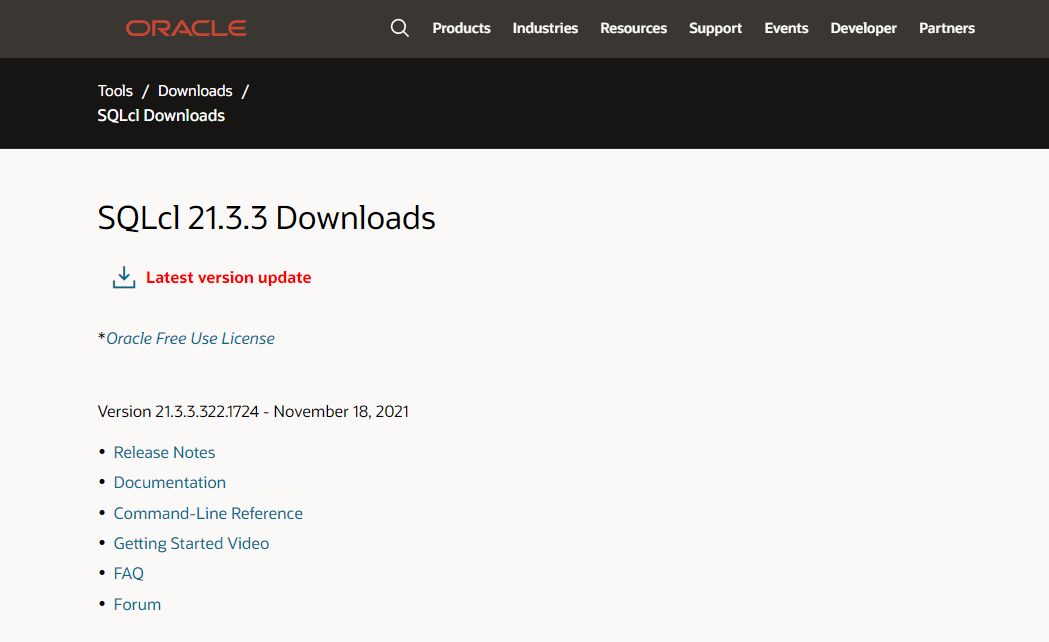
点击左下侧“Previous Version”,可以找到历史版本的链接,但是很奇怪,点击一次,才会出现一次历史的版本,其他的软件,一般都是列出所有可下载的历史版本,不知道Oracle为什么这么设计,
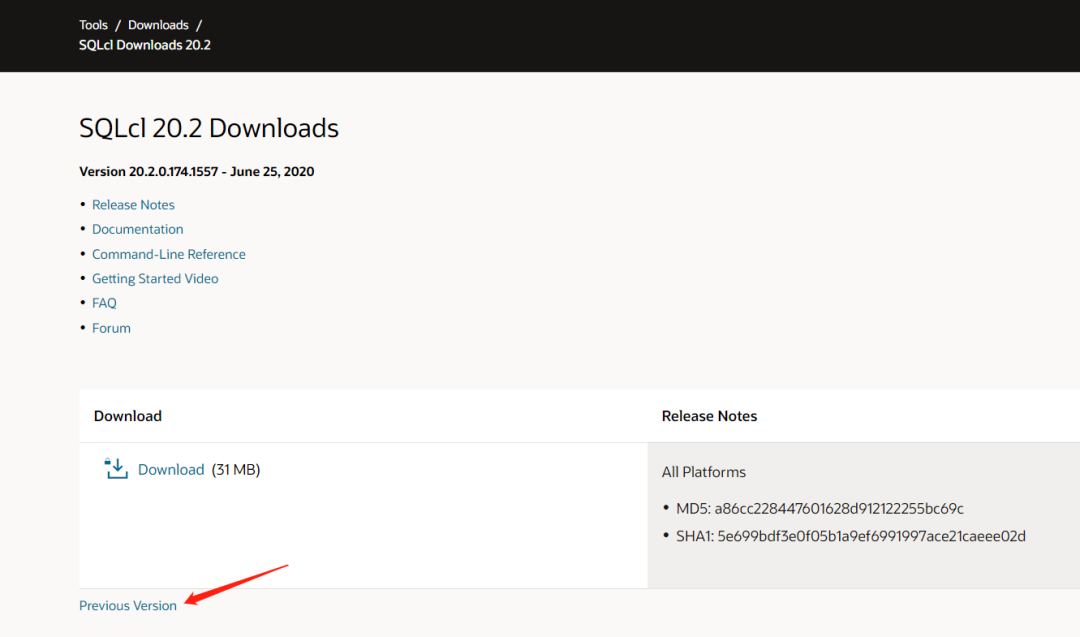
而且20.2再往回找,就提示错误了,看来大公司,也有小问题,
官方文档路径,
https://docs.oracle.com/en/database/oracle/sql-developer-command-line/index.html
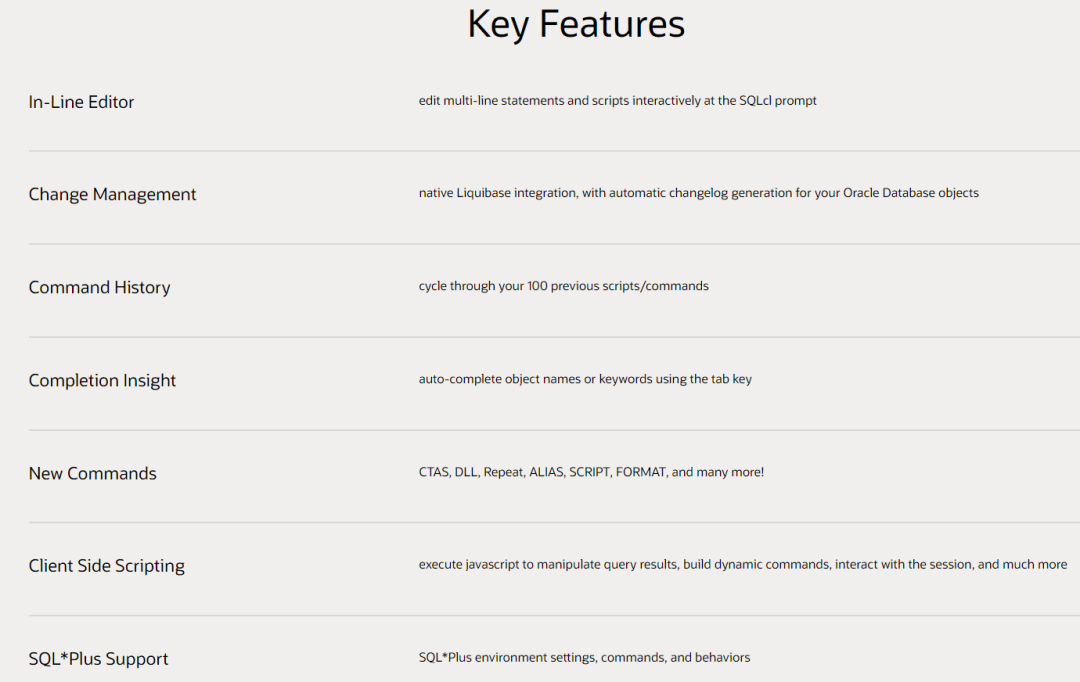
官方给出的SQLcl的一些特性,
https://www.oracle.com/database/technologies/appdev/sqlcl.html
上面说的都很官方色彩,如果想了解SQLcl,建议读下Jeff的文章《The Modern Command Line》,可以借机了解下,顶级的产品经理写出的文章,言简意赅,但抓住了要点,是怎么做到能吸引用户的,
https://blogs.oracle.com/oraclemagazine/post/the-modern-command-line
Oracle的中文公众号写过这篇《SQLcl这个可爱的小工具,来了解一下呀~》,介绍了很多SQLcl使用的小技巧。
一款工具,好用不好用,其实完全在个人,毕竟每个人的标准都是不同的,能帮助我们日常的工作,提升效率,这是最基本的。
可以学习sql的脚本,包括修改记录,写得非常清晰,值得借鉴,
######################################################################## (@)sql.sh## Copyright 2014 by Oracle Corporation,# 500 Oracle Parkway, Redwood Shores, California, 94065, U.S.A.# All rights reserved.## This software is the confidential and proprietary information# of Oracle Corporation.## NAME sql## DESC This script starts SQL CL.## AUTHOR bamcgill## MODIFIED# bamcgill 21/03/2014 Created# bamcgill 18/07/2014 Simplified classpaths and args# bamcgill 11/12/2014 Renamed script and contents# bamcgill 16/01/2015 Renamed script and contents# bamcgill 05/02/2015 Added STD_ARGS for headless and other args# cdivilly 12/02/2015 Locate home folder via symlinks# bamcgill 10/06/2015 Quote jarfiles for dirs with spaces# bamcgill 02/10/2015 Adding specific JAVA_HOME for ADE dev users# totierne 02/10/2015 use -cp instead of JARFILE to add ojdbc6# bamcgill 14/10/2015 switch Cygwin settings so Cygwin Term will work# totierne 16/10/2015 add classpath to allow times ten jars# bamcgill 17/10/2015 Cleaning up bootstrap to call single java# implementation with pruned args.# totierne 12/05/2016 added $OH/lib to $LD_LIBRARY_PATH when $OH# bamcgill 12/05/2016 adding -cleanup to args# bamcgill 29/06/2016 Added more checks around JAVA_HOME settings# bamcgill 04/07/2016 Using the ADE RDBMS JDK if it exists.# jmcginni 23/08/2016 Grab Proxy info on Mac, KDE, Gnome# bamcgill 04/11/2016 Added all jars to classpath and pointed cobertura# ser file for running.# bamcgill 17/11/2016 Added $OH/jdk as java location if JAVA_HOME not set# bamcgill 16/10/2017 Enumerated the libraries for sqlcl to avoid unwanted# class loads# bamcgill 11/03/2017 Added classpaths for jars in different locations# embedded in Oracle SQLDeveloper# bamcgill 11/06/2017 Added classpaths for drivers and exts.# bamcgill 10/05/2019 Hardened support for MINGW console on windows# bamcgill 21/05/2019 Adding silence for nashorn warning after jdk11# bamcgill 19/06/2019 Adding slf4j as its used with lb support and# the new ssh implementation:wq# bamcgill 14/11/2019 Removing funny comments from file.# skutz 29/01/2020 Added utility function to get java version and# used in in ADE setup function# bamcgill 12/03/2020 Adding LANG and LC_ALL variables for forcing# sqlcl into a particular language# bamcgill 03/06/2020 Changing the DEBUG Flag to be explicitly called# SQLCL_DEBUG which will allow debugging of sqlcl java.# bamcgill 23/07/2020 In docker alpine images, LANG defaults to C or posix# in this case we default to en_US.UTF8# bamcgill 27/01/2021 Adding jars and flags for Graal.js support. This is# important as jdk15 removes nashorn which was deprecated# in JDK11########################################################################
SQLcl需要JRE的运行环境,准确地说,需要1.8.0_220以上版本,如果比这个低,运行时提示,
This application requires a Java Runtime Environment 1.8.0_220
SQLcl是个免安装的,无需安装Oracle客户端,支持常用的EZConnect、TNS、LDAP、TWO_TASK等连接形式。在路径下,找到可执行程序,按照如下格式,就可以登录数据库了,可以是普通的数据库,还可以是PDB,当然还可以通过配置TNS登录,
sql user@//server:port/service
登录命令行,输入help,显示所有当前支持的参数,
SQL> helpFor help on a topic type help <topic>List of Help topics available:/@@@ACCEPTALIAS*APEX*APPENDARCHIVE_LOGBREAKBRIDGE*BTITLECD*CHANGECLEARCOLUMNCOMPUTECONNECTCOPYCTAS*DDL*DEFINEDELDESCRIBEDISCONNECTEDITEXECUTEEXITFIND*FORMAT*GETHISTORY*HOSTINFORMATION*INPUTLIQUIBASE*LISTLOAD*NET*OERR*PASSWORDPAUSEPROMPTQUITREMARKREPEAT*RESERVED_WORDSREST*RUNSAVESCRIPT*SETSETERRORLSHOWSHUTDOWNSODA*SPOOLSSHTUNNEL*STARTSTARTUPSTORETIMINGTNSPING*TTITLEUNDEFINEVARIABLEVAULT*WHENEVERWHICH*XQUERY
help+参数,可以显示这个参数的帮助提示,

一些常用的功能,
1. SQLcl支持编辑器操作
支持左右箭头,还支持快捷方式,例如Ctrl+W,可以快速到输入内容的第一个字符位置,
Ctrl+W. Go to the top of the buffer.
Ctrl+S. Go to the bottom of the buffer.
Ctrl+A. Go to the start of a line.
Ctrl+E. Go to the end of a line.
2. Tab自动补全
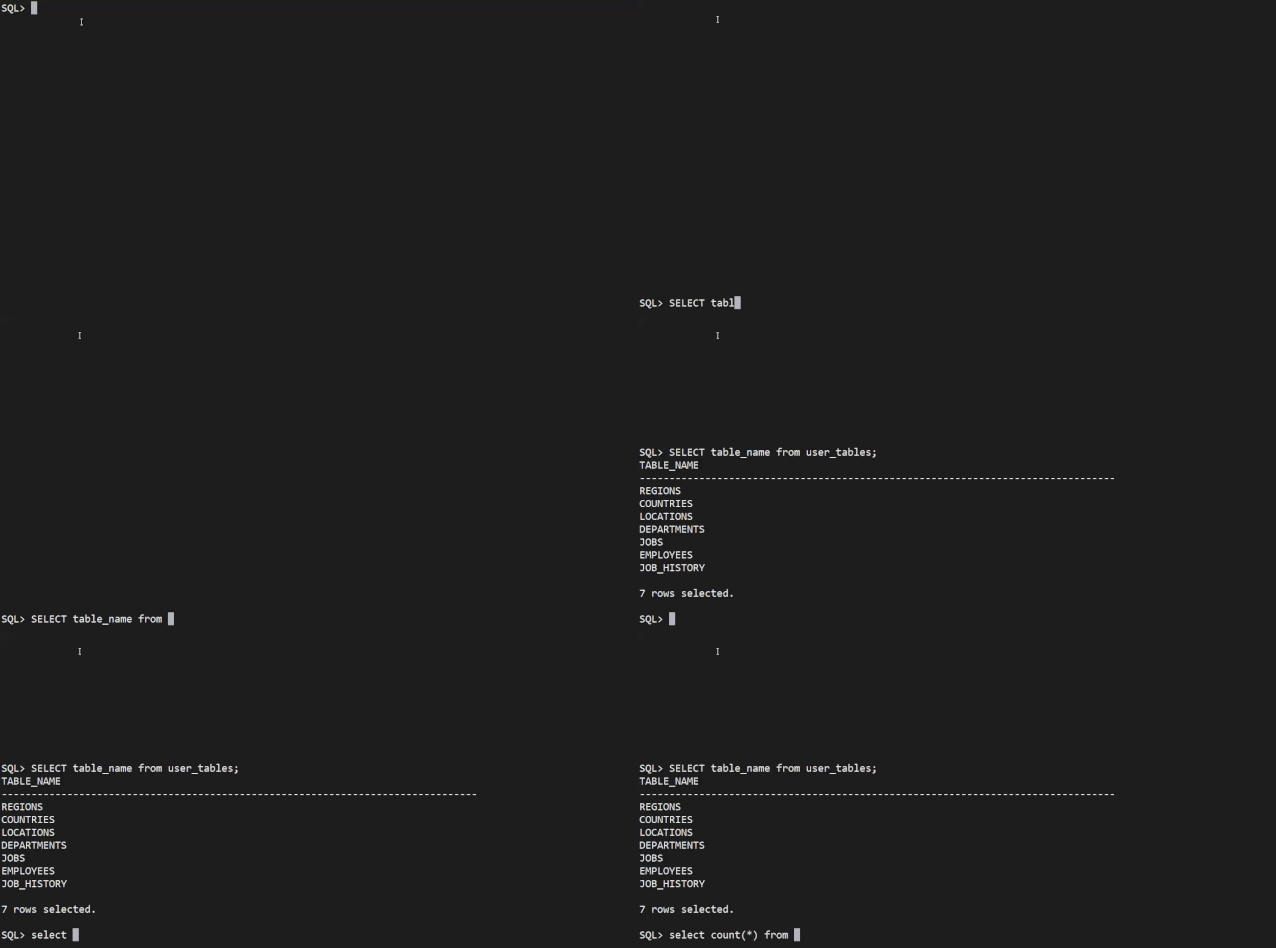
输入语句的时候,可以通过按Tab键来补全语句关键字、table的名字,column的名字等,当有些table当中的column name非常长的时候,这项功能就极为高效。
如下所示,当我按Tab键的时候,自动补全的部分会使用大写来显示。
3. 历史指令检索
SQLcl支持历史指令检索的功能,容量是100个,循环复写,上下箭头操作,可以显示完整的指令,(HISTORY FULL会隔行显示),

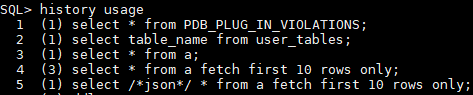
HISTORY USAGE,会显示单条语句的执行次数,
HISTORY TIME,会显示单条语句的执行时间,

HISTORY CLEAR,则会清空历史。
4. 查询创建语句
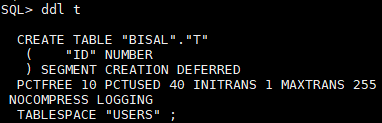
ddl可以显示对象的创建语句,还可以直接存储到文件中,
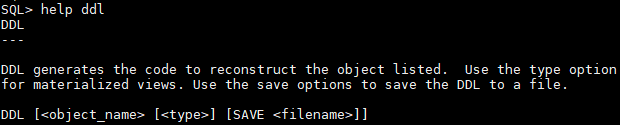
和通过dbms_metadata打印的基本是一致的,
5. 打印对象信息
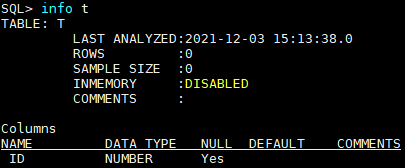
info加上对象名称,可以打印出对象的信息,如下所示,打印表t的信息,
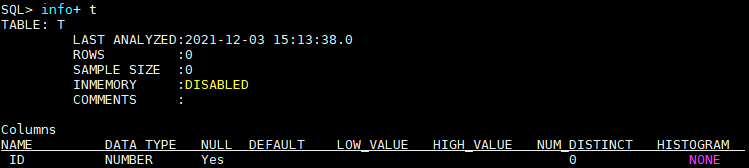
info+加上对象名称,还可以打印出列的统计信息,
如果是加上索引对象,则打印出和ddl相同的创建语句,

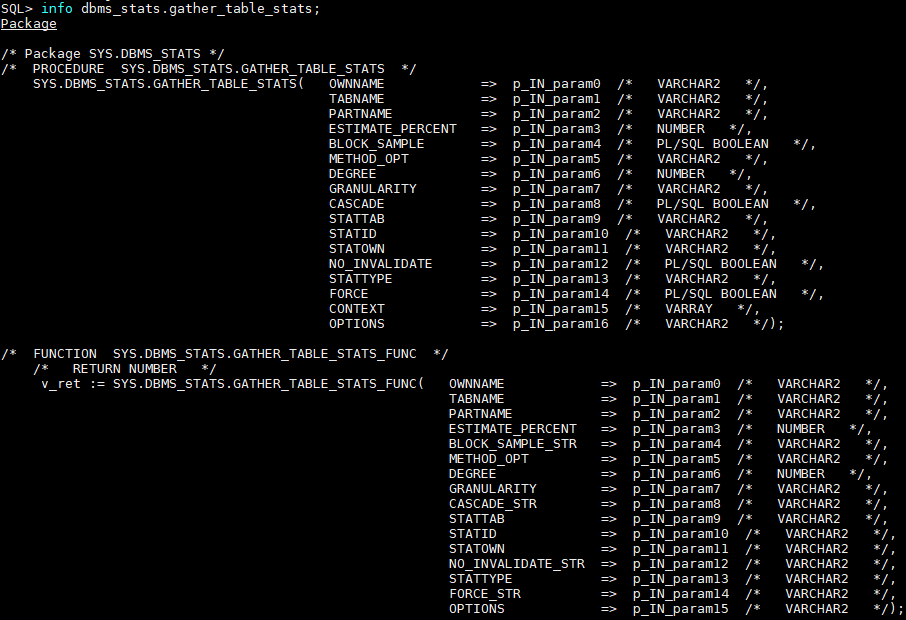
info还可以打印包的内容信息,
6. sqlformat格式化
通过设置sqlformat,可以设置不同输出的格式,至少支持这些,
defaultansiconsolecsvinsert – lists resuts as an insert statementloader – pipe-delimiteddelimited – same as csvxmlhtmlfixed – fixed widthtextjson
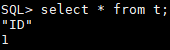
按照csv输出,
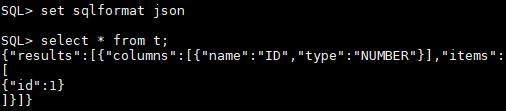
按照json输出,
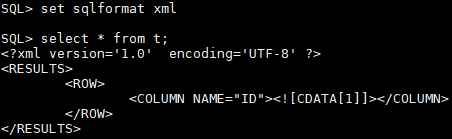
按照xml输出,
按照html输出,
SQL> set sqlformat htmlSQL> select * from t;<!DOCTYPE html><html><head><meta charset='UTF-8'><title>Responsive Table</title><meta name="viewport" content="width=device-width, initial-scale=1.0"><style>* {margin: 0;padding: 0;}body {font: 14px/1.4 Georgia, Serif;}/*Generic Styling, for Desktops/Laptops*/table {width: 100%;border-collapse: collapse;}/* Zebra striping */tr:nth-of-type(odd) {background: #eee;}th {background: #333;color: white;font-weight: bold;}td, th {padding: 6px;border: 1px solid #9B9B9B;text-align: left;}@mediaonly screen and (max-width: 760px),(min-device-width: 768px) and (max-device-width: 1024px) {table, thead, tbody, th, td, tr { display: block; }thead tr { position: absolute;top: -9999px;left: -9999px;}tr { border: 1px solid #9B9B9B; }td { border: none;border-bottom: 1px solid #9B9B9B; position: relative;padding-left: 50%; }td:before { position: absolute;top: 6px;left: 6px;width: 45%; padding-right: 10px; white-space: nowrap;}/*Label the data*/td:nth-of-type(0):before { content: "ID"; }}/* Smartphones (portrait and landscape) ----------- */@media only screenand (min-device-width : 320px)and (max-device-width : 480px) {body {padding: 0;margin: 0;width: 320px; }}/* iPads (portrait and landscape) ----------- */@media only screen and (min-device-width: 768px) and (max-device-width: 1024px) {body {width: 495px;}}</style><!--<![endif]--><script type="text/javascript">function search(){var s = document.getElementById('search').value;rows = document.getElementById('data').getElementsByTagName('TR');for(var i=0;i<rows.length;i++){if ( rows[i].textContent.indexOf(s)>0 || s.length==0 ) {rows[i].style.display ='';} else {rows[i].style.display ='none';}}}var timer;function delayedSearch() {clearTimeout(timer);console.log('delay-ing')timer = setTimeout(function () {console.log('delay-running')search();}, 500);}</script></head><body><div><input type="text" size="30" maxlength="1000" value="" id="search" onkeyup="delayedSearch();" /><input type="button" value="Go" onclick="lsearch();"/> </div><table><thead><tr> <th>ID</th></tr></thead><tbody id="data"><tr><td align="right">1</td></tr></tbody></table><!-- SQL:select * from t--></body></html>
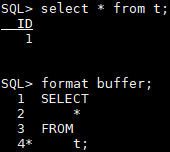
format buffer还可以对刚输入的语句,进行格式化,
SQLcl功能非常丰富,可以继续探索。
近期更新的文章:
文章分类和索引:
