



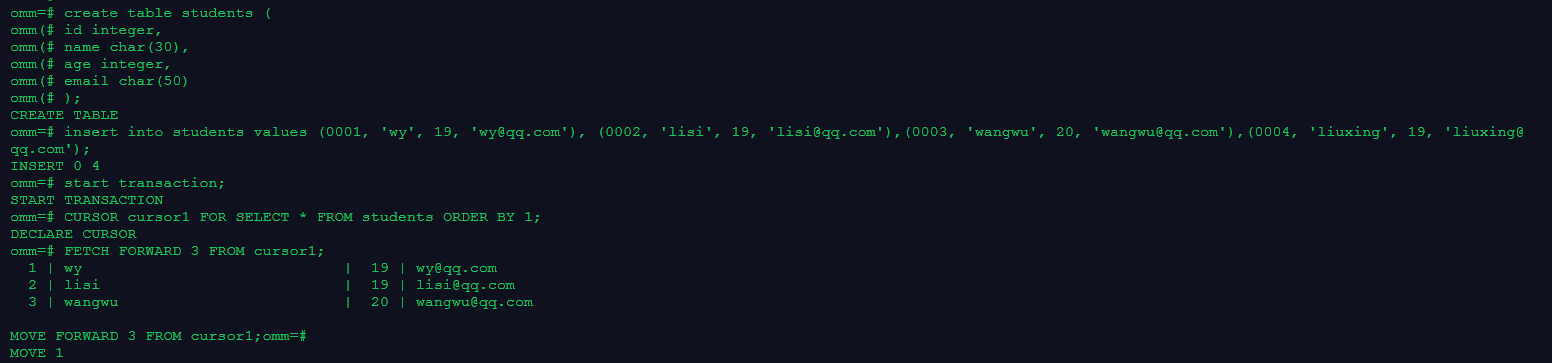
1. 创建游标,且使用select子句指定游标返回的行,分别使用FETCH抓取数据,MOVE重定位游标
create table students (
id integer,
name char(30),
age integer,
email char(50)
);
insert into students values (0001, 'wy', 19, 'wy@qq.com'), (0002, 'lisi', 19, 'lisi@qq.com'),(0003, 'wangwu', 20, 'wangwu@qq.com'),(0004, 'liuxing', 19, 'liuxing@qq.com');
start transaction;
CURSOR cursor1 FOR SELECT * FROM students ORDER BY 1;
FETCH FORWARD 3 FROM cursor1;
MOVE FORWARD 3 FROM cursor1;
/
2. 在系统视图pg_cursors中查看游标
select * from pg_cursors;
close cursor1;
end;
/

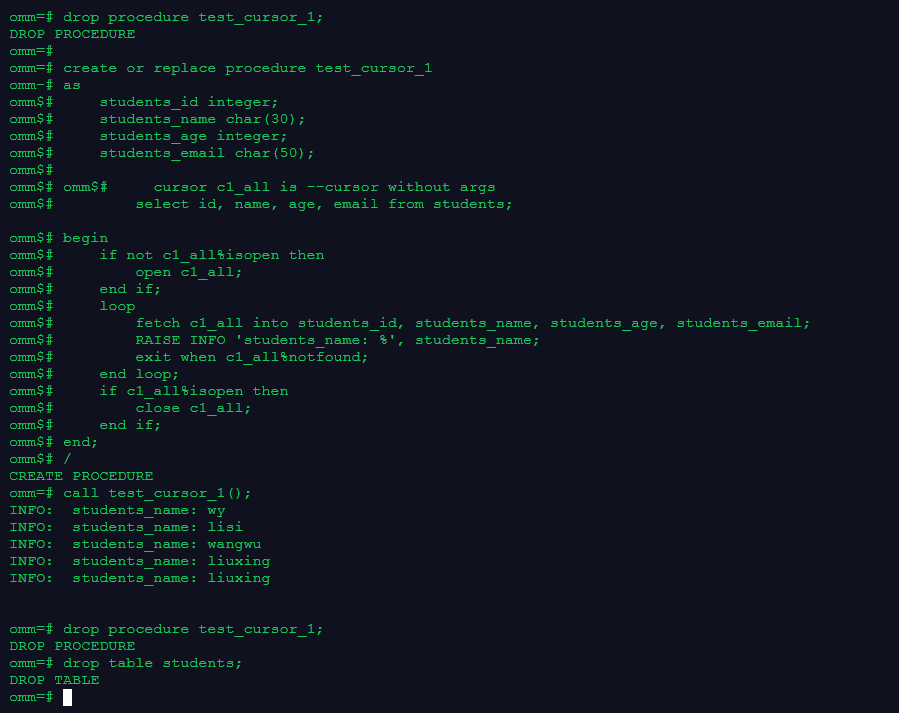
3. 创建一个使用游标的存储过程
create or replace procedure test_cursor_1
as
    students_id integer;
    students_name char(30);
    students_age integer;
    students_email char(50);

    cursor c1_all is --cursor without args
        select id, name, age, email from students;

begin
    if not c1_all%isopen then
        open c1_all;
    end if;
    loop
        fetch c1_all into students_id, students_name, students_age, students_email;
        RAISE INFO 'students_name: %', students_name;
        exit when c1_all%notfound;
    end loop;
    if c1_all%isopen then
        close c1_all;
    end if;
end;
/
call test_cursor_1();
drop procedure test_cursor_1;
/
如果出现下图所示,是习惯把查询的字段id,name,age,email变为students_id,students_name,students_age,students_email导致无法查询到数据。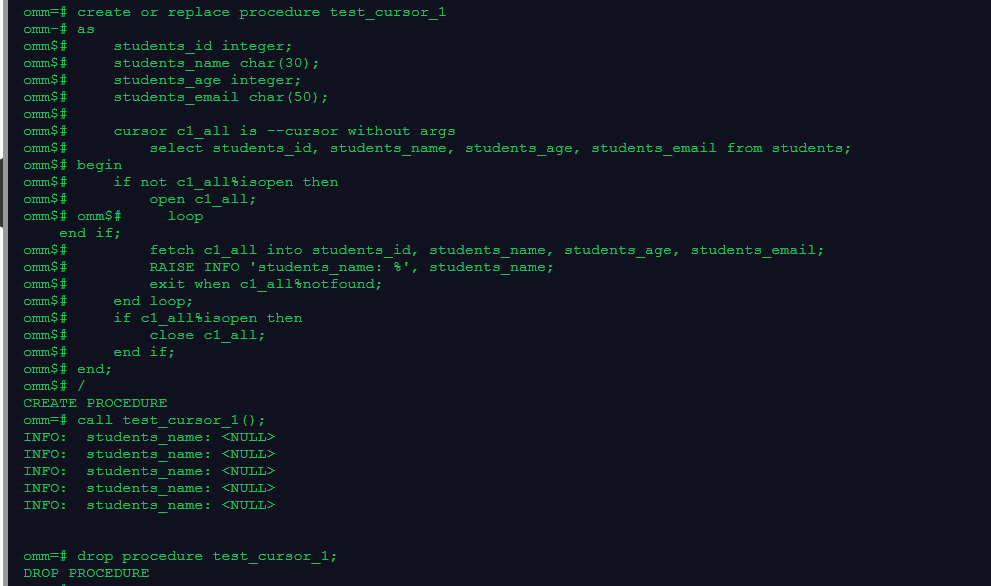
4. 清理数据
drop table students;
/
