DBCA 删除数据库数据库,发现没有要删除的实例rac2:
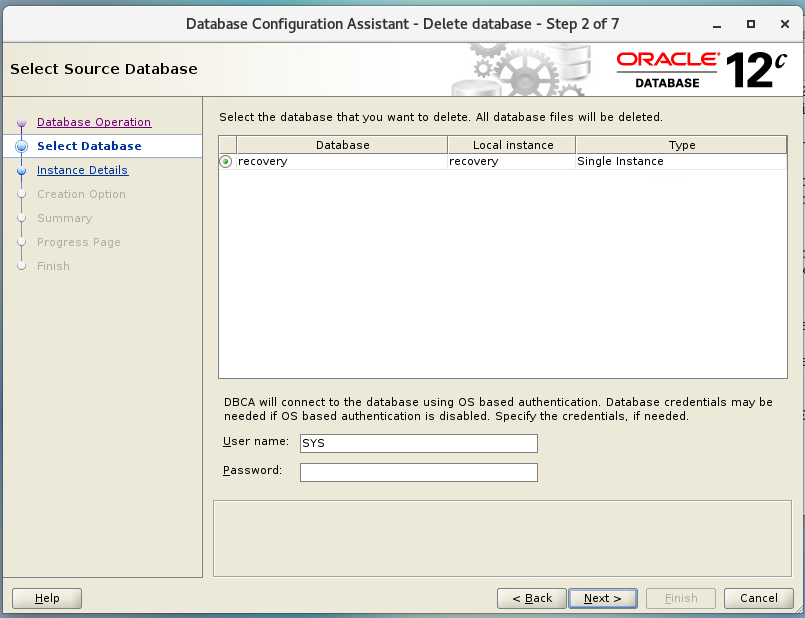
解决办法:
修改/etc/oratab文件,参照recovery实例,增加要删除的实例rac2的实例名等信息,保存
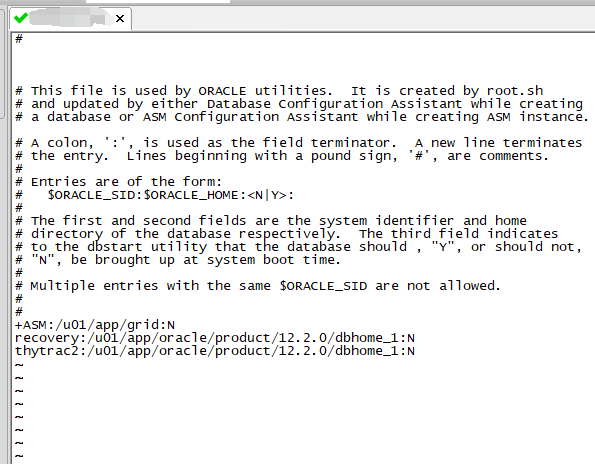
重新启动DBCA
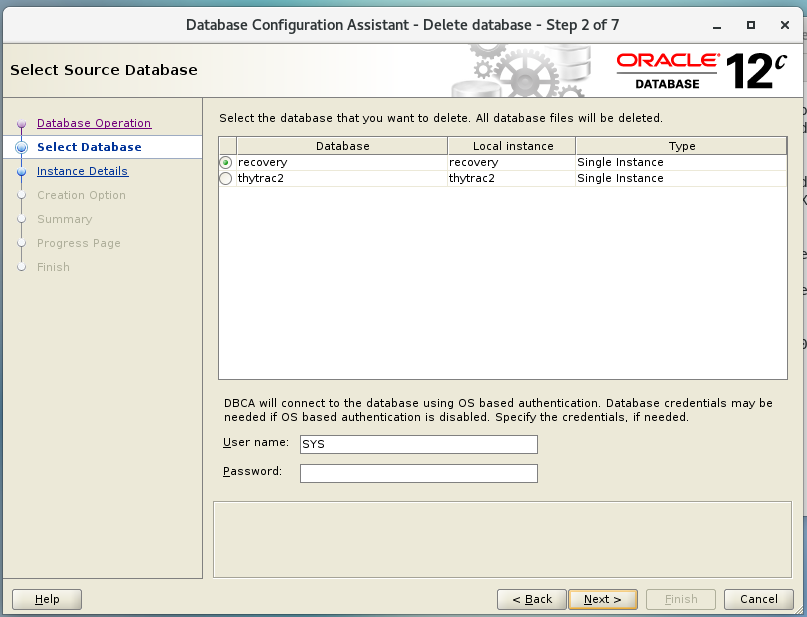
要删除的rac2实例在列表中了,搞定
/etc/oratab文件产生:安装数据库会产生这个文件,创建数据库时,问文件会被修改。文件记录了数据库的个数信息。打开文件可以看到。该文件出问题,主要影响DBCA使用:
文件的内容如下:
# This file is used by ORACLE utilities. It is created by root.sh
# and updated by the Database Configuration Assistant when creating
# a database.
# A colon, ':', is used as the field terminator. A new line terminates
# the entry. Lines beginning with a pound sign, '#', are comments.
#
# Entries are of the form.:
# $ORACLE_SID:$ORACLE_HOME::
#
# The first and second fields are the system identifier and home
# directory of the database respectively. The third filed indicates
# to the dbstart utility that the database should , "Y", or should not,
# "N", be brought up at system boot time.
#
# Multiple entries with the same $ORACLE_SID are not allowed.
#
#
oradb:/u01/app/oracle/product/11.2.0/db_1:N
----------------------------------------------------------------------------
格式说明:
$ORACLE_SID:$ORACLE_HOME:<N|Y>
$ORACLE_SID:sid
$ORACLE_HOME:HOME目录
N|Y:是否享用dbstart和dbshut脚本启动并关闭数据库,通常选择N