




yum install -y perl-ExtUtils-Embed readline-devel zlib-devel pam-devel libxml2-devel libxslt-devel openldap-devel python-devel gcc-c++ openssl-devel cmake
2. 下载并解压
wget https://ftp.postgresql.org/pub/source/v11.4/postgresql-11.4.tar.gztar -zxvf postgresql-11.4.tar.gz
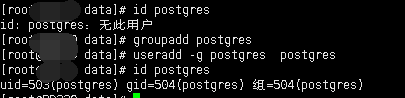
# 查看用户是否存在id postgres# 添加用户组及用户groupadd postgresuseradd -g postgres postgres# 再次查看可以查看对应的uid gidid postgres
mkdir -p data/postgresql/datachown -R postgres:postgres data
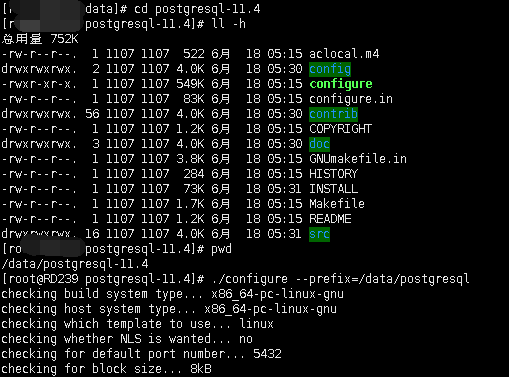
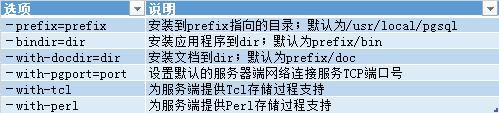
cd /data/postgresql-11.4./configure --prefix=/data/postgresql
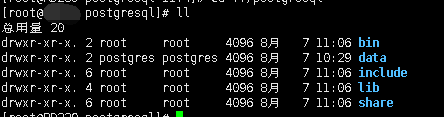
makemake install
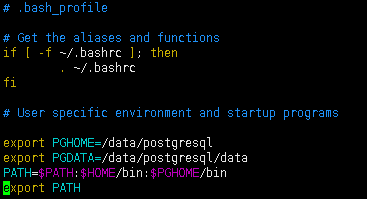
# 切换到postgres用户su - postgres# 编辑postgres用户环境变量vim .bash_profile# 添加如下内容export PGHOME=/data/postgresqlexport PGDATA=/data/postgresql/dataPATH=$PATH:$HOME/bin:$PGHOME/bin# 使环境变量生效source .bash_profile
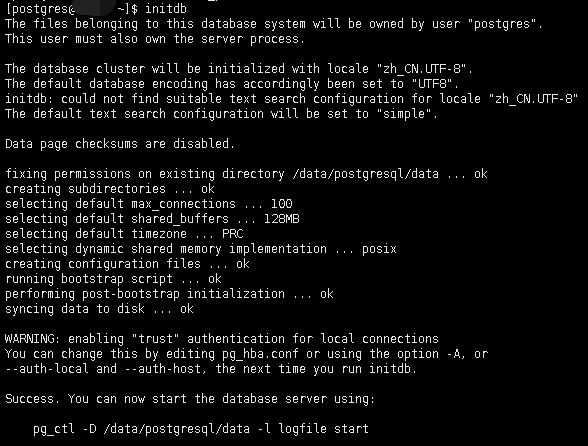
initdb
cd /data/postgresql/datall -h
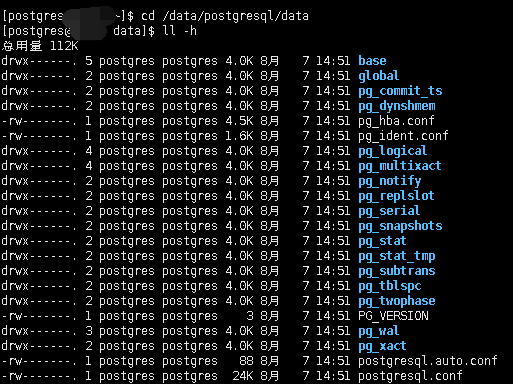
postgresql.conf 配置PostgreSQL数据库服务器的相应的参数。 pg_hba.conf 配置对数据库的访问权限
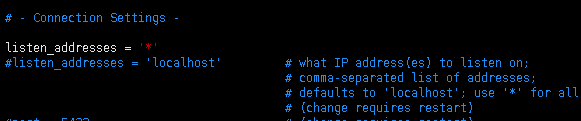
vim postgresql.conf修改 listen_addresses 为 * ,代表所有主机皆可访问listen_addresses = '*'

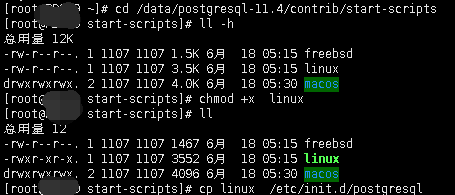
# 进入postgresql源码目录cd /data/postgresql-11.4/contrib/start-scripts# 此目录下有各系统的启动目录,需先将其添加执行权限chmod +x linux# 将启动服务拷贝至启动服务下cp linux etc/init.d/postgresql
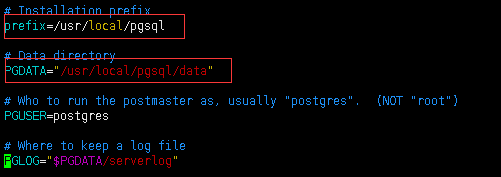
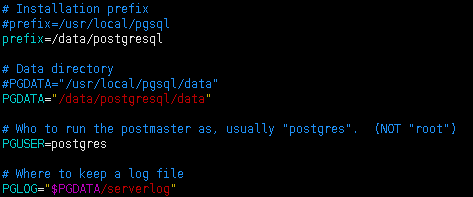
vim /etc/init.d/postgresql修改 prefix及PGDATA
/etc/init.d/postgresql start

/etc/init.d/postgresql stop
# 将postgresql安装路径bin目录下的命令赋权给postgres用户cd /data/postgresql/binchown -R postgres:postgres .# 切换至postgres用户启动服务su - postgres# 启动服务pg_ctl -D /data/postgresql/data/ -l logfile start

createdb gjc
# 使用psql连接gjc数据库psql gjc
gjc=# create table test1(id int not null primary key,name varchar(20),age int );CREATE TABLEgjc=# create index idx_test1_name on test1(name);CREATE INDEXgjc=# insert into test1 values(1,'gjc',28);INSERT 0 1gjc=# select * from test1id | name | age----+------+-----1 | gjc | 28(1 row)

文章转载自数据库干货铺,如果涉嫌侵权,请发送邮件至:contact@modb.pro进行举报,并提供相关证据,一经查实,墨天轮将立刻删除相关内容。
