



一、系统安装
CentOS 7.9 安装省略。。。
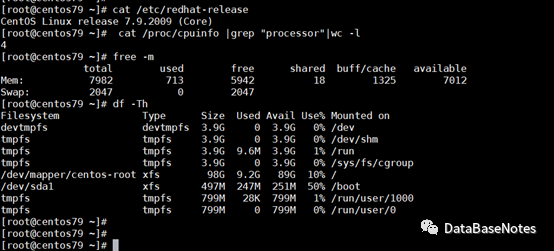
二、系统配置信息
cpu 4core、memory 8G、HDD 100GB
三、hostname设定
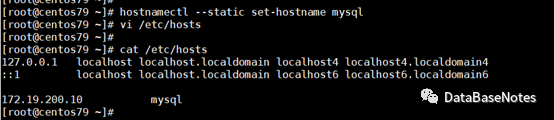
hostnamectl --static set-hostname mysqlXXX
vi etc/hosts
四、关闭防火墙
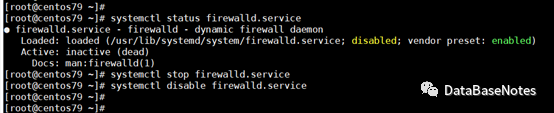
systemctl status firewalld.service
systemctl stop firewalld.service
systemctl disable firewalld.service
五、关闭Selinux
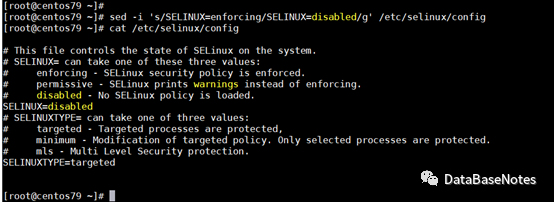
sed -i 's/SELINUX=enforcing/SELINUX=disabled/g' etc/selinux/config
cat etc/selinux/config
六、设置limits
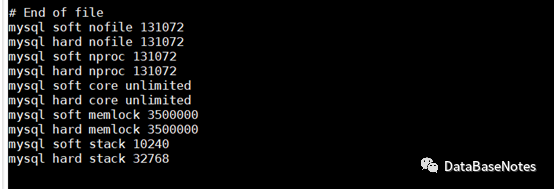
vi etc/security/limits.conf
mysql soft nofile 131072
mysql hard nofile 131072
mysql soft nproc 131072
mysql hard nproc 131072
mysql soft core unlimited
mysql hard core unlimited
mysql soft memlock 3500000
mysql hard memlock 3500000
mysql soft stack 10240
mysql hard stack 32768
七、设置系统参数
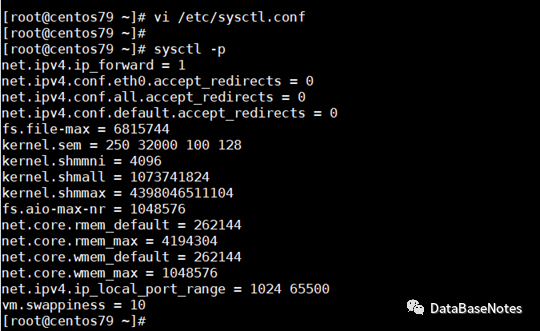
vi etc/sysctl.conf
net.ipv4.ip_forward = 1
net.ipv4.conf.eth0.accept_redirects=0
net.ipv4.conf.all.accept_redirects=0
net.ipv4.conf.default.accept_redirects=0
fs.file-max = 6815744
kernel.sem = 250 32000 100 128
kernel.shmmni = 4096
kernel.shmall = 1073741824
kernel.shmmax = 4398046511104
fs.aio-max-nr = 1048576
net.core.rmem_default = 262144
net.core.rmem_max = 4194304
net.core.wmem_default = 262144
net.core.wmem_max = 1048576
net.ipv4.ip_local_port_range = 1024 65500
vm.swappiness= 10
#使生效:
sysctl -p
八、主机重启
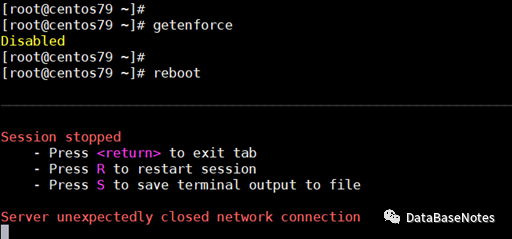
[root@mysql3 ~]# reboot
[root@mysql3 ~]# getenforce
Disabled
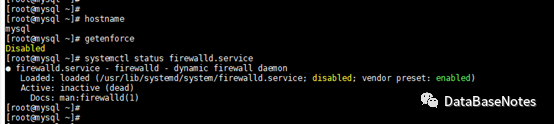
[root@mysql3 ~]# hostname
九、验证
验证以上修正是否都正确并生效。
十、下期预告
Mysql安装前的准备就到这里,下面开启三篇来讲解安装。。。
RPM安装方式
二进制安装方式
源码安装方式
尽请期待噢~
