



系统:CentOS7.9
数据库:Oracle
11.2.0.4
环境:磁盘组采用的asmlib方式创建
异常描述:在安装单实例数据库创建GI时,条件检查步骤报错“Oracle
Restart Integrity”,如下所示:
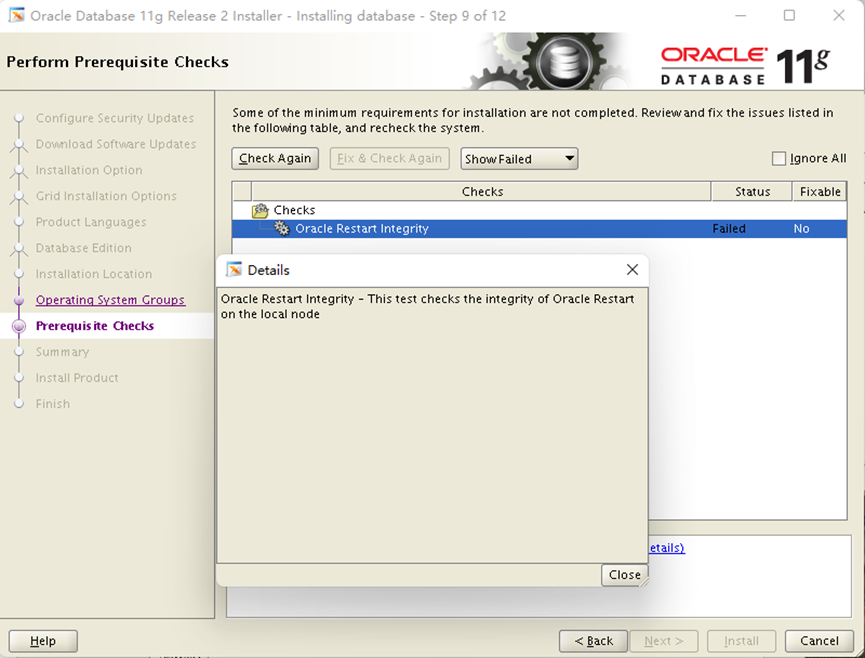
在mos上查确认为以下原因造成此异常:
There is no GI (restart or clusterware) installation in place ,
but there was previous GI installation which was not cleaned up properly and
its traces exists on the server
<HOSTNAME>$ ls -l /etc/oracle/olr.loc
-rw-r----- 1 root dba 115 Apr 28 2017 /etc/oracle/olr.loc
<HOSTNAME>$ > ls -l /etc/oracle/ocr.loc
-rw-r----- 1 oracle dba 87 Apr 28 2017 /etc/oracle/ocr.loc
解决方案:
[root@leo
oracle]# mv ocr.loc old_ocr.loc
[root@leo
oracle]# mv olr.loc old_olr.loc
[root@leo
oracle]# ll
total
2224
drwxrwx---
2 grid oinstall 6 Jun 1 13:57 lastgasp
-rw-r--r--
1 root root 16 Jun 1 13:57 ocr.loc.orig
-rw-r-----
1 grid oinstall 90 Jun 1 13:57 old_ocr.loc
-rw-r-----
1 root oinstall 115 Jun 1 13:57 old_olr.loc
-rw-r--r--
1 root root 0 Jun 1 13:57 olr.loc.orig
drwxrwx---
5 root oinstall 44 Jun 1 13:57 oprocd
drwxr-x---
3 root oinstall 17 Jun 1 13:57 scls_scr
-rws--x---
1 root oinstall 2264216 Jun 1 13:57
setasmgid
[root@leo
oracle]# pwd
/etc/oracle
修改后重新reinstall,异常消除.
