



这里我们以网易邮箱为例:
https://mail.163.com/
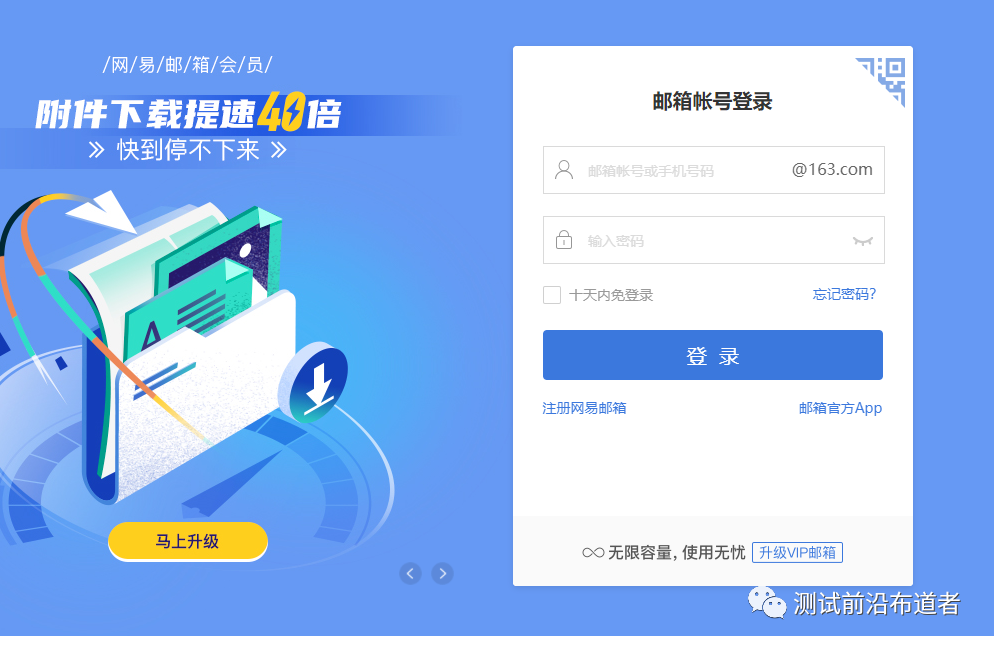
没有163邮箱就注册一个、登录
新浪邮箱:smtp.sina.com,新浪VIP:smtp.vip.sina.com,搜狐邮箱:smtp.sohu.com,126邮箱:smtp.126.com,139邮箱:smtp.139.com,163网易邮箱:smtp.163.com。
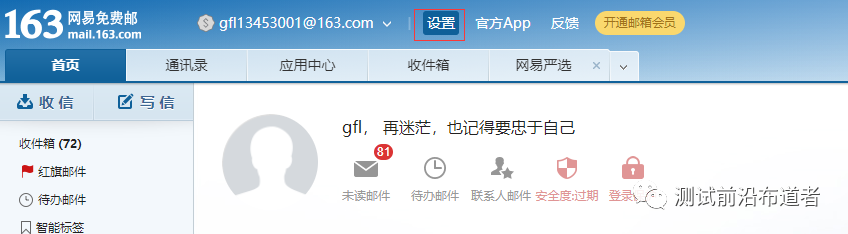
我们找到设置
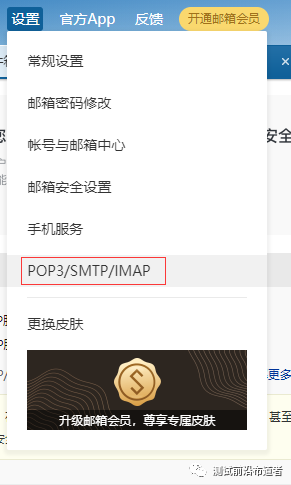
选择POP3/SMTP/IMAP
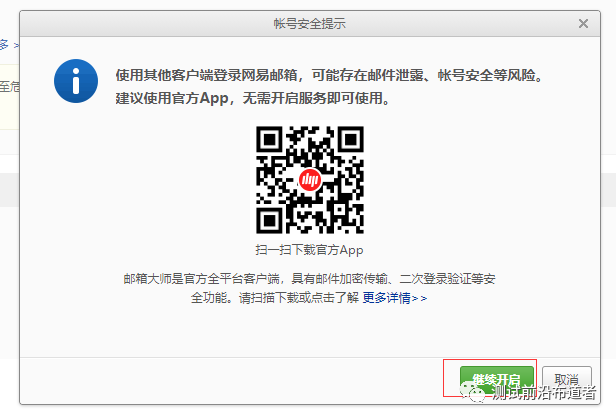
点击继续
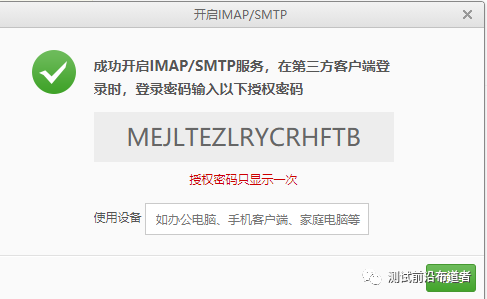
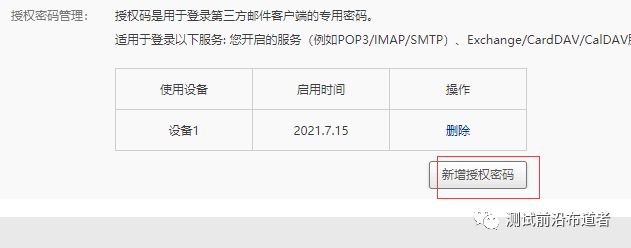
MEJLTEZLRYCRHFTB
smtplib模块
smtplib使用较为简单。以下是最基本的语法。
导入及使用方法如下:
import smtplib
from email.mime.text import MIMEText
from email.header import Header


sender = 'gfl13453001@163.com'
password = 'xxxx'
receivers = ['guanfl@jideos.com']  # 接收邮件,可设置为你的QQ邮箱或者其他邮箱

# 三个参数:第一个为文本内容,第二个 plain 设置文本格式,第三个 utf-8 设置编码
message = MIMEText('Python 邮件发送测试...', 'plain', 'utf-8')
message['From'] = sender  # 发送者
message['To'] = ",".join(receivers)  # 接收者

subject = 'Python SMTP 邮件测试'
message['Subject'] = Header(subject, 'utf-8')

smtpObj = smtplib.SMTP('smtp.163.com')
smtpObj.login(sender, password)
smtpObj.sendmail(sender, receivers, message.as_string())
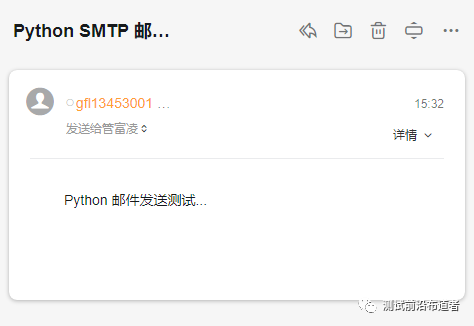
说明:
smtplib.SMTP():实例化SMTP()

host:指定连接的邮箱服务器。常用邮箱的smtp服务器地址如下:
新浪邮箱:smtp.sina.com,新浪VIP:smtp.vip.sina.com,搜狐邮箱:smtp.sohu.com,126邮箱:smtp.126.com,139邮箱:smtp.139.com,163网易邮箱:smtp.163.com。
port:指定连接服务器的端口号,默认为25.
login(user,password):

user:登录邮箱的用户名。
password:登录邮箱的密码,像笔者用的是网易邮箱,网易邮箱一般是网页版,需要用到客户端密码,需要在网页版的网易邮箱中设置授权码,该授权码即为客户端密码。
sendmail(from_addr,to_addrs,msg,...):

from_addr:邮件发送者地址
to_addrs:邮件接收者地址。字符串列表['接收地址1','接收地址2','接收地址3',...]或'接收地址'
msg:发送消息:邮件内容。一般是msg.as_string():as_string()是将msg(MIMEText对象或者MIMEMultipart对象)变为str。
quit():用于结束SMTP会话。
使用Python发送HTML格式的邮件
Python发送HTML格式的邮件与发送纯文本消息的邮件不同之处就是将MIMEText中_subtype设置为html。具体代码如下:
import smtplib
from email.mime.text import MIMEText
from email.header import Header


sender = 'gfl13453001@163.com'
password = 'xxxx'
receivers = ['guanfl@jideos.com'] # 接收邮件,可设置为你的QQ邮箱或者其他邮箱

mail_msg = """
<p>Python 邮件发送测试...</p>
<p><a href="http://www.baidu.com">这是一个链接</a></p>
"""
message = MIMEText(mail_msg, 'html', 'utf-8')
message['From'] = sender
message['To'] = ''.join(receivers)
subject = 'Python SMTP 邮件测试'
message['Subject'] = Header(subject, 'utf-8')

smtpObj = smtplib.SMTP('smtp.163.com')
smtpObj.login(sender, password)
smtpObj.sendmail(sender, receivers, message.as_string())
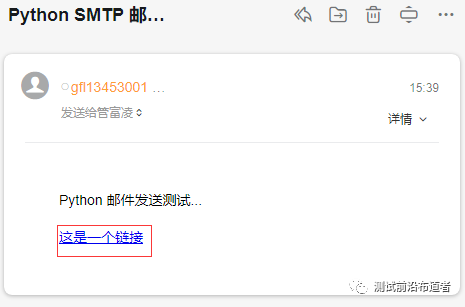
上面链接是可以进行点击跳转到对于的页面的
发送带附件类型邮件
import smtplib
from email.mime.text import MIMEText
from email.mime.multipart import MIMEMultipart
from email.header import Header

sender = 'gfl13453001@163.com'
password = 'xxxx'
receivers = ['guanfl@jideos.com'] # 接收邮件,可设置为你的QQ邮箱或者其他邮箱

# 创建一个带附件的实例
message = MIMEMultipart()
message['From'] = sender
message['To'] = ''.join(receivers)
subject = 'Python SMTP 邮件测试'
message['Subject'] = Header(subject, 'utf-8')

# 邮件正文内容
message.attach(MIMEText('这是测试前沿布道者 Python 邮件发送测试……', 'plain', 'utf-8'))

# 构造附件1,传送当前目录下的 test.txt 文件
att1 = MIMEText(open(r'F:\interfaceTestng\case\hccr\test_hccr_api.py', 'rb').read(), 'base64', 'utf-8')
att1["Content-Type"] = 'application/octet-stream'
# 这里的filename可以任意写,写什么名字,邮件中显示什么名字
att1["Content-Disposition"] = 'attachment; filename="test.txt"'
message.attach(att1)


smtpObj = smtplib.SMTP('smtp.163.com')
smtpObj.login(sender, password)
smtpObj.sendmail(sender, receivers, message.as_string())
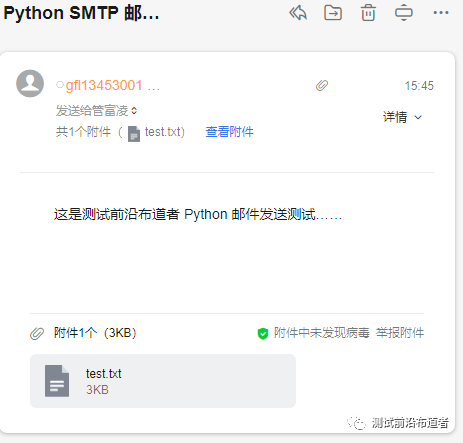
好了基本上自动邮件就要知道以上的几个方法就可以进行发送自动邮件了、还有一个更高级的方法、可以发送任意类型附件的邮件在自动化测试实战中再补充、大家记得多去练习哦!!!看看自己能擦出不一样的火花嘛?
