



背景
在一次日常测试中发现,kill 一个会话后,SQL语句依然在运行并没终止;被kill的会话重新连接并继续执行原来的SQL语句。
测试
本次测试基于MySQL 8.0.27
1.创建测试表
create table t1 (id int, name  varchar(30));
insert into t1 values (1,'a'),(2,'b');
2.开启3个会话
| session1 | session2 | session3 |
|---|---|---|
| begin; | ||
| select * from t1; | ||
| rename table t1 to t2; 【由于锁等待,hang住】 | ||
| show processlist; 【查看 processlist_id】 | ||
| kill session2; | ||
| 【session2 重新连接并且继续执行语句,处于锁等待状态】 | ||
| show processlist; 【可以看到session2重新连接并继续执行SQL】 | ||
| commit; | ||
| 【rename 执行成功】 | ||
| show tables; 【t1 被 rename 为 t2】 |
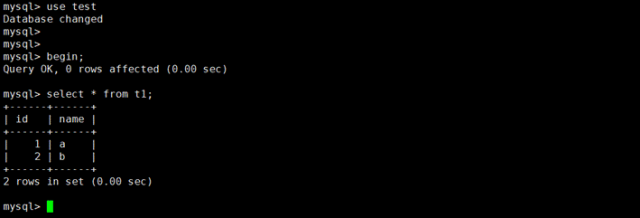
session1:开启一个事务不提交
mysql> use test
Database changed
mysql>
mysql>
mysql> begin;
Query OK, 0 rows affected (0.00 sec)

mysql> select * from t1;
+------+------+
| id   | name |
+------+------+
|    1 | a    |
|    2 | b    |
+------+------+
2 rows in set (0.00 sec)
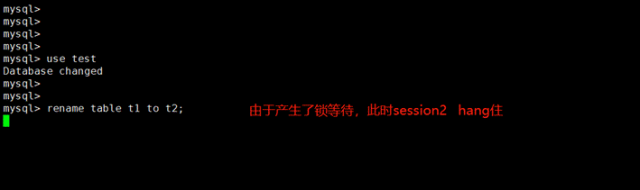
session2:执行DDL语句
mysql> use test
Database changed
mysql>
mysql>
mysql> rename table t1 to t2;
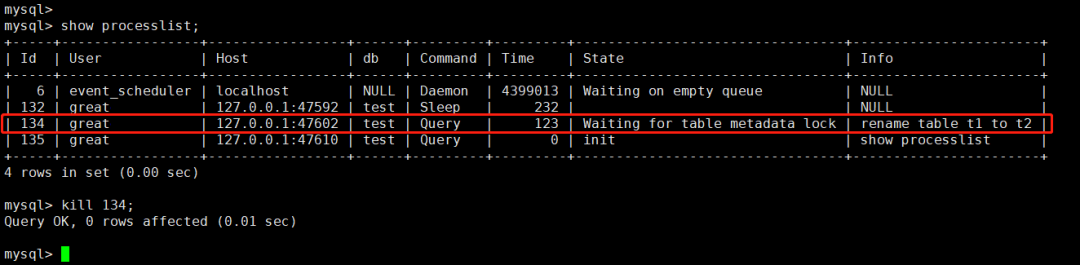
session3:kill session2
mysql> show processlist;
+-----+------+---------+---------+--------------------------------+----------------------+
| Id  | db   | Command | Time    | State                          | Info                 |
+-----+------+---------+---------+--------------------------------+----------------------+
|   6 | NULL | Daemon  | 4399013 | Waiting on empty queue         | NULL                 |
| 132 | test | Sleep   |     232 |                                | NULL                 |
| 134 | test | Query   |     123 | Waiting for table metadata lock| rename table t1 to t2|
| 135 | test | Query   |       0 | init                           | show processlist     |
+-----+------+---------+---------+--------------------------------+----------------------+
4 rows in set (0.00 sec)

mysql> kill 134;
Query OK, 0 rows affected (0.01 sec)
#为了排版,表格字段略有删减,具体信息请看图片
session2:session2重新连接,并且继续执行DDL语句,仍处于锁等待状态
mysql> rename table t1 to t2;
ERROR 2013 (HY000): Lost connection to MySQL server during query
No connection. Trying to reconnect...
Connection id:    136
Current database: test

session3:查看会话信息
mysql> show processlist;
+-----+------+---------+---------+--------------------------------+----------------------+
| Id  | db   | Command | Time    | State                          | Info                 |
+-----+------+---------+---------+--------------------------------+----------------------+
|   6 | NULL | Daemon  | 4399260 | Waiting on empty queue         | NULL                 |
| 132 | test | Sleep   |     479 |                                | NULL                 |
| 135 | test | Query   |       0 | init                           | show processlist     |
| 136 | test | Query   |     193 | Waiting for table metadata lock| rename table t1 to t2|
+-----+------+---------+---------+--------------------------------+----------------------+
4 rows in set (0.00 sec)
#为了排版,表格字段略有删减,具体信息请看图片
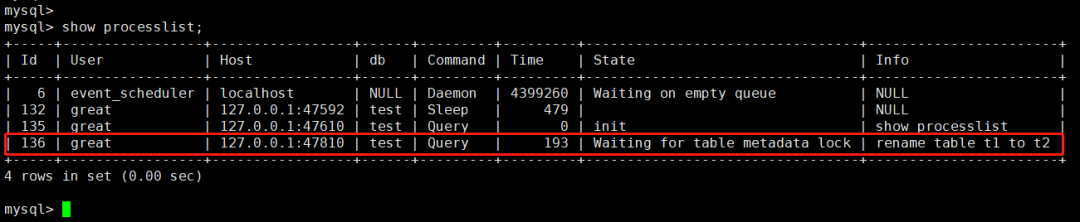
可以看到, kill session2 后,session2 重新连接并且继续执行SQL
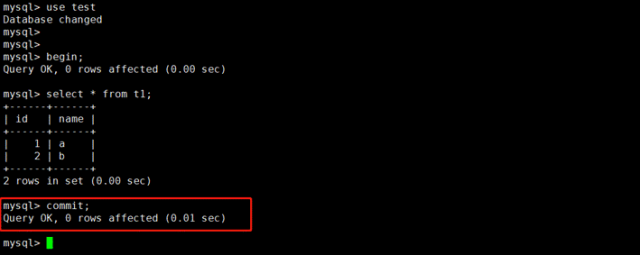
session1:提交事务
mysql> commit;
Query OK, 0 rows affected (0.01 sec)
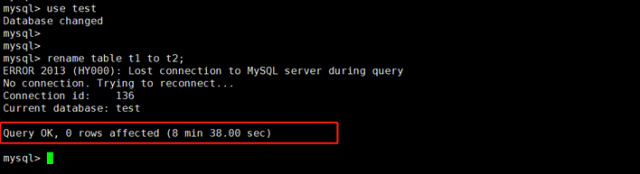
session2:执行成功
mysql> use test
Database changed
mysql>
mysql>
mysql> rename table t1 to t2;
ERROR 2013 (HY000): Lost connection to MySQL server during query
No connection. Trying to reconnect...
Connection id:    136
Current database: test

Query OK, 0 rows affected (8 min 38.00 sec)
通过上述测试,可以看到明明执行了 kill 命令,但是依然没有达到我们想要的效果,似乎 kill 命令没有生效一样。
经过查询资料发现,由于通过MySQL客户端登录,--reconnect
重新连接选项默认是开启的,该选项在每次连接丢失时都会进行一次重新连接尝试;因此在kill session2 后,session2重新连接并再次执行之前的SQL语句,导致感觉 kill 命令没有生效。
  --reconnect         Reconnect if the connection is lost. Disable with
                      --disable-reconnect. This option is enabled by default.
                      (Defaults to on; use --skip-reconnect to disable.)
解决
可以通过以下2种方式避免上述问题的发生:
1.执行kill query 命令
KILL QUERY
终止连接当前正在执行的语句,但保持连接本身不变
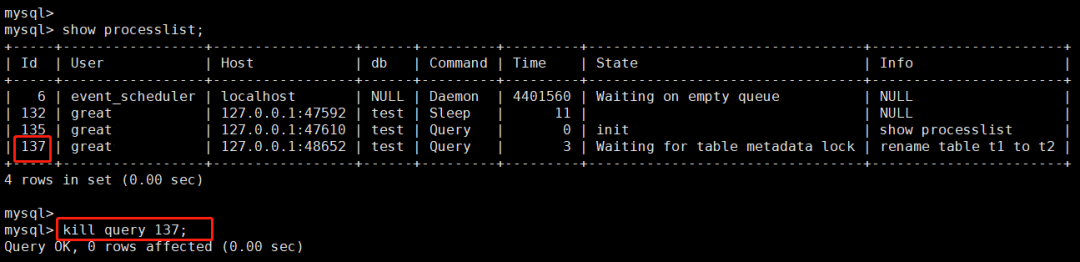
session3:执行 KILL QUERY
命令
mysql> show processlist;
+-----+------+---------+---------+--------------------------------+----------------------+
| Id  | db   | Command | Time    | State                          | Info                 |
+-----+------+---------+---------+--------------------------------+----------------------+
|   6 | NULL | Daemon  | 4401560 | Waiting on empty queue         | NULL                 |
| 132 | test | Sleep   |      11 |                                | NULL                 |
| 135 | test | Query   |       0 | init                           | show processlist     |
| 137 | test | Query   |       3 | Waiting for table metadata lock| rename table t1 to t2|
+-----+------+---------+---------+--------------------------------+----------------------+
4 rows in set (0.00 sec)

mysql>
mysql> kill query 137;
Query OK, 0 rows affected (0.00 sec)
#为了排版,表格字段略有删减,具体信息请看图片
session2:
mysql> rename table t1 to t2;
ERROR 1317 (70100): Query execution was interrupted

可以看到session2执行的语句已经被终止了,达到了我们想要的效果。
2.登录mysql客户端时加--skip-reconnect选项
--skip-reconnect
表示当连接丢失时不会进行重新连接的尝试
session2:登录时加 --skip-reconnect
选项
shell> mysql -uroot -p -h127.0.0.1 -P3306 --skip-reconnect
session3:执行 kill 命令
mysql> show processlist;
+-----+------+---------+---------+--------------------------------+----------------------+
| Id  | db   | Command | Time    | State                          | Info                 |
+-----+------+---------+---------+--------------------------------+----------------------+
|   6 | NULL | Daemon  | 4402073 | Waiting on empty queue         | NULL                 |
| 132 | test | Sleep   |     524 |                                | NULL                 |
| 135 | test | Query   |       0 | init                           | show processlist     |
| 139 | test | Query   |       4 | Waiting for table metadata lock| rename table t1 to t2|
+-----+------+---------+---------+--------------------------------+----------------------+
4 rows in set (0.00 sec)

mysql> kill 139;
Query OK, 0 rows affected (0.00 sec)
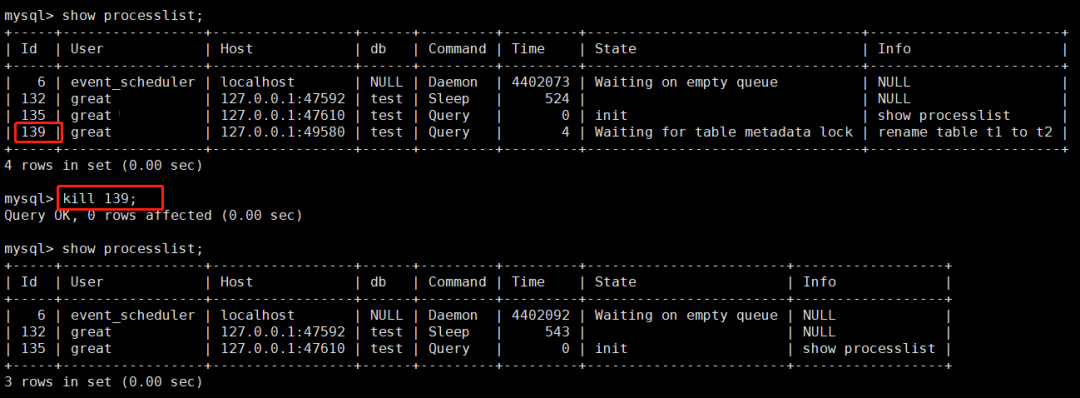
session2:
mysql> rename table t1 to t2;
ERROR 2013 (HY000): Lost connection to MySQL server during query

可以看到session2的会话连接已经被终止,并且没有自动重新连接,达到了我们想要的效果。
总结
通过MySQL客户端登录时,会话重新连接的选项
--reconnect
默认是开启的,如果要禁止重新连接可在登录时添加 --skip-reconnectKILL CONNECTION
与KILL
相同,它在终止连接正在执行的任何语句后,再终止会话连接。KILL QUERY
终止连接当前正在执行的语句,但保持连接本身不变。
参考链接
https://dev.mysql.com/doc/refman/8.0/en/kill.html
https://dev.mysql.com/doc/refman/8.0/en/mysql-command-options.html
《深入浅出MGR》视频课程
戳此小程序即可直达B站
https://www.bilibili.com/medialist/play/1363850082?business=space_collection&business_id=343928&desc=0
文章推荐:
想看更多技术好文,点个“在看”吧!
