



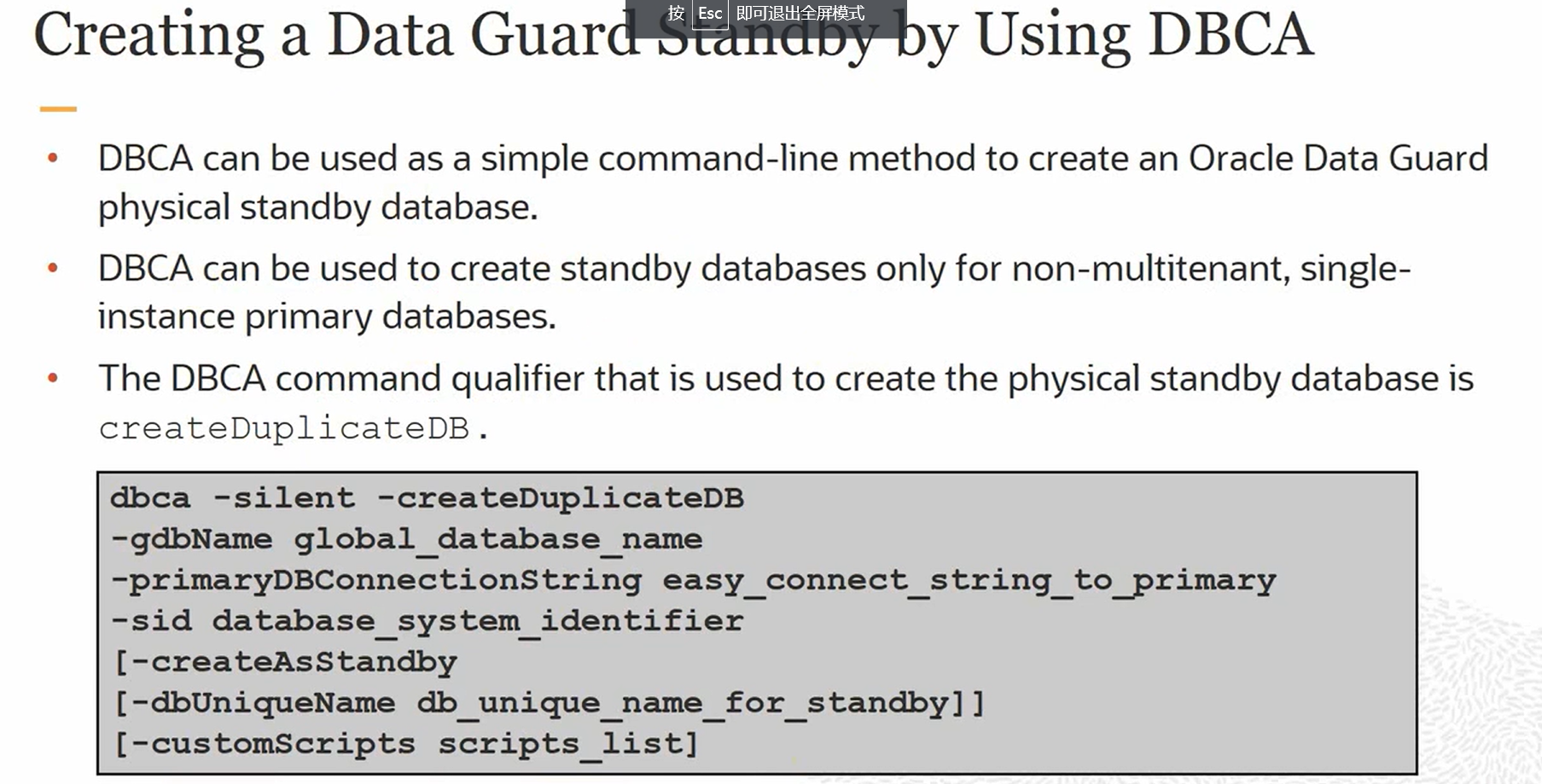
dbca -createDuplicateDB
-gdbName global_database_name
-primaryDBConnectionString easy_connect_string_to_primary
-sid database_system_identifier
[-createAsStandby
[-dbUniqueName db_unique_name_for_standby]]
[-customScripts scripts_list]
--不支持多租户,RAC;仅支持单实例模式。
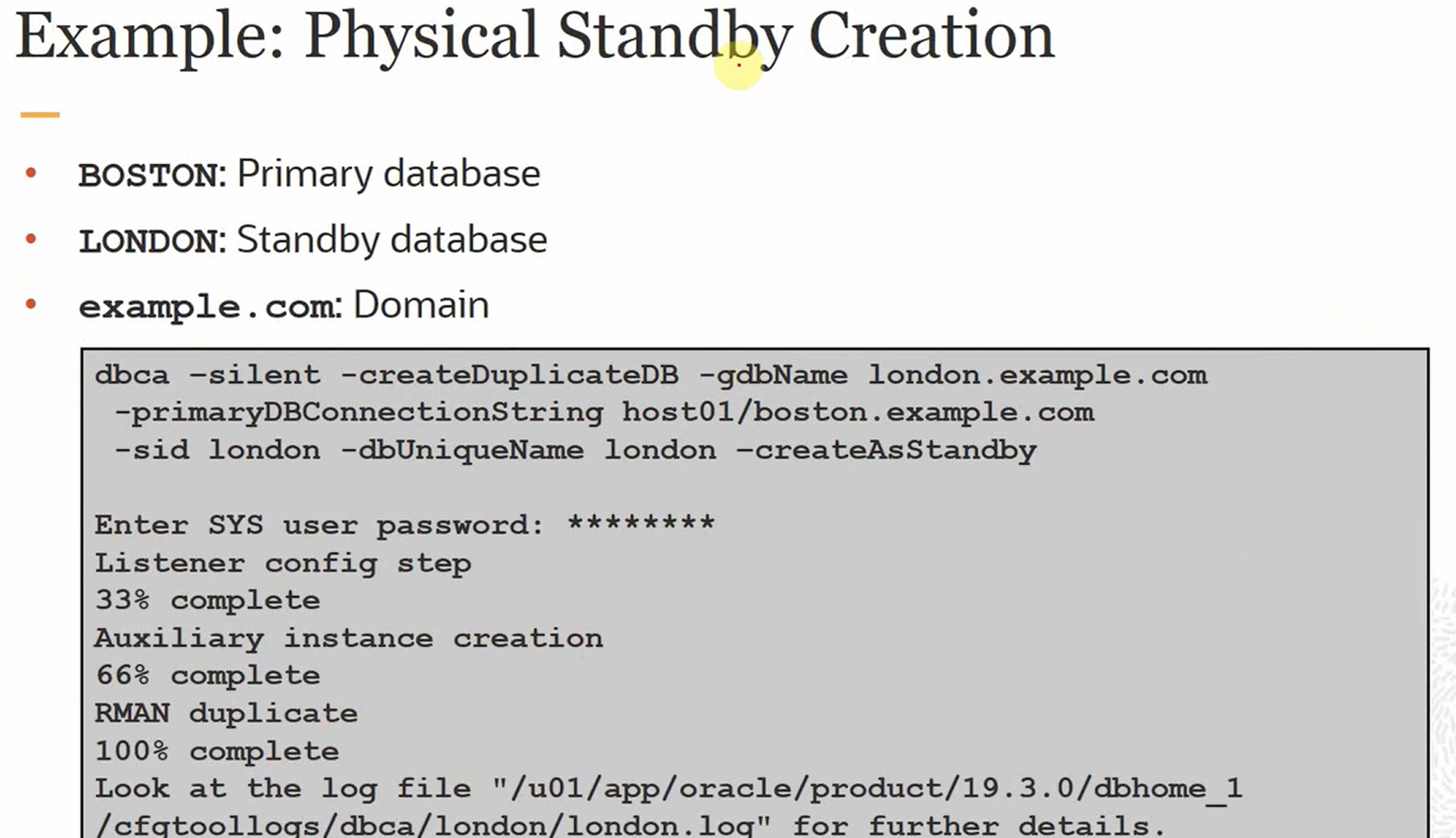
dbca –silent -createDuplicateDB -primaryDBConnectionString myprimary.domain:1523/chicago.domain
-gdbName chicago.domain -sid boston -initParams instance_name=boston –createAsStandbyEnter SYS user password:
Listener config step
33% complete
Auxiliary instance creation
66% complete
RMAN duplicate
100% complete
Look at the log file " /u01/app/oracle/product/12.2.0/dbhome_1/cfgtoollogs/dbca/chicago/chicago.log" for further details.--定制脚本
dbca -silent -createDuplicateDB -primaryDBConnectionString myprimary.domain:1523/chicago.domain
-gdbName chicago.domain -sid boston -initParams instance_name=boston -createAsStandby -customScripts /tmp/test.sqlEnter SYS user password:
Listener config step
25% complete
Auxiliary instance creation
50% complete
RMAN duplicate
75% complete
Running Custom Scripts
100% complete
Look at the log file " /u01/app/oracle/product/12.2.0/dbhome_1/cfgtoollogs/dbca/chicago/chicago.log" for further details.
#更正,支持PDB,CDB模式:
Before You Begin
In Oracle Database 18c, duplicating a CDB requires several commands to be executed.

What Do You Need?
Oracle Database 19c installed
A CDB: ORCL with PDB1 in archivelog mode.
HR schema installed in PDB1 as an example of application tables. If you want to use the HR.EMPLOYEES table, use the hr.sql. Download the SQL script to the labs directory created on your server /home/oracle/labs. In the script, update the password of the user connected to the database.
section 1Check the Existence of Application Data in the CDB
Log in to PDB1 in ORCL as SYSTEM.
sqlplus system@PDB1
Enter password: password
Use the hr.sql script to create the HR user and EMPLOYEES table in PDB1.
@/home/oracle/labs/hr.sql
Verify that PDB1 contains the HR.EMPLOYEES table.
SELECT count(*) FROM hr.employees;

COUNT(*)
----------
       107
Quit the session.
EXIT
section 2Use DBCA to Duplicate a CDB
In this section, you use DBCA in silent mode to duplicate ORCL as CDB19 .

Launch DBCA in silent mode to duplicate ORCL as CDB19. Update the hostname by your server name in the command. SI means Single Instance.
dbca -silent -createDuplicateDB -gdbName CDB19 -sid CDB19 -primaryDBConnectionString hostname:1521/ORCL -databaseConfigType SI -initParams db_unique_name=CDB19 -sysPassword password -datafileDestination /u02/app/oracle/oradata
Prepare for db operation 22% complete
Listener config step 44% complete
Auxiliary instance creation 67% complete
RMAN duplicate 89% complete
Post duplicate database operations 100% complete
Look at the log file "/u01/app/oracle/cfgtoollogs/dbca/CDB19/CDB19.log" for further details.
section 3Check that the CDB Is Duplicated
Connect to CDB19 as SYS.
sqlplus sys@CDB19 AS SYSDBA
Enter password: password
SHOW PDBS

    CON_ID CON_NAME                       OPEN MODE  RESTRICTED
---------- ------------------------------ ---------- ----------
         2 PDB$SEED                       READ ONLY  NO
         3 PDB1                           READ WRITE NO
Check that PDB1 contains the HR.EMPLOYEES table as in PDB1 of ORCL.
CONNECT hr@PDB1
Enter password: password
SELECT count(*) FROM employees;

  COUNT(*)
----------
       107
section 4Use DBCA to Duplicate a CDB with OMF
In this section, you use DBCA in silent mode to duplicate ORCL as CDBOMF19 with OMF files.

Launch DBCA in silent mode to duplicate ORCL as CDBOMF19. Update the hostname by your server name in the command.
dbca -silent -createDuplicateDB -gdbName CDBOMF19 -sid CDBOMF19 -primaryDBConnectionString hostname:1521/ORCL -databaseConfigType SI -initParams db_unique_name=CDBOMF19 -sysPassword password -datafileDestination /u02/app/oracle/oradata –useOMF=TRUE
Prepare for db operation 22% complete
Listener config step 44% complete
Auxiliary instance creation 67% complete
RMAN duplicate 89% complete
Post duplicate database operations 100% complete
Look at the log file "/u01/app/oracle/cfgtoollogs/dbca/CDBOMF19/CDBOMF19.log" for further details.
Connect to CDBOMF19 as SYS.
sqlplus sys@CDBOMF19 AS SYSDBA
Enter password: password
COL name FORMAT A78
SELECT name FROM v$datafile;
NAME
--------------------------------------------------------------------
/u02/app/oracle/oradata/CDBOMF19/system01.dbf
...
/u02/app/oracle/oradata/CDBOMF19/PDB1/system01.dbf
/u02/app/oracle/oradata/CDBOMF19/PDB1/sysaux01.dbf
/u02/app/oracle/oradata/CDBOMF19/PDB1/undotbs01.dbf
...
Quit the session.
EXIT
section 5Clean Up the CDBs Duplicated
Use DBCA to delete CDB19.
$ORACLE_HOME/bin/dbca -silent -deleteDatabase -sourceDB CDB19 -sid CDB19 -sysPassword password
Use DBCA to delete CDBOMF19.
$ORACLE_HOME/bin/dbca -silent -deleteDatabase -sourceDB CDBOMF19 -sid CDBOMF19 -sysPasswo