暂无图片
暂无图片
暂无图片
暂无图片
暂无图片

MySQL-巧用Join来优化SQL

数据和云 2019-08-18
274

墨墨导读:本文是读者『小豹子加油』的投稿,通过举出唐僧师徒取经的例子,详述一则使用JOIN来优化SQL的案例。


准备相关表


相关建表语句请看:https://github.com/YangBaohust/my_sql


user1表,取经组

    +----+-----------+-----------------+---------------------------------+
    | id | user_name | comment | mobile |
    +----+-----------+-----------------+---------------------------------+
    |  1 | 唐僧      | 旃檀功德佛      | 138245623,021-382349            |
    | 2 | 孙悟空 | 斗战胜佛 | 159384292,022-483432,+86-392432 |
    |  3 | 猪八戒    | 净坛使者        | 183208243,055-8234234           |
    | 4 | 沙僧 | 金身罗汉 | 293842295,098-2383429 |
    |  5 | NULL      | 白龙马          | 993267899                       |
    +----+-----------+-----------------+---------------------------------+


    user2表,悟空的朋友圈

      +----+--------------+-----------+
      | id | user_name | comment |
      +----+--------------+-----------+
      | 1 | 孙悟空 | 美猴王 |
      | 2 | 牛魔王 | 牛哥 |
      | 3 | 铁扇公主 | 牛夫人 |
      | 4 | 菩提老祖 | 葡萄 |
      | 5 | NULL | 晶晶 |
      +----+--------------+-----------+


      user1_kills表,取经路上杀的妖怪数量

        +----+-----------+---------------------+-------+
        | id | user_name | timestr | kills |
        +----+-----------+---------------------+-------+
        |  1 | 孙悟空    | 2013-01-10 00:00:00 |    10 |
        | 2 | 孙悟空 | 2013-02-01 00:00:00 | 2 |
        |  3 | 孙悟空    | 2013-02-05 00:00:00 |    12 |
        | 4 | 孙悟空 | 2013-02-12 00:00:00 | 22 |
        |  5 | 猪八戒    | 2013-01-11 00:00:00 |    20 |
        | 6 | 猪八戒 | 2013-02-07 00:00:00 | 17 |
        |  7 | 猪八戒    | 2013-02-08 00:00:00 |    35 |
        | 8 | 沙僧 | 2013-01-10 00:00:00 | 3 |
        |  9 | 沙僧      | 2013-01-22 00:00:00 |     9 |
        | 10 | 沙僧 | 2013-02-11 00:00:00 | 5 |
        +----+-----------+---------------------+-------+


        user1_equipment表,取经组装备

          +----+-----------+--------------+-----------------+-----------------+
          | id | user_name | arms | clothing | shoe |
          +----+-----------+--------------+-----------------+-----------------+
          | 1 | 唐僧 | 九环锡杖 | 锦斓袈裟 | 僧鞋 |
          | 2 | 孙悟空 | 金箍棒 | 梭子黄金甲 | 藕丝步云履 |
          | 3 | 猪八戒 | 九齿钉耙 | 僧衣 | 僧鞋 |
          | 4 | 沙僧 | 降妖宝杖 | 僧衣 | 僧鞋 |
          +----+-----------+--------------+-----------------+-----------------+


          使用left join优化not in子句


          例子:找出取经组中不属于悟空朋友圈的人

            +----+-----------+-----------------+-----------------------+
            | id | user_name | comment | mobile |
            +----+-----------+-----------------+-----------------------+
            | 1 | 唐僧 | 旃檀功德佛 | 138245623,021-382349 |
            | 3 | 猪八戒 | 净坛使者 | 183208243,055-8234234 |
            | 4 | 沙僧 | 金身罗汉 | 293842295,098-2383429 |
            +----+-----------+-----------------+-----------------------+


            not in写法:

              select * from user1 a where a.user_name not in (select user_name from user2 where user_name is not null);


              left join写法:首先看通过user_name进行连接的外连接数据集

                select a.*, b.* from user1 a left join user2 b on (a.user_name = b.user_name);
                +----+-----------+-----------------+---------------------------------+------+-----------+-----------+
                | id | user_name | comment | mobile | id | user_name | comment |
                +----+-----------+-----------------+---------------------------------+------+-----------+-----------+
                | 2 | 孙悟空 | 斗战胜佛 | 159384292,022-483432,+86-392432 | 1 | 孙悟空 | 美猴王 |
                | 1 | 唐僧 | 旃檀功德佛 | 138245623,021-382349 | NULL | NULL | NULL |
                | 3 | 猪八戒 | 净坛使者 | 183208243,055-8234234 | NULL | NULL | NULL |
                | 4 | 沙僧 | 金身罗汉 | 293842295,098-2383429 | NULL | NULL | NULL |
                | 5 | NULL | 白龙马 | 993267899 | NULL | NULL | NULL |
                +----+-----------+-----------------+---------------------------------+------+-----------+-----------+


                可以看到a表中的所有数据都有显示,b表中的数据只有b.user_name与a.user_name相等才显示,其余都以null值填充,要想找出取经组中不属于悟空朋友圈的人,只需要在b.user_name中加一个过滤条件b.user_name is null即可。

                  select a.* from user1 a left join user2 b on (a.user_name = b.user_name) where b.user_name is null;
                  +----+-----------+-----------------+-----------------------+
                  | id | user_name | comment | mobile |
                  +----+-----------+-----------------+-----------------------+
                  | 1 | 唐僧 | 旃檀功德佛 | 138245623,021-382349 |
                  | 3 | 猪八戒 | 净坛使者 | 183208243,055-8234234 |
                  | 4 | 沙僧 | 金身罗汉 | 293842295,098-2383429 |
                  | 5 | NULL | 白龙马 | 993267899 |
                  +----+-----------+-----------------+-----------------------+


                  看到这里发现结果集中还多了一个白龙马,继续添加过滤条件a.user_name is not null即可。

                    select a.* from user1 a left join user2 b on (a.user_name = b.user_name) where b.user_name is null and a.user_name is not null;


                    使用left join优化标量子查询


                    例子:查看取经组中的人在悟空朋友圈的昵称

                      +-----------+-----------------+-----------+
                      | user_name | comment | comment2 |
                      +-----------+-----------------+-----------+
                      | 唐僧 | 旃檀功德佛 | NULL |
                      | 孙悟空 | 斗战胜佛 | 美猴王 |
                      | 猪八戒 | 净坛使者 | NULL |
                      | 沙僧 | 金身罗汉 | NULL |
                      | NULL | 白龙马 | NULL |
                      +-----------+-----------------+-----------+


                      子查询写法:

                        select a.user_name, a.comment, (select comment from user2 b where b.user_name = a.user_name) comment2 from user1 a;


                        left join写法:

                          select a.user_name, a.comment, b.comment comment2 from user1 a left join user2 b on (a.user_name = b.user_name);


                          3. 使用join优化聚合子查询

                          例子:查询出取经组中每人打怪最多的日期

                            +----+-----------+---------------------+-------+
                            | id | user_name | timestr | kills |
                            +----+-----------+---------------------+-------+
                            | 4 | 孙悟空 | 2013-02-12 00:00:00 | 22 |
                            | 7 | 猪八戒 | 2013-02-08 00:00:00 | 35 |
                            | 9 | 沙僧 | 2013-01-22 00:00:00 | 9 |
                            +----+-----------+---------------------+-------+


                            聚合子查询写法:

                              select * from user1_kills a where a.kills = (select max(b.kills) from user1_kills b where b.user_name = a.user_name);


                              join写法:

                              首先看两表自关联的结果集,为节省篇幅,只取猪八戒的打怪数据来看

                                select a.*, b.* from user1_kills a join user1_kills b on (a.user_name = b.user_name) order by 1;
                                +----+-----------+---------------------+-------+----+-----------+---------------------+-------+
                                | id | user_name | timestr | kills | id | user_name | timestr | kills |
                                +----+-----------+---------------------+-------+----+-----------+---------------------+-------+
                                |  5 | 猪八戒    | 2013-01-11 00:00:00 |    20 |  5 | 猪八戒    | 2013-01-11 00:00:00 |    20 |
                                |  5 | 猪八戒    | 2013-01-11 00:00:00 |    20 |  6 | 猪八戒    | 2013-02-07 00:00:00 |    17 |
                                |  5 | 猪八戒    | 2013-01-11 00:00:00 |    20 |  7 | 猪八戒    | 2013-02-08 00:00:00 |    35 |
                                | 6 | 猪八戒 | 2013-02-07 00:00:00 | 17 | 7 | 猪八戒 | 2013-02-08 00:00:00 | 35 |
                                |  6 | 猪八戒    | 2013-02-07 00:00:00 |    17 |  5 | 猪八戒    | 2013-01-11 00:00:00 |    20 |
                                | 6 | 猪八戒 | 2013-02-07 00:00:00 | 17 | 6 | 猪八戒 | 2013-02-07 00:00:00 | 17 |
                                |  7 | 猪八戒    | 2013-02-08 00:00:00 |    35 |  5 | 猪八戒    | 2013-01-11 00:00:00 |    20 |
                                | 7 | 猪八戒 | 2013-02-08 00:00:00 | 35 | 6 | 猪八戒 | 2013-02-07 00:00:00 | 17 |
                                |  7 | 猪八戒    | 2013-02-08 00:00:00 |    35 |  7 | 猪八戒    | 2013-02-08 00:00:00 |    35 |
                                +----+-----------+---------------------+-------+----+-----------+---------------------+-------+


                                可以看到当两表通过user_name进行自关联,只需要对a表的所有字段进行一个group by,取b表中的max(kills),只要a.kills=max(b.kills)就满足要求了。sql如下

                                  select a.* from user1_kills a join user1_kills b on (a.user_name = b.user_name) group by a.id, a.user_name, a.timestr, a.kills having a.kills = max(b.kills);


                                  使用join进行分组选择


                                  例子:对第3个例子进行升级,查询出取经组中每人打怪最多的前两个日期

                                    +----+-----------+---------------------+-------+
                                    | id | user_name | timestr | kills |
                                    +----+-----------+---------------------+-------+
                                    | 3 | 孙悟空 | 2013-02-05 00:00:00 | 12 |
                                    | 4 | 孙悟空 | 2013-02-12 00:00:00 | 22 |
                                    | 5 | 猪八戒 | 2013-01-11 00:00:00 | 20 |
                                    | 7 | 猪八戒 | 2013-02-08 00:00:00 | 35 |
                                    | 9 | 沙僧 | 2013-01-22 00:00:00 | 9 |
                                    | 10 | 沙僧 | 2013-02-11 00:00:00 | 5 |
                                    +----+-----------+---------------------+-------+


                                    在oracle中,可以通过分析函数来实现

                                      select b.* from (select a.*, row_number() over(partition by user_name order by kills desc) cnt from user1_kills a) b where b.cnt <= 2;


                                      很遗憾,上面sql在mysql中报错ERROR 1064 (42000): You have an error in your SQL syntax; 因为mysql并不支持分析函数。不过可以通过下面的方式去实现。

                                      首先对两表进行自关联,为了节约篇幅,只取出孙悟空的数据

                                        select a.*, b.* from user1_kills a join user1_kills b on (a.user_name=b.user_name and a.kills<=b.kills) order by a.user_name, a.kills desc;
                                        +----+-----------+---------------------+-------+----+-----------+---------------------+-------+
                                        | id | user_name | timestr | kills | id | user_name | timestr | kills |
                                        +----+-----------+---------------------+-------+----+-----------+---------------------+-------+
                                        | 4 | 孙悟空 | 2013-02-12 00:00:00 | 22 | 4 | 孙悟空 | 2013-02-12 00:00:00 | 22 |
                                        | 3 | 孙悟空 | 2013-02-05 00:00:00 | 12 | 3 | 孙悟空 | 2013-02-05 00:00:00 | 12 |
                                        | 3 | 孙悟空 | 2013-02-05 00:00:00 | 12 | 4 | 孙悟空 | 2013-02-12 00:00:00 | 22 |
                                        | 1 | 孙悟空 | 2013-01-10 00:00:00 | 10 | 1 | 孙悟空 | 2013-01-10 00:00:00 | 10 |
                                        | 1 | 孙悟空 | 2013-01-10 00:00:00 | 10 | 3 | 孙悟空 | 2013-02-05 00:00:00 | 12 |
                                        | 1 | 孙悟空 | 2013-01-10 00:00:00 | 10 | 4 | 孙悟空 | 2013-02-12 00:00:00 | 22 |
                                        | 2 | 孙悟空 | 2013-02-01 00:00:00 | 2 | 1 | 孙悟空 | 2013-01-10 00:00:00 | 10 |
                                        | 2 | 孙悟空 | 2013-02-01 00:00:00 | 2 | 3 | 孙悟空 | 2013-02-05 00:00:00 | 12 |
                                        | 2 | 孙悟空 | 2013-02-01 00:00:00 | 2 | 4 | 孙悟空 | 2013-02-12 00:00:00 | 22 |
                                        | 2 | 孙悟空 | 2013-02-01 00:00:00 | 2 | 2 | 孙悟空 | 2013-02-01 00:00:00 | 2 |
                                        +----+-----------+---------------------+-------+----+-----------+---------------------+-------+


                                        从上面的表中我们知道孙悟空打怪前两名的数量是22和12,那么只需要对a表的所有字段进行一个group by,对b表的id做个count,count值小于等于2就满足要求,sql改写如下:

                                          select a.* from user1_kills a join user1_kills b on (a.user_name=b.user_name and a.kills<=b.kills) group by a.id, a.user_name, a.timestr, a.kills having count(b.id) <= 2;


                                          使用笛卡尔积关联实现一列转多行


                                          例子:将取经组中每个电话号码变成一行

                                          原始数据:

                                            +-----------+---------------------------------+
                                            | user_name | mobile |
                                            +-----------+---------------------------------+
                                            | 唐僧 | 138245623,021-382349 |
                                            | 孙悟空 | 159384292,022-483432,+86-392432 |
                                            | 猪八戒 | 183208243,055-8234234 |
                                            | 沙僧 | 293842295,098-2383429 |
                                            | NULL | 993267899 |
                                            +-----------+---------------------------------+


                                            想要得到的数据:

                                              +-----------+-------------+
                                              | user_name | mobile |
                                              +-----------+-------------+
                                              | 唐僧 | 138245623 |
                                              | 唐僧 | 021-382349 |
                                              | 孙悟空 | 159384292 |
                                              | 孙悟空 | 022-483432 |
                                              | 孙悟空 | +86-392432 |
                                              | 猪八戒 | 183208243 |
                                              | 猪八戒 | 055-8234234 |
                                              | 沙僧 | 293842295 |
                                              | 沙僧 | 098-2383429 |
                                              | NULL | 993267899 |
                                              +-----------+-------------+


                                              可以看到唐僧有两个电话,因此他就需要两行。我们可以先求出每人的电话号码数量,然后与一张序列表进行笛卡儿积关联,为了节约篇幅,只取出唐僧的数据

                                                select a.id, b.* from tb_sequence a cross join (select user_name, mobile, length(mobile)-length(replace(mobile, ',', ''))+1 size from user1) b order by 2,1;
                                                +----+-----------+---------------------------------+------+
                                                | id | user_name | mobile | size |
                                                +----+-----------+---------------------------------+------+
                                                | 1 | 唐僧 | 138245623,021-382349 | 2 |
                                                | 2 | 唐僧 | 138245623,021-382349 | 2 |
                                                | 3 | 唐僧 | 138245623,021-382349 | 2 |
                                                | 4 | 唐僧 | 138245623,021-382349 | 2 |
                                                | 5 | 唐僧 | 138245623,021-382349 | 2 |
                                                | 6 | 唐僧 | 138245623,021-382349 | 2 |
                                                | 7 | 唐僧 | 138245623,021-382349 | 2 |
                                                | 8 | 唐僧 | 138245623,021-382349 | 2 |
                                                | 9 | 唐僧 | 138245623,021-382349 | 2 |
                                                | 10 | 唐僧 | 138245623,021-382349 | 2 |
                                                +----+-----------+---------------------------------+------+


                                                a.id对应的就是第几个电话号码,size就是总的电话号码数量,因此可以加上关联条件(a.id <= b.size),将上面的sql继续调整

                                                  select b.user_name, replace(substring(substring_index(b.mobile, ',', a.id), char_length(substring_index(mobile, ',', a.id-1)) + 1), ',', '') as mobile from tb_sequence a cross join (select user_name, concat(mobile, ',') as mobile, length(mobile)-length(replace(mobile, ',', ''))+1 size from user1) b on (a.id <= b.size);


                                                  使用笛卡尔积关联实现多列转多行


                                                  例子:将取经组中每件装备变成一行

                                                  原始数据:

                                                    +----+-----------+--------------+-----------------+-----------------+
                                                    | id | user_name | arms | clothing | shoe |
                                                    +----+-----------+--------------+-----------------+-----------------+
                                                    | 1 | 唐僧 | 九环锡杖 | 锦斓袈裟 | 僧鞋 |
                                                    | 2 | 孙悟空 | 金箍棒 | 梭子黄金甲 | 藕丝步云履 |
                                                    | 3 | 猪八戒 | 九齿钉耙 | 僧衣 | 僧鞋 |
                                                    | 4 | 沙僧 | 降妖宝杖 | 僧衣 | 僧鞋 |
                                                    +----+-----------+--------------+-----------------+-----------------+


                                                    想要得到的数据:

                                                      +-----------+-----------+-----------------+
                                                      | user_name | equipment | equip_mame |
                                                      +-----------+-----------+-----------------+
                                                      | 唐僧 | arms | 九环锡杖 |
                                                      | 唐僧 | clothing | 锦斓袈裟 |
                                                      | 唐僧 | shoe | 僧鞋 |
                                                      | 孙悟空 | arms | 金箍棒 |
                                                      | 孙悟空 | clothing | 梭子黄金甲 |
                                                      | 孙悟空 | shoe | 藕丝步云履 |
                                                      | 沙僧 | arms | 降妖宝杖 |
                                                      | 沙僧 | clothing | 僧衣 |
                                                      | 沙僧 | shoe | 僧鞋 |
                                                      | 猪八戒 | arms | 九齿钉耙 |
                                                      | 猪八戒 | clothing | 僧衣 |
                                                      | 猪八戒 | shoe | 僧鞋 |
                                                      +-----------+-----------+-----------------+


                                                      union的写法:

                                                        select user_name, 'arms' as equipment, arms equip_mame from user1_equipment
                                                        union all
                                                        select user_name, 'clothing' as equipment, clothing equip_mame from user1_equipment
                                                        union all
                                                        select user_name, 'shoe' as equipment, shoe equip_mame from user1_equipment
                                                        order by 1, 2;


                                                        join的写法:

                                                        首先看笛卡尔数据集的效果,以唐僧为例

                                                          select a.*, b.* from user1_equipment a cross join tb_sequence b where b.id <= 3;
                                                          +----+-----------+--------------+-----------------+-----------------+----+
                                                          | id | user_name | arms | clothing | shoe | id |
                                                          +----+-----------+--------------+-----------------+-----------------+----+
                                                          | 1 | 唐僧 | 九环锡杖 | 锦斓袈裟 | 僧鞋 | 1 |
                                                          | 1 | 唐僧 | 九环锡杖 | 锦斓袈裟 | 僧鞋 | 2 |
                                                          | 1 | 唐僧 | 九环锡杖 | 锦斓袈裟 | 僧鞋 | 3 |
                                                          +----+-----------+--------------+-----------------+-----------------+----+


                                                          使用case对上面的结果进行处理

                                                            select user_name, 
                                                            case when b.id = 1 then 'arms'
                                                            when b.id = 2 then 'clothing'
                                                            when b.id = 3 then 'shoe' end as equipment,
                                                            case when b.id = 1 then arms end arms,
                                                            case when b.id = 2 then clothing end clothing,
                                                            case when b.id = 3 then shoe end shoe
                                                            from user1_equipment a cross join tb_sequence b where b.id <=3;
                                                            +-----------+-----------+--------------+-----------------+-----------------+
                                                            | user_name | equipment | arms | clothing | shoe |
                                                            +-----------+-----------+--------------+-----------------+-----------------+
                                                            | 唐僧 | arms | 九环锡杖 | NULL | NULL |
                                                            | 唐僧 | clothing | NULL | 锦斓袈裟 | NULL |
                                                            | 唐僧 | shoe | NULL | NULL | 僧鞋 |
                                                            +-----------+-----------+--------------+-----------------+-----------------+


                                                            使用coalesce函数将多列数据进行合并

                                                              select user_name, 
                                                              case when b.id = 1 then 'arms'
                                                              when b.id = 2 then 'clothing'
                                                              when b.id = 3 then 'shoe' end as equipment,
                                                              coalesce(case when b.id = 1 then arms end,
                                                              case when b.id = 2 then clothing end,
                                                              case when b.id = 3 then shoe end) equip_mame
                                                              from user1_equipment a cross join tb_sequence b where b.id <=3 order by 12


                                                              使用join更新过滤条件中包含自身的表


                                                              例子:把同时存在于取经组和悟空朋友圈中的人,在取经组中把comment字段更新为"此人在悟空的朋友圈"


                                                              我们很自然地想到先查出user1和user2中user_name都存在的人,然后更新user1表,sql如下

                                                                update user1 set comment = '此人在悟空的朋友圈' where user_name in (select a.user_name from user1 a join user2 b on (a.user_name = b.user_name));


                                                                很遗憾,上面sql在mysql中报错:ERROR 1093 (HY000): You can't specify target table 'user1' for update in FROM clause,提示不能更新目标表在from子句的表。


                                                                那有没有其它办法呢?我们可以将in的写法转换成join的方式

                                                                  select c.*, d.* from user1 c join (select a.user_name from user1 a join user2 b on (a.user_name = b.user_name)) d on (c.user_name = d.user_name);
                                                                  +----+-----------+--------------+---------------------------------+-----------+
                                                                  | id | user_name | comment | mobile | user_name |
                                                                  +----+-----------+--------------+---------------------------------+-----------+
                                                                  | 2 | 孙悟空 | 斗战胜佛 | 159384292,022-483432,+86-392432 | 孙悟空 |
                                                                  +----+-----------+--------------+---------------------------------+-----------+

                                                                  然后对join之后的视图进行更新即可

                                                                    update user1 c join (select a.user_name from user1 a join user2 b on (a.user_name = b.user_name)) d on (c.user_name = d.user_name) set c.comment = '此人在悟空的朋友圈';


                                                                    再查看user1,可以看到user1已修改成功

                                                                      select * from user1;
                                                                      +----+-----------+-----------------------------+---------------------------------+
                                                                      | id | user_name | comment | mobile |
                                                                      +----+-----------+-----------------------------+---------------------------------+
                                                                      | 1 | 唐僧 | 旃檀功德佛 | 138245623,021-382349 |
                                                                      | 2 | 孙悟空 | 此人在悟空的朋友圈 | 159384292,022-483432,+86-392432 |
                                                                      | 3 | 猪八戒 | 净坛使者 | 183208243,055-8234234 |
                                                                      | 4 | 沙僧 | 金身罗汉 | 293842295,098-2383429 |
                                                                      | 5 | NULL | 白龙马 | 993267899 |
                                                                      +----+-----------+-----------------------------+---------------------------------+


                                                                      使用join删除重复数据


                                                                      首先向user2表中插入两条数据

                                                                        insert into user2(user_name, comment) values ('孙悟空', '美猴王');
                                                                        insert into user2(user_name, comment) values ('牛魔王', '牛哥');


                                                                        例子:将user2表中的重复数据删除,只保留id号大的

                                                                          +----+--------------+-----------+
                                                                          | id | user_name | comment |
                                                                          +----+--------------+-----------+
                                                                          | 1 | 孙悟空 | 美猴王 |
                                                                          | 2 | 牛魔王 | 牛哥 |
                                                                          | 3 | 铁扇公主 | 牛夫人 |
                                                                          | 4 | 菩提老祖 | 葡萄 |
                                                                          | 5 | NULL | 晶晶 |
                                                                          | 6 | 孙悟空 | 美猴王 |
                                                                          | 7 | 牛魔王 | 牛哥 |
                                                                          +----+--------------+-----------+


                                                                          首先查看重复记录

                                                                            select a.*, b.* from user2 a join (select user_name, comment, max(id) id from user2 group by user_name, comment having count(*) > 1) b on (a.user_name=b.user_name and a.comment=b.comment) order by 2;
                                                                            +----+-----------+-----------+-----------+-----------+------+
                                                                            | id | user_name | comment | user_name | comment | id |
                                                                            +----+-----------+-----------+-----------+-----------+------+
                                                                            | 1 | 孙悟空 | 美猴王 | 孙悟空 | 美猴王 | 6 |
                                                                            | 6 | 孙悟空 | 美猴王 | 孙悟空 | 美猴王 | 6 |
                                                                            | 2 | 牛魔王 | 牛哥 | 牛魔王 | 牛哥 | 7 |
                                                                            | 7 | 牛魔王 | 牛哥 | 牛魔王 | 牛哥 | 7 |
                                                                            +----+-----------+-----------+-----------+-----------+------+


                                                                            接着只需要删除(a.id < b.id)的数据即可

                                                                              delete a from user2 a join (select user_name, comment, max(id) id from user2 group by user_name, comment having count(*) > 1) b on (a.user_name=b.user_name and a.comment=b.comment) where a.id < b.id;


                                                                              查看user2,可以看到重复数据已经被删掉了

                                                                                select * from user2;
                                                                                +----+--------------+-----------+
                                                                                | id | user_name | comment |
                                                                                +----+--------------+-----------+
                                                                                | 3 | 铁扇公主 | 牛夫人 |
                                                                                | 4 | 菩提老祖 | 葡萄 |
                                                                                | 5 | NULL | 晶晶 |
                                                                                | 6 | 孙悟空 | 美猴王 |
                                                                                | 7 | 牛魔王 | 牛哥 |
                                                                                +----+--------------+-----------+


                                                                                总结:给大家就介绍到这里,大家有兴趣可以多造点数据,然后比较不同的sql写法在执行时间上的区别。


                                                                                出处:https://www.cnblogs.com/ddzj01/p/11346954.html

                                                                                作者:小豹子加油


                                                                                扩展阅读


                                                                                1. IMP-00009:异常结束导出文件解决方案

                                                                                2. 分布式架构在农业银行的应用实践与展望

                                                                                3. 给数据库减负的八个思路,盘它!

                                                                                4. 20万DBA都在关注的11个问题

                                                                                5. MySQL DBA面试高频三十问

                                                                                6. 史上最通俗分布式锁解读


                                                                                数据和云小程序『DBASK』在线问答,随时解惑  欢迎了解和关注。

                                                                                在线问答
                                                                                即时回复

                                                                                数据和云

                                                                                ID:OraNews

                                                                                如有收获,请划至底部,点击“在看”,谢谢!

                                                                                资源下载

                                                                                关注公众号:数据和云(OraNews)回复关键字获取

                                                                                help,30万+下载的完整菜单栏

                                                                                2019DTCC,数据库大会PPT

                                                                                2018DTCC , 数据库大会PPT

                                                                                2018DTC,2018 DTC 大会 PPT

                                                                                ENMOBK《Oracle性能优化与诊断案例》

                                                                                DBALIFE,“DBA 的一天”海报

                                                                                DBA04,DBA 手记4 电子书

                                                                                122ARCH,Oracle 12.2体系结构图

                                                                                2018OOW,Oracle OpenWorld 资料

                                                                                产品推荐

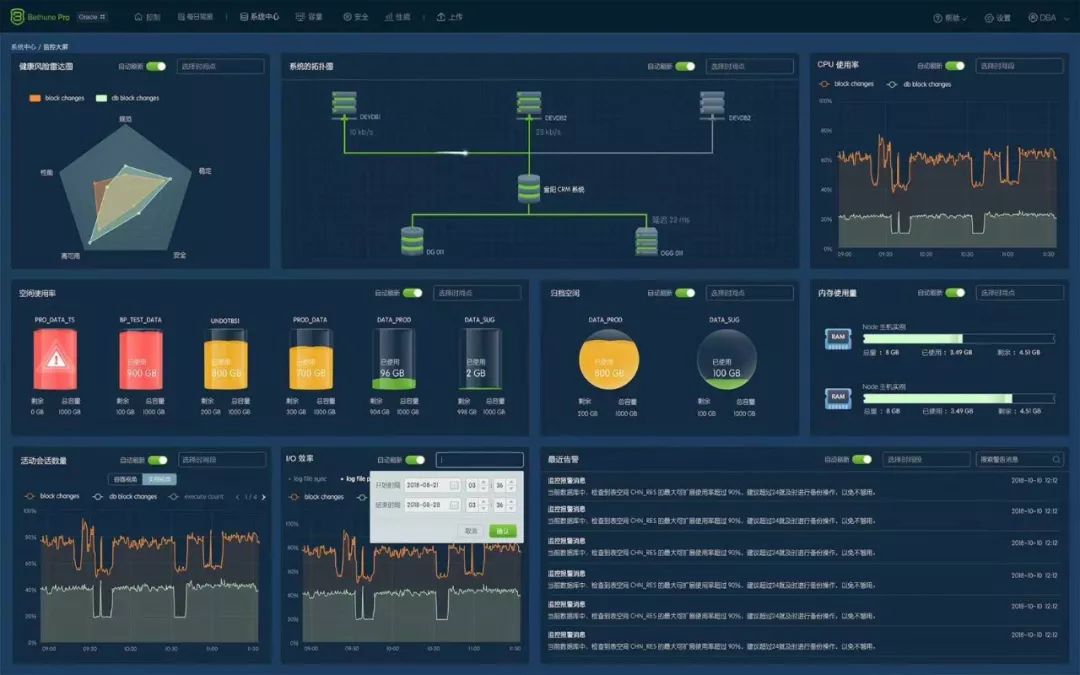
                                                                                云和恩墨Bethune Pro2 企业版,集监控、巡检、安全于一身,你的专属数据库实时监控和智能巡检平台,漂亮的不像实力派,你值得拥有!


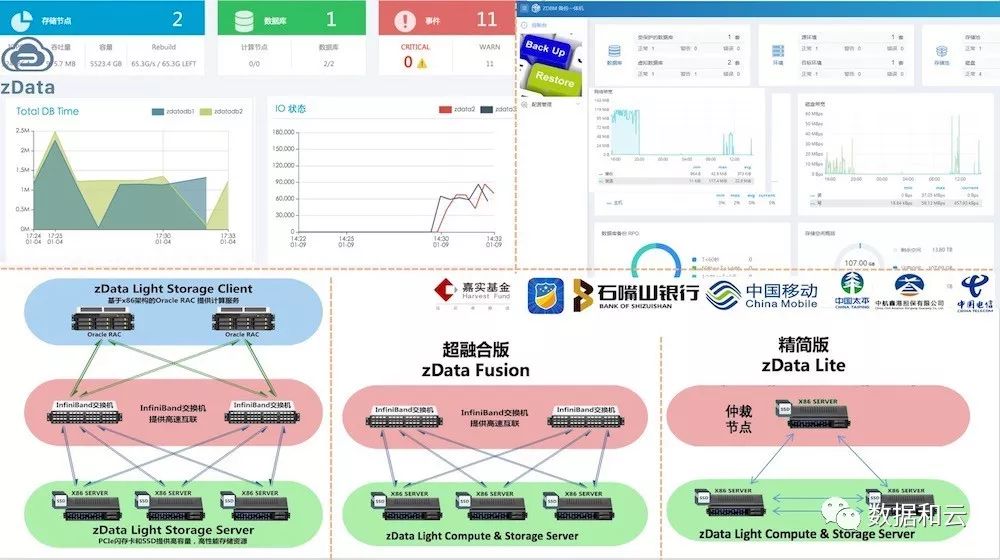
                                                                                云和恩墨zData一体机现已发布超融合版本和精简版,支持各种简化场景部署,零数据丢失备份一体机ZDBM也已发布,欢迎关注。


                                                                                云和恩墨大讲堂 | 一个分享交流的地方

                                                                                长按,识别二维码,加入万人交流社群


                                                                                请备注:云和恩墨大讲堂

                                                                                文章转载自数据和云,如果涉嫌侵权,请发送邮件至:contact@modb.pro进行举报,并提供相关证据,一经查实,墨天轮将立刻删除相关内容。

                                                                                评论